Small Business

7 AI Tools Every Solopreneur Needs in 2026 (And One Platform That Replaces Them All)

Drowning in subscriptions? You're juggling content creation, email, social media, accounting, and more—all by yourself. See the essential AI tools, then discover how one platform can replace your entire tech stack for $29/month.

12 min read
January 28, 2026
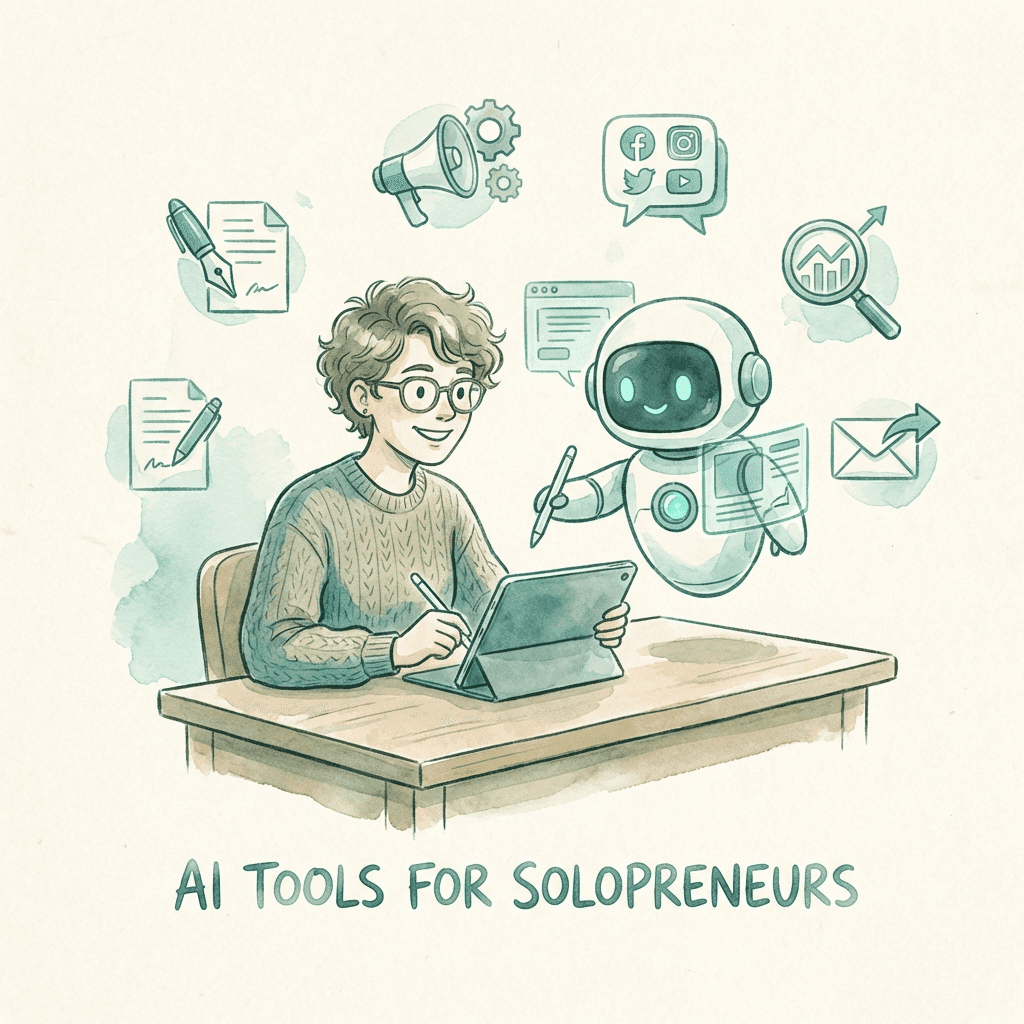
AI tools for solopreneurs showing the essential tech stack and all-in-one alternative

You're running a one-person empire. Content creation, customer service, sales, accounting, marketing—all you. Sound familiar?

Every morning you wake up to a list that never ends. Write blog posts. Design social graphics. Respond to leads. Send invoices. Post on LinkedIn. Schedule meetings. Update your website. The work never stops—because there's only one of you.

The 2026 Solopreneur Reality

According to Google Cloud's 2026 AI Business Trends Report, 91% of small businesses believe AI will be vital for achieving their growth goals, and 71% plan to increase AI investments this year. The solopreneurs who embrace AI aren't just surviving—they're scaling.

But here's the problem: the AI landscape is overwhelming. ChatGPT for writing. Canva for design. Zapier for automation. QuickBooks for accounting. Otter for meetings. Buffer for social media. Before you know it, you're spending $300/month on tools and half your day switching between them.
Watch: The Solopreneur's AI Toolkit

The Solopreneur's Dilemma: Tool Stack Chaos

Let's be honest. You didn't start a business to become a software manager.

Yet here you are, juggling 7+ subscriptions, remembering 15 different passwords, and spending precious hours each week just trying to make your tools talk to each other.

Symptoms of Tool Stack Fatigue:

Paying for features you don't use
Forgetting which tool does what
Integration nightmares
Subscription creep ($50 → $300/month)
Context switching every 10 minutes
Data scattered across platforms
Can't remember all your passwords
Spending more time on tools than work

According to Flowlu's research on solopreneur productivity, the average one-person business uses 7+ different software tools. That's 7 logins, 7 billing cycles, 7 learning curves, and 7 potential points of failure.

"I realized I was spending 3 hours every morning just getting my tools set up and synced before I could do any real work. That's 15 hours a week—almost half a full-time job—on overhead."
— Solopreneur on Reddit's r/Entrepreneur

The 7 AI Tools Every Solopreneur "Needs" in 2026

Before we show you the better way, let's acknowledge reality. These are the AI tools that every blog recommends, every influencer uses, and every solopreneur eventually adopts. Based on recommendations from Entrepreneur.com and Nextiva's small business research:

1. Content Creation AI

ChatGPT, Jasper, Claude, Copy.ai

$20-100/mo

Write blog posts, emails, social captions, ad copy, and more. The backbone of modern content marketing.

Blog writingEmail draftsSocial postsAd copy

2. Visual Design AI

Canva AI, Midjourney, DALL-E, Adobe Firefly

$10-50/mo

Create social graphics, product images, presentations, and brand assets without hiring a designer.

Social graphicsProduct imagesPresentationsLogo variations

3. Email Management AI

Superhuman, Lindy, SaneBox, Mailbutler

$25-50/mo

Triage inbox, draft responses, schedule sends, and actually hit inbox zero for once. The average professional spends 4.1 hours/day on email.

Auto-draftsSmart sortingFollow-upsScheduling

4. Social Media AI

Buffer, Hootsuite, Later, Sprout Social

$15-60/mo

Schedule posts, generate captions, analyze performance, and maintain consistent presence across platforms without living on your phone.

SchedulingCaption AIAnalyticsMulti-platform

5. Meeting Notes AI

Otter.ai, Fireflies, Grain, Fathom

$10-30/mo

Auto-transcribe meetings, generate summaries, extract action items, and never miss a follow-up again.

TranscriptionSummariesAction itemsSearch

6. Automation Platform

Zapier, Make (Integromat), n8n

$20-75/mo

Connect your apps, automate workflows, and eliminate repetitive tasks. The glue that holds your tech stack together.

App connectionsWorkflowsTriggers500+ integrations

7. AI Accounting

QuickBooks AI, FreshBooks, Wave, Xero

$15-50/mo

Auto-categorize expenses, generate invoices, track time, and prepare for taxes without spreadsheet nightmares.

Expense trackingInvoicingTax prepReports

The Real Cost of Your AI Stack

Content Creation (ChatGPT Plus)$20/mo
Design (Canva Pro)$15/mo
Email (Superhuman)$30/mo
Social Media (Buffer)$15/mo
Meetings (Otter.ai)$17/mo
Automation (Zapier)$30/mo
Accounting (QuickBooks)$30/mo
Minimum Monthly Total$157/mo
Realistically with upgrades$250-400/mo
Annual Cost$1,884 - $4,800/year

* And this doesn't include the 10+ hours/week YOU spend managing these disconnected tools

The Problem: More Tools ≠ More Productivity

Here's what nobody tells you about that 7-tool AI stack:

Nothing Actually Integrates

Your content AI doesn't talk to your social scheduler. Your email tool doesn't know about your CRM. You need Zapier just to make them work together—that's another subscription and another learning curve.

Context Switching Kills Productivity

Studies show it takes 23 minutes to refocus after switching tasks. With 7 different tools, you're switching contexts constantly. That 'time-saving' AI stack might be costing you hours of deep work daily.

Feature Overlap = Wasted Money

ChatGPT can write social posts. So can Jasper. And Hootsuite has AI now too. You're paying for the same capability three times. Multiply this across your entire stack.

No Unified Memory

Each tool starts fresh. Your email AI doesn't remember what you wrote in your blog post. Your social AI doesn't know your brand voice from your content tool. There's no continuity.

According to Siift's AI tools comparison, the average solopreneur spends 5-10 hours per week just managing and coordinating their tool stack. That's equivalent to losing an entire workday every week.

"I had 9 AI subscriptions. $380/month. I finally sat down and calculated: I was spending more time learning and managing these tools than they were saving me. The irony of 'productivity' software."
— Comment on Hacker News

The Solution: One Platform, Multiple AI Employees

What if instead of subscribing to 7 different tools, you had one platform with pre-built AI employees—each specialized for a specific business function, but all working together seamlessly?

That's the approach platforms like Dooza are taking. Instead of cobbling together ChatGPT + Canva + Buffer + Superhuman + Zapier, you get:

Dooza's Pre-Built AI Employees

Email Employee

Manages inbox, drafts responses, schedules follow-ups

Social Media Employee

Creates content, schedules posts, engages with audience

SEO Employee

Optimizes content, tracks rankings, suggests keywords

Sales Employee

Qualifies leads, sends outreach, books meetings

Content Employee

Writes blogs, emails, ads—in your brand voice

Research Employee

Analyzes competitors, finds opportunities

All of this for
$29/month
Start Free Trial

Why This Approach Works Better

Unified Memory

Your email employee knows what your content employee wrote. Context flows across every function.

Zero Integration Headaches

No Zapier. No APIs. No webhooks. Everything just works together out of the box.

One Login, One Bill

Forget juggling subscriptions. One platform, one invoice, one set of credentials.

Pre-Trained for Business

These aren't generic chatbots. Each AI employee is built for specific business functions.

Maintained for You

Updates, improvements, and new capabilities added without you lifting a finger.

Cost Comparison: Tool Stack vs All-in-One

Feature7-Tool StackDooza
Monthly Cost$157-400$29
Annual Cost$1,884-4,800$348
Number of Logins7+1
Integration SetupHours of ZapierNone needed
Unified Memory
Learning Curve7 different UIs1 simple interface
Technical Skill RequiredMedium-HighNone
Support7 different companies1 dedicated team

Annual Savings with Dooza

Switching from a 7-tool stack to Dooza saves you:

$1,500+
Per year minimum
5-10 hrs
Per week on tools
50+ days
Per year for actual work

How to Get Started

Ready to ditch the tool stack chaos? Here's how to make the switch:

1

Audit Your Current Stack

List every AI tool you're paying for. Add up the monthly cost. Be honest about which ones you actually use vs. 'meant to use.'

2

Try Dooza Free for 7 Days

No credit card required. See how the AI employees work. Test them on real tasks—an email, a social post, a blog outline.

3

Cancel the Overlap

Once you see Dooza handling your content, email, and social—cancel the redundant subscriptions. Most solopreneurs eliminate 4-5 tools immediately.

4

Reinvest the Savings

That $150+/month you're saving? Put it toward advertising, product development, or—radical idea—pay yourself more.

Stop Managing Tools. Start Building Your Business.

Join thousands of solopreneurs who've replaced their tool stack chaos with one platform. AI employees that work 24/7—for less than one coffee per day.

Frequently Asked Questions

What AI tools do solopreneurs need in 2026?

Solopreneurs in 2026 need AI tools for content creation (ChatGPT, Jasper), visual design (Canva AI, Midjourney), email management (Superhuman), social media scheduling (Buffer, Hootsuite), meeting transcription (Otter.ai), automation (Zapier, Make), and accounting (QuickBooks). However, managing 7+ subscriptions can cost $200-500/month. Platforms like Dooza consolidate these functions into pre-built AI employees for $29/month.

How much do AI tools cost for a solopreneur?

Individual AI tools typically cost $10-50/month each. A full stack including content creation, design, email, social media, automation, and accounting tools can run $200-500/month. All-in-one platforms like Dooza offer multiple AI employees for $29/month, potentially saving solopreneurs hundreds of dollars monthly while reducing tool fatigue.

Can AI replace a virtual assistant for solopreneurs?

AI can handle many VA tasks including email management, scheduling, social media posting, content drafting, and lead response. For repetitive, 24/7 tasks, AI is often more cost-effective. However, human VAs still excel at relationship-building, complex judgment calls, and tasks requiring emotional intelligence. Many solopreneurs use both: AI for automation and human VAs for high-touch work.

What is tool stack fatigue?

Tool stack fatigue occurs when solopreneurs juggle too many separate software subscriptions. Symptoms include: spending more time managing tools than doing actual work, paying for overlapping features, forgetting passwords, dealing with integration issues, and subscription creep. Studies show the average solopreneur uses 7+ different tools. Consolidating to all-in-one platforms reduces cognitive load and costs.

Is Dooza good for solopreneurs?

Dooza is designed specifically for small businesses and solopreneurs who need AI automation without technical complexity. For $29/month, you get pre-built AI employees for email, social media, SEO, sales, and more. Unlike building your own tool stack or using developer-focused platforms like MoltBot, Dooza requires no coding, no integrations, and no maintenance—making it ideal for one-person businesses.

How much time can AI tools save solopreneurs?

AI tools can save solopreneurs 10-20+ hours per week depending on usage. Specific savings include: 2-4 hours/day on email (average professional spends 4.1 hours), 1-2 hours/day on content creation, 1 hour/day on social media, and 30+ minutes on meeting notes. Studies suggest AI can save 50+ workdays per year for heavy users—that's nearly 3 months of full-time work.

Sources & References

Related Articles

Small Business Marketing Tools: The Complete Guide for 2026
Small Business

Small Business Marketing Tools: The Complete Guide for 2026

52% of small businesses spend under $1,000/month on marketing—but most waste half of it on disconnected tools. Learn which tools actually matter and how AI is changing the game.

14 min read
Read
How AI Employees Transform Small Business Operations
AI Automation

How AI Employees Transform Small Business Operations

Discover how AI-powered employees are helping small businesses automate their daily operations, from email management to social media posting.

7 min read
Read

Ready to scale your business?

Join thousands of companies using Workforce to automate their work. Get started for free today.

No credit card required · 14-day free trial · Cancel anytime