How to document business processes: Build clear workflows to boost efficiency
Learn how to document business processes with practical steps to map workflows, reduce manual toil, and boost efficiency.
23 min read
February 12, 2026
So, what does it actually mean to document a business process? At its core, it's about taking a workflow, breaking it down into individual steps, assigning who does what, and creating a guide so clear that anyone—or any AI—can follow it perfectly. Imagine handing off your most repetitive tasks to a digital assistant that never gets tired, never makes a mistake, and frees you up to finally focus on growing your business. This is how you transform operational chaos into a smooth, predictable, and automated system.
Escape Operational Chaos with Smart Process Documentation
Picture your business running like a well-oiled machine, almost on autopilot. All those tedious but critical tasks—pulling weekly SEO reports, sending client follow-up emails, scheduling social media posts—just get done while you sleep. This isn't some distant dream; it's the direct result of mastering your business processes. It's the absolute first step toward meaningful automation and unlocking huge gains in efficiency, giving you back your most valuable asset: your time.
This guide is your roadmap to building a business that can run itself, allowing you to hand off the repetitive work to a digital workforce. When you create a clear operational playbook, you give AI employees the instructions they need to handle the mundane, freeing you and your team to focus on what really matters: growth and innovation.
The High Cost of Undocumented Processes vs The ROI of Automation
The hidden costs of disorganized workflows are staggering. Every time someone has to stop and ask, "Wait, how do I do this again?" or a task is done inconsistently, it’s a drain on your resources. These aren't just minor hiccups; they're major operational risks that kill your ability to scale. The table below highlights just how big the gap is between winging it and having a documented, automated system. Imagine what you could do with the hours saved.
Problem Area
Impact of No Documentation
Benefit of Clear Documentation & AI
Productivity
Wasted time searching for info, redoing work, and constant interruptions.
Drastically reduced manual effort as AI handles tasks 24/7 without error. Imagine getting a full day's work done before you even have your morning coffee.
Consistency & Quality
Inconsistent results, frequent errors, and a poor customer experience.
Standardized outputs and flawless execution every single time. Every client gets the same VIP treatment, automatically.
Training & Onboarding
New hires take weeks or months to become fully productive, relying on others.
New team members (human or AI) get up to speed in hours, not weeks. Your business becomes a plug-and-play system.
Scalability
Growth is limited by key people who become bottlenecks.
The business can scale rapidly without a linear increase in headcount or chaos. Double your clients without doubling your stress.
Employee Morale
Frustration from repetitive, boring tasks and unclear expectations.
Team members are freed to focus on creative, strategic, and more fulfilling work. This is how you retain top talent.
As you can see, the choice is pretty clear. Leaving processes undocumented is a direct path to stagnation, while documenting and automating them builds a foundation for a resilient, efficient business that gives you your life back.
Your Path to an Automated Business
The dream of a business that runs smoothly without your constant micromanagement starts with one foundational activity: documentation. Before you can deploy an AI employee from a platform like Dooza to manage your social media or handle customer support tickets, you have to give it a crystal-clear set of instructions.
Your business runs on its processes. If they only exist in people's heads, you don't have a scalable system—you have a collection of talented individuals who will eventually become bottlenecks.
This is where documenting your business processes becomes your greatest asset. It’s not just busywork; it's a strategic investment that pays off in multiple ways. A well-documented process allows you to:
Standardize Quality: Ensure every task is performed correctly and consistently, every single time. This eliminates errors and frustrating rework. For example, every client report looks perfect, without you lifting a finger.
Onboard Faster: Give new hires—whether they're human or AI—a clear roadmap to follow from day one. This slashes training time and gets them productive immediately.
Unlock Automation: Create the exact blueprints needed for AI employees to take over rule-based, repetitive tasks, turning your documented process into an active workflow.
Free Up Your Team: When the mundane is automated, your people can finally focus on the high-impact activities that actually drive the business forward. Imagine your best people spending their time on strategy instead of spreadsheets.
Getting this right is more than just an administrative chore. It's the strategic move that turns your business from a chaotic, reactive entity into a streamlined, proactive machine that's ready for whatever comes next.
Figure Out What to Document First (and Why It Matters)
Before you can hand off work to a digital workforce, you need a clear map of what you actually do. The whole point of automation isn't to add another layer of complexity; it's to make your life simpler by letting AI handle the repetitive grunt work. It all starts with figuring out the core processes that keep your business running, from generating a lead to delivering the final product.
A lot of people get stuck right here. They try to document everything at once, get completely overwhelmed, and burn out. Don't do that. The secret is to go after the low-hanging fruit first—the tasks that are the biggest drain on your time and energy.
Uncover Your Hidden Workflows
Take a minute and think about your typical week. What are the recurring tasks that you and your team do over and over? These are your prime candidates for documentation. Don't just focus on the big, obvious workflows; dig into the small, daily to-dos that really add up.
A digital marketing agency, for example, doesn't just "run campaigns." That’s a massive undertaking. Break it down. The real work is in the small, repetitive steps:
Every Monday: Pulling performance data from Google Ads, Facebook, and LinkedIn.
Every Tuesday: Manually plugging those numbers into a spreadsheet for analysis.
First of the Month: Building charts and slides for the monthly client report.
First of the Month: Drafting the summary email to go with that report.
Each of these is a distinct, time-sucking process. When you identify them individually, you can see exactly where an AI employee could step in and take over, freeing up your team for actual strategic thinking. Imagine all those reports being on your desk when you arrive Monday morning, already done.
A Simple Way to Prioritize
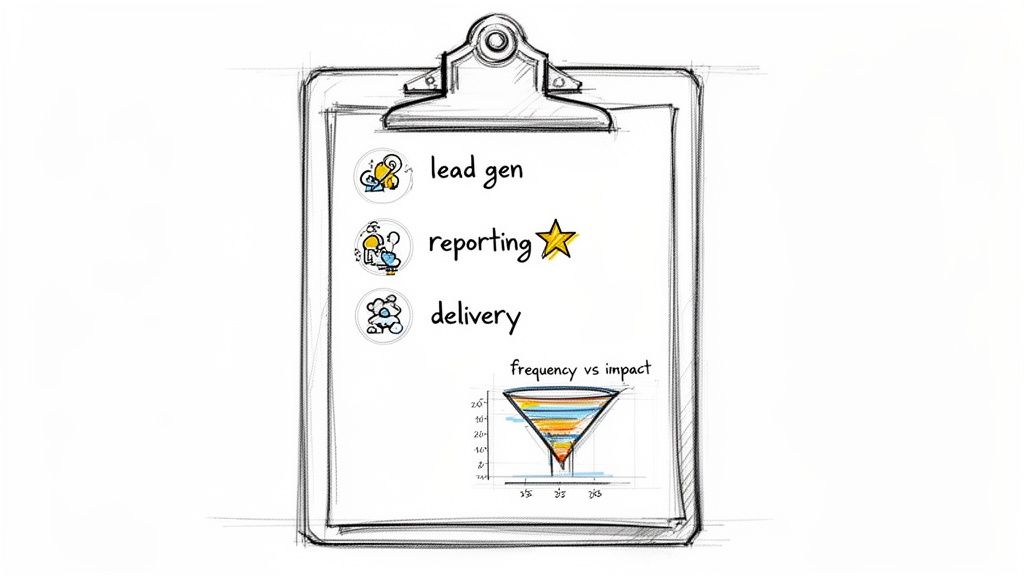
Okay, so you have a list of processes. Now what? You have to decide where to start, because not all tasks are created equal. I use a simple but really effective way to prioritize: evaluate every process against two key factors: Frequency and Time Consumption.
The best processes to document and automate first are the ones you do most often and that take up the most time. Fixing these delivers an immediate and noticeable return on investment, fueling your motivation to continue.
This instantly creates a pecking order. A task you do daily that eats up 30 minutes is a much better target for your first automation project than a complex task you only do once a quarter. Automate that 30-minute daily task, and you've just saved over 10 hours a month. That's a full workday back in your pocket.
High-Impact vs. Low-Impact Tasks
Let's see this in action. Imagine you run an e-commerce store. Your list of potential processes might look something like this:
Process
Frequency
Time Consumed (Weekly)
Automation Potential
Customer Support Ticket Triage
Daily
10-15 hours
High
Inventory Level Checks
Daily
2-3 hours
High
Social Media Post Scheduling
Daily
5 hours
High
New Product Launch Strategy
Quarterly
20 hours (one time)
Low
Supplier Contract Negotiation
Annually
10 hours (one time)
Low
The path forward becomes crystal clear. The strategic, human-centric work like negotiating contracts or planning a product launch? That’s not where you start. Instead, you focus on the daily grind: sorting customer emails, checking stock levels, and scheduling social media posts.
These are perfect jobs for an AI employee. By documenting exactly how you handle these frequent, time-consuming tasks, you give your digital workforce the playbook it needs to get started on day one.
This targeted approach is all about getting quick wins. Automating just the customer ticket triage could instantly free up 15 hours a week. That’s almost two full workdays you or your team get back, every single week. That’s the dream we're building—a business where your valuable time is spent on growth, not on soul-crushing operational drag. One great way to start gathering this information is to explore how you can use tools like business intake forms to standardize data from the very beginning.
Build Your Process Blueprint for Flawless Execution
Once you’ve pinpointed the high-impact processes that really move the needle, it's time to roll up your sleeves and build the actual blueprints. This is where the magic happens—transforming a chaotic series of tasks into a crystal-clear, repeatable guide that anyone, human or AI, can follow without a single misstep. The point isn’t just to write things down; it's to create a standardized playbook so precise it completely eliminates guesswork.
Lots of businesses know they should do this, but they get paralyzed by the "how." It's a surprisingly common roadblock. A Q2 2023 Forrester survey perfectly captured this dilemma: while a whopping 75% of companies expect their teams to optimize their own processes, 57% of those same companies admit they have no clear strategy for it. That's the chasm between good intentions and real results, and a solid process blueprint is the bridge you need to cross it.
Choose Your Documentation Format
How you map out a process really depends on two things: how complex it is and who’s going to use the guide. There’s no one-size-fits-all answer, but you can cover most of your bases with two main formats.
Visual Flowcharts: Got a process with a bunch of "if this, then that" decision points? A flowchart is your best friend. For example, a customer support flowchart might show how to handle a refund request versus a technical query. Using simple shapes and arrows, you can give everyone a bird's-eye view of the entire workflow. It makes spotting dependencies and potential bottlenecks almost effortless.
Step-by-Step Guides: When a task is more linear and the details really matter, you can't beat a classic step-by-step guide. This is where you break everything down into a simple numbered or bulleted list of actions. For instance, a guide on publishing a blog post would include "1. Log into WordPress," "2. Click 'Add New Post'," with screenshots for each step. This is the level of granularity an AI employee needs to completely take a task off your plate.
Honestly, the best-case scenario is having both. A visual map gives you the "why" and the context, while the detailed guide provides the "how." That combination leaves absolutely no room for confusion, whether it's a team member or an AI assistant doing the work.
The Essential Elements of a Process Document
To make sure every process document is consistent, complete, and ready for automation, you need a standard template. Think of it as a set of non-negotiable components that every blueprint must include. This consistency makes your entire knowledge base a breeze to navigate and ensures no critical info ever gets lost in the shuffle.
Here’s a look at what every process document should have to be truly useful. This is your checklist for creating a bulletproof plan.
Essential Elements of a Process Document
Element
Purpose
Example
Process Name
A clear, descriptive title so everyone knows what it is.
"Monthly Client SEO Performance Reporting"
Process Owner
The one person responsible for keeping this document up-to-date.
"Jane Doe, Senior SEO Specialist"
Objective
A quick sentence on what success looks like for this process.
"To generate and deliver an accurate SEO report to clients by the 3rd of each month."
Inputs
What’s needed to kick things off? Think data, tools, or triggers.
"Access to Google Analytics, Ahrefs, and the client's reporting template."
Outputs
What’s the final deliverable or end result?
"A finalized PDF report and a summary email sent to the client."
Step-by-Step Actions
The nitty-gritty sequence of tasks from start to finish.
"1. Log into Ahrefs. 2. Navigate to Site Explorer. 3. Export keyword rankings..."
Required Tools
A list of every piece of software or platform needed to get it done.
"Ahrefs, Google Slides, Gmail, Slack"
This kind of structure pulls you away from vague ideas like "do client reporting" and pushes you toward an actionable, repeatable system that anyone can execute. If you're looking for better ways to organize this information, our guide on creating structured tables for your business can offer some practical tips.
Real-World Example: YouTube Content Production
Let's make this tangible by documenting a "YouTube Content Production" process. This is a great example because it’s a workflow with tasks that are perfect for human creativity and others that are tailor-made for AI, setting it up nicely for a hybrid automation strategy.
Process Name: Weekly YouTube Video Production & Promotion
Process Owner: Marketing Manager
Objective: To publish one high-quality video every Friday at 10 AM EST and promote it across social channels to drive views and engagement.
Here’s how the play-by-play might look, with a clear line between human touch and AI efficiency:
Scriptwriting & Topic Approval (Human Task): The content strategist drafts a script based on keyword research and pops it into the project management tool for approval.
Gathering Visual Assets (Human Task): A video editor pulls together all the necessary B-roll footage, custom graphics, and brand assets for the video.
Video Editing & Rendering (AI Task): Once the voiceover is recorded, an AI video tool like Descript or Veed.io can take over. It edits the footage, adds subtitles, and renders the final file in the right format, saving hours of tedious work.
Uploading & Optimizing (AI Task): An AI employee uploads the final video to YouTube, fills out the title and description using SEO best practices, adds relevant tags, and schedules it to go live on Friday at 10 AM sharp.
Social Media Scheduling (AI Task): The same AI then whips up some promotional snippets from the video and schedules posts for LinkedIn, X (Twitter), and Facebook to publish the moment the video is live.
By documenting a process with this level of clarity, you’ve done more than just write a guide. You’ve built an operational playbook. It allows you to delegate with total confidence, knowing that the mix of human talent and AI muscle will deliver a perfect result, every single time. This is how you start winning back your team’s most valuable asset: their time.
Activate Your Processes with AI and Human Teams
A process document collecting dust on a digital shelf is worthless. Its true value is only unlocked when you put it into action, transforming it from a static guide into a dynamic, living workflow. This is where your hard work really pays off—when you activate those blueprints and bring them to life with a smart blend of human talent and AI efficiency.
This is the moment the dream of automation becomes a tangible reality. Your painstakingly crafted documents become the literal instruction manuals for a digital workforce. By connecting each documented step to AI employees, you can automate specific tasks, freeing up your team to focus on the work that actually requires a human touch.
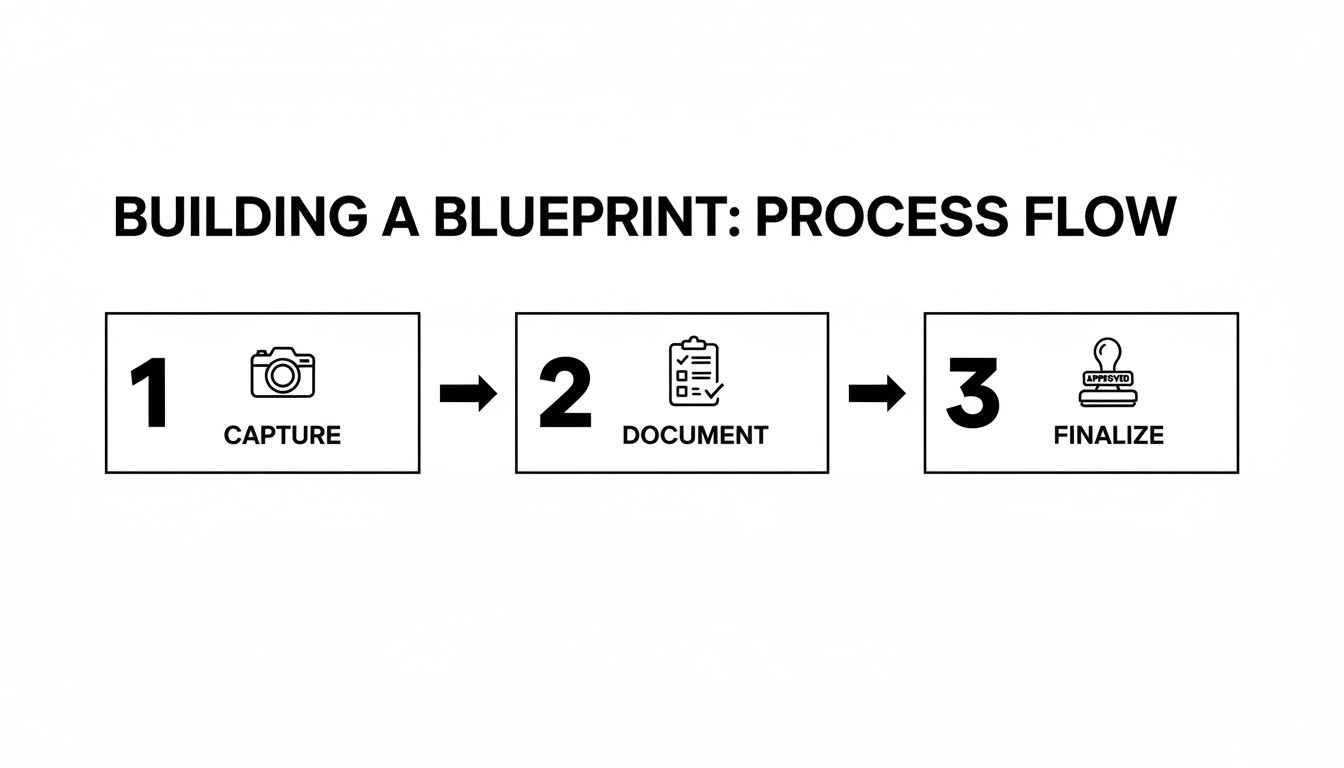
This flow illustrates the foundational path of capturing, documenting, and finalizing a process before you can even think about activation.
As you can see, a successful process is built on a solid, sequential foundation. Only then can you start automating and reclaiming your time.
Bridging Documentation and Automation
The key is to view your process document not as an endpoint, but as a starting point. It’s the playbook that tells your automation tools and AI employees exactly what to do, when to do it, and how. Think of it as programming your business for success—without writing a single line of code.
Let's take a "New Client Onboarding" process, which might have 15 steps. Instead of someone manually checking off each item, you can assign specific actions to an AI.
Step 3: Send Welcome Packet: An AI employee instantly emails the welcome packet the moment a contract is signed. No more "Did I remember to send that?" worries.
Step 5: Create Project Folder: The same AI creates and organizes all the necessary folders in your shared drive, perfectly structured every time.
Step 7: Schedule Kickoff Call: An AI calendar assistant coordinates schedules and sends the meeting invite, ending the back-and-forth email nightmare.
Suddenly, a process that used to take an hour of manual work is done in seconds, flawlessly, every single time. Your team member now only steps in for the high-value, strategic part of the process: the kickoff call where they actually build the relationship.
Creating a Human and AI Synergy
The most powerful systems aren't about replacing humans; they're about elevating them. The goal is to create a seamless synergy where AI handles the predictable, rule-based work, allowing your people to excel at the creative, strategic, and relationship-driven tasks they were hired for.
Consider a common sales outreach process. Documenting it is the first step, but activating it with a hybrid team is where you gain a massive competitive edge.
Lead Research (AI Task): An AI employee, like those from Dooza, can be tasked to scan LinkedIn for leads matching your ideal customer profile, gathering contact info and company data while you sleep.
Initial Email Draft (AI Task): Based on that research, the AI drafts a personalized outreach email, referencing the lead's recent activity to make it relevant.
Review and Send (Human Task): Your salesperson reviews the draft, adds a personal touch, and hits send. This takes them 30 seconds, not 30 minutes.
Relationship Building (Human Task): Once a lead responds, the salesperson takes over completely to build rapport, understand their needs, and close the deal.
This isn't just theory. This is how you reclaim dozens of hours each week. By letting AI handle the top-of-funnel drudgery, your sales team can focus entirely on what they do best: selling. This is the dream of scaling smarter, not harder.
Integrating Your Favorite Tools
This hybrid approach works because modern AI employees can integrate directly with the tools you already use every day. Your process document should specify which platforms are involved—Slack, your CRM, Google Drive—and the AI can connect to them to execute its tasks.
For example, an AI can be instructed to "When a new deal is marked 'Closed-Won' in Salesforce, automatically create a new client channel in Slack and send a welcome message." This turns your documentation from a simple guide into an integration map. It tells your digital workforce where to go, what data to pull, and what action to perform within your existing tech stack. The AI isn't some clunky, separate system; it's a teammate working alongside you in the apps you already know.
If you want to dive deeper into how AI can supercharge your operational efficiency, check out our insights on SEO automation.
Ultimately, activating your processes is the final, crucial step. It’s the move that delivers the ROI on all your documentation efforts, creating a business that is not only organized but also incredibly efficient, scalable, and frees you from the daily grind.
Keep Your Systems Humming: How to Maintain and Scale for Growth
Getting that first process documented and automated feels great. It's a huge win. But the real game-changer is when this becomes a core part of your company culture—a habit, not just a one-off project. This is how you build a business that truly learns, getting faster and more efficient as it grows.
The ultimate goal? A system of processes that practically manages itself. Picture your AI employees not only handling tasks but also flagging ways to improve them. This feedback loop is what separates the good businesses from the great ones. You're building an operational engine that adapts and scales, freeing you up to focus on what's next.
Make Continuous Improvement a Team Sport
Process documents shouldn't be relics gathering dust in a digital folder. Think of them as living guides that need to evolve right along with your business and the tools you use. To make this a reality, you need to set up a regular review cycle. This isn't about adding more meetings; it's a strategic check-in on the health of your operations.
A simple review cadence is all you need. For most workflows, a quarterly check is fine. For anything high-volume or critical, maybe bump it up to monthly.
Quarterly Reviews: Perfect for stable processes like financial reporting or employee onboarding.
Monthly Check-ins: Ideal for things that change quickly, like your social media strategy or lead-gen tactics.
When you do these reviews, get feedback from your team—both the people and the bots. Is a certain step still even necessary? For example, did a recent software update make a manual data export redundant? This is where you'll uncover bottlenecks and find new automation opportunities, creating a cycle of ever-increasing freedom.
Your Digital Workforce is Talking—Listen Up
Your AI employees are more than just digital hands; they're a fantastic source of operational data. If an AI consistently stumbles at the same point in a workflow, that's not a failure. It's feedback. It’s shining a spotlight on a weak link in your process.
By looking at the performance and error logs from your AI employees, you get brutally honest insights into where things are breaking down. This data gives you a clear, unbiased roadmap for making your workflows stronger and more efficient.
For instance, say your AI for customer support repeatedly struggles to pull up order details. That’s a clear signal that your process for accessing customer data is clunky or too slow. Fix that step, and you not only make the AI more effective but also make life easier for your human team members who deal with the same system. That's a classic win-win that directly impacts your customer service.
Build a Central Hub for Your Processes
All your hard work documenting processes is worthless if no one can find the documents. Tossing them into random shared folders or burying them in email threads is a recipe for disaster. The answer is to create a single source of truth—one central, easy-to-access place where every process guide lives.
This doesn't have to be complicated. It could be a well-organized workspace in Notion, a space in Confluence, or even a dedicated channel in Slack. The specific tool is less important than the principle: one place for all process docs.
Easy to Find: The whole team should know exactly where to look for a process guide. For example, a new hire can find the "How to Submit an Expense Report" guide in seconds without asking anyone.
Easy to Search: Use smart, consistent naming conventions and tags so finding the right doc is a matter of seconds.
Always Up-to-Date: Everyone must trust they're looking at the latest version. This eliminates so much confusion.
A central hub transforms how you document business processes, turning it from a messy chore into a powerful asset. It becomes the operational brain of your company, driving consistency and making it simple to get new hires up to speed.
For companies serious about scaling their automated workforce, exploring partnerships can also be a massive accelerator. To see what that looks like, learn more about becoming a Dooza partner. Ultimately, this disciplined approach makes documentation a genuine growth driver for a smarter, more scalable business.
Frequently Asked Questions About Process Documentation
Even with the best roadmap, you’re bound to hit a few bumps when you first start documenting your business processes. Let's tackle some of the most common questions I hear from teams who are just getting started. The goal here is to give you clear, practical answers to push past those initial hurdles and build a business that truly runs itself.
How Detailed Should My Process Documents Be?
This is a classic "it depends" situation, but the deciding factors are simple: the task itself and who—or what—is doing it.
If you're mapping a creative process for a human, like designing a new logo, a high-level flowchart is probably perfect. It lays out the major milestones without stifling the creative spirit. You’re providing guardrails, not a paint-by-numbers kit.
But when you're preparing a task for an AI employee to take over, granularity is everything. Think of it like programming a robot. You can’t just tell it to "make coffee." You have to spell out every tiny step: "pick up the filter," "place it in the basket," "scoop two tablespoons of coffee grounds," etc. For example, a process for an AI might read: "1. Open Chrome. 2. Navigate to google.com. 3. Click the login button in the top-right corner."
For any process you want to automate, the goal is to create a document so ridiculously detailed that there is zero room for misinterpretation. That level of precision is what lets an AI employee execute a task perfectly every time, freeing up your team for more important work.
What’s the Best Tool for Storing Documentation?
There isn’t one magic tool, but the best options all share a few key traits. You need a central, searchable, and cloud-based hub that your entire team can get to without any friction. Just dumping Word docs into a shared Google Drive folder is asking for trouble—it quickly becomes a chaotic mess where nobody knows which version is the right one.
A few platforms work really well for this:
Notion or Confluence: These are fantastic for building out an interconnected knowledge base. You can create detailed guides, link them together, and embed checklists and templates right where you need them.
Process Street: This is a purpose-built tool for managing recurring workflows and checklists. It's a great choice for making sure critical, multi-step tasks are done the same way, every time.
Honestly, the specific tool you choose is less important than your team's commitment to actually using it. The dream is to have a single source of truth where any employee—human or AI—can find the exact instructions they need in seconds.
How Do I Get My Team to Actually Do This?
This is the million-dollar question, isn't it? The secret isn't about enforcing a new rule. It’s about showing people what's in it for them.
Don't pitch documentation as another tedious administrative task. Frame it as their escape route from the most annoying, repetitive parts of their jobs.
Try this: ask your team, "What's the one task you wish you never had to do again?" Pick one, work with them to document it meticulously, and then assign it to an AI employee. When they realize that 30 minutes of documentation work just bought them back five hours of their time every single month, you'll have all the buy-in you need.
You're not selling a process. You're giving them their time back. That's how you build a culture where documentation is seen not as a chore, but as a superpower.
Ready to see your documented processes come to life? At Dooza, we provide the AI employees who can take your clear instructions and execute them flawlessly. Stop getting bogged down in tedious tasks and start leading a business that works for you. Hire your first AI employee today!
Ready to Get Started?
Automate your business with AI employees that work 24/7.
AI Personal Assistant for Business: Your 24/7 Digital Employee
Discover how an AI personal assistant for business can automate workflows, generate leads, and support customers 24/7. Learn to build your own no-code agent.
Google’s Gemini Era: What It Means for Business Automation and Why You Need AI Employees Now
Google’s Gemini demo reveals a future where AI understands context, images, and voice seamlessly. But for businesses, the real revolution is in deploying specialized AI employees that work 24/7. Discover how Dooza’s AI workforce can turn this vision into practical automation.