What is project coordination? A practical guide to seamless collaboration
Discover what is project coordination and how it differs from management. See how AI can streamline workflows and boost team efficiency.
19 min read
January 22, 2026
At its heart, project coordination is the tactical, hands-on work of juggling a project's resources, tasks, and communication to make sure everything runs like a well-oiled machine. It’s the practical side of things—the day-to-day effort that turns a high-level strategy into a finished product. Imagine your team has a brilliant idea for a new app; project coordination is the force that schedules the design sprints, ensures developers have the assets they need, and keeps the marketing team updated on the launch timeline.
The Hidden Engine Behind Flawless Projects
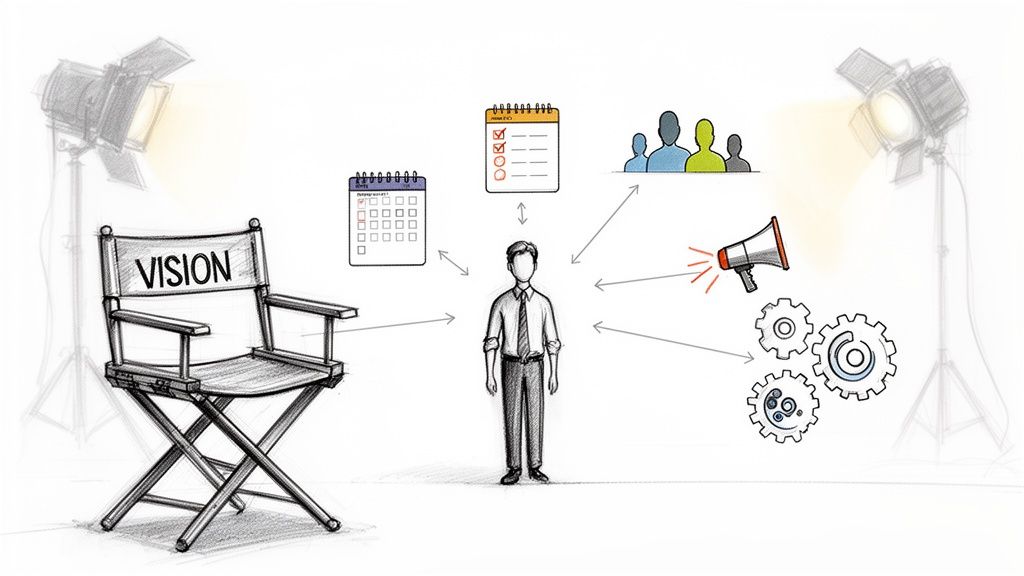
Think about a symphony orchestra for a moment. The conductor sets the vision and tempo, but it's the principal violinist who ensures all the string instruments are tuned, the sheet music is distributed, and everyone knows their cues. That's project coordination in a nutshell. It’s the operational powerhouse that keeps the project moving forward, preventing chaos and ensuring every piece fits together perfectly.
This is the essence of what is project coordination: it's the unsung hero of successful execution. While project management is busy defining the 'what' and 'why' of a project, coordination is deep in the trenches, handling the 'how' and 'when.' It's the connective tissue that manages daily operations, from booking meetings to tracking progress and clearing roadblocks before they become full-blown problems.
To give you a quick snapshot, here’s what coordination looks like on a daily basis.
Project Coordination at a Glance
Core Function
Primary Goal
Key Activities & Examples
Logistical Management
Ensure resources are available when needed.
Scheduling meetings, booking rooms, managing equipment. Example: Reserving the main conference room for the client demo next Tuesday.
Communication Flow
Keep all stakeholders informed and aligned.
Distributing meeting minutes, sending status updates, managing team chats. Example: Sending a Slack summary of the weekly sync with clear action items for each person.
Task & Progress Tracking
Maintain momentum and identify delays.
Updating project plans, monitoring task completion, following up on action items. Example: Nudging the design team that their wireframes are due by EOD Friday.
Documentation & Admin
Create a single source of truth for the project.
Organizing files, managing project records, preparing reports. Example: Ensuring the latest client feedback is saved in the correct Google Drive folder.
As you can see, coordination is all about the details that keep a project from falling apart.
Why Coordination Is So Critical
Here’s a hard truth: without great coordination, even the most brilliant strategies are doomed to fail. The global project management software market was valued at USD 5.6 billion in 2023 and is projected to hit USD 11.4 billion by 2032. Despite all this investment in tools, more than half of all projects still fail.
A huge part of the problem comes down to poor coordination. In fact, simple communication breakdowns are responsible for a staggering 30% of those failures. This really drives home the point that a project’s success depends just as much on seamless execution as it does on a great idea. There are tons of project management statistics out there, but one that always stands out is that the right tools can improve team communication by as much as 52%.
The dream for any team is to eliminate this friction and focus purely on the work that matters. What if all the administrative busywork just… disappeared?
Imagine a world where instead of spending hours chasing updates, booking meetings, or manually updating spreadsheets, your team could dedicate that time to innovation, creative problem-solving, and delivering exceptional results. Picture your best minds free from the grind, focused entirely on creating value.
The Future of Automated Coordination
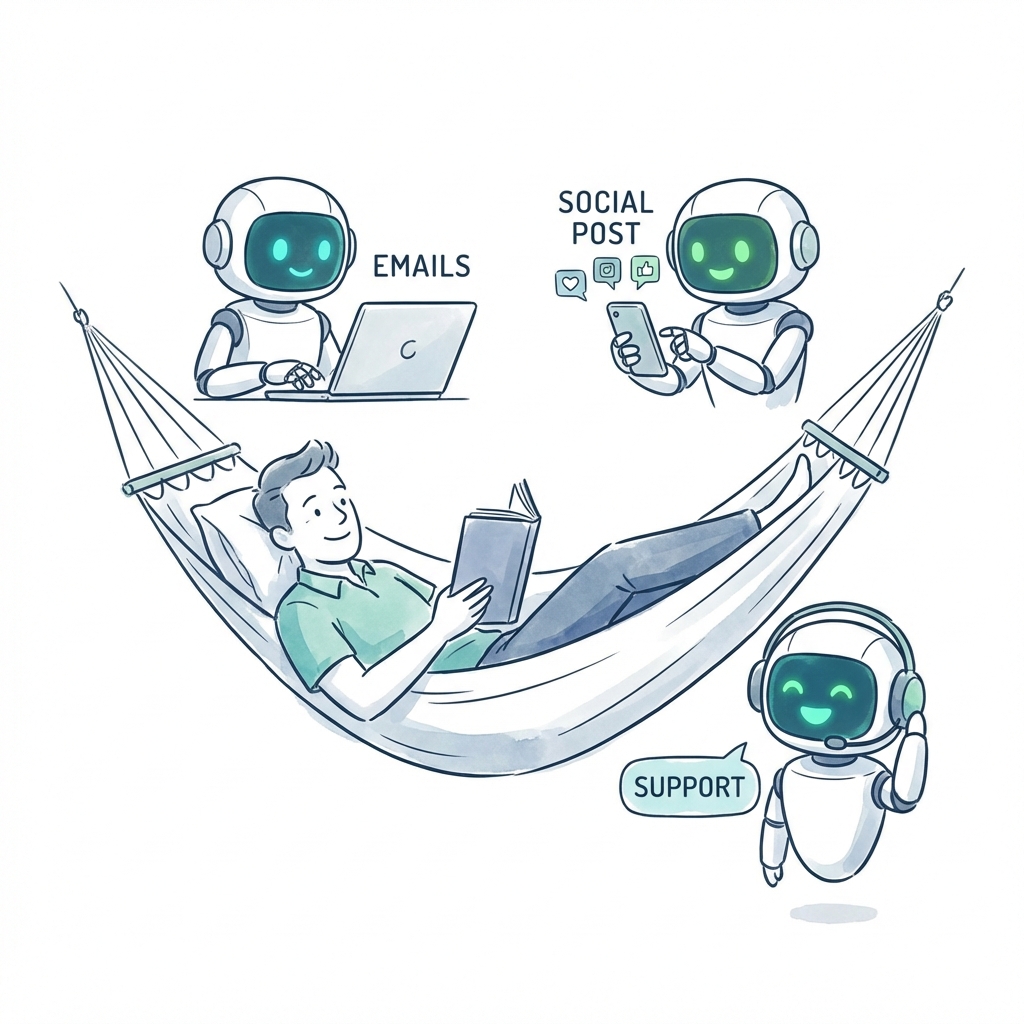
This is where AI automation is completely changing the game. It’s like hiring a tireless digital assistant who never drops the ball or forgets a detail. This new kind of AI employee can:
Instantly schedule meetings across multiple time zones without the endless back-and-forth. For example, it can find a 30-minute slot that works for your teams in New York, London, and Tokyo in seconds.
Automatically send reminders and follow-ups to keep tasks on track. No more awkward "just checking in" messages.
Update project dashboards in real-time as progress is made. For example, when a task is marked "complete" in Slack, the project board updates itself.
Organize documentation so everyone always has access to the latest information.
By offloading these repetitive but essential tasks, you empower your human team to operate at a much higher level. This isn't just a futuristic idea; it's the future of work. With AI employees from Dooza.co, you can build an intelligent, self-organizing project system that frees up your team’s most valuable resources: their time and energy.
Project Coordinator Vs Project Manager Demystified
It’s one of the most common tripwires in the industry: confusing project coordination with project management. While the titles sound like they could be interchangeable, their roles on a team are worlds apart. Getting them mixed up isn't just a simple mistake; it creates friction, miscommunication, and can stall a project right in its tracks.
Let’s draw a clear line in the sand.
Think of it like building a house. The project manager is the architect. They're the one who designs the blueprint, sets the overall budget, and keeps their eyes fixed on the final vision—the 'what' and 'why' of the build. They are ultimately on the hook for the strategic success of the entire project.
The project coordinator, then, is the general contractor who's on-site every single day. They're deep in the logistics—the 'how' and 'when.' They're the ones scheduling the electricians, making sure the lumber arrives on time, and preventing the plumbing crew and the drywall team from tripping over each other. They make the architect's vision happen on the ground.
Charting The Course Versus Setting The Destination
A project manager operates at a higher altitude. Their world is about the big picture: securing the budget, defining the project's scope, and answering to stakeholders about whether the project will deliver on its business goals. Their success is measured by the final outcome and its impact.
A project coordinator, on the other hand, is laser-focused on the tactical, day-to-day execution. Their world revolves around schedules, resource allocation, and relentless communication. They are the central hub of information, making absolutely sure every team member has what they need to get their part of the job done, on time.
Let's apply this to a software launch:
The Project Manager defines the launch goals, like capturing 10% of the market share in the first six months, and gets the budget signed off by leadership.
The Project Coordinator takes that high-level goal and breaks it down. They build a detailed timeline, synchronize the daily tasks between marketing, sales, and development, and ensure a seamless rollout. For example, they'll make sure the marketing team has the final screenshots from the dev team before the ad campaign assets are due.
The manager owns the project's success. The coordinator owns the process that makes that success possible. You can't have one without the other—they are two sides of the same execution coin.
Project Coordinator vs Project Manager Key Distinctions
To really nail down the differences, it helps to see them side-by-side. This table breaks down where one role ends and the other begins, clarifying how they work together to drive a project forward.
Aspect
Project Coordinator (The 'How')
Project Manager (The 'Why')
Focus
Daily tasks, logistics, and administration
Overall strategy, scope, budget, and outcome
Scope
Manages tasks within the project
Manages the entire project lifecycle
Responsibility
Smooth execution of the project plan
Overall success or failure of the project
Authority
Supports the team, limited decision-making
Makes key decisions, manages team members
The distinction is crucial because it highlights the immense administrative load that coordinators carry. They are the gears that keep the machine running smoothly.
Now, imagine a world where all that administrative heavy lifting—the relentless scheduling, the constant follow-ups, the tedious report updates—is handled automatically. Your human team would be freed from the daily grind, able to pour all their energy into creative problem-solving and strategic work. With AI employees, this isn't a far-off dream; it's the new reality. You can scale your operations without drowning your team in logistical quicksand.
To see how others are building smarter workflows, you can explore more insights on the Dooza.co blog.
A Day In The Life Of A Project Coordinator
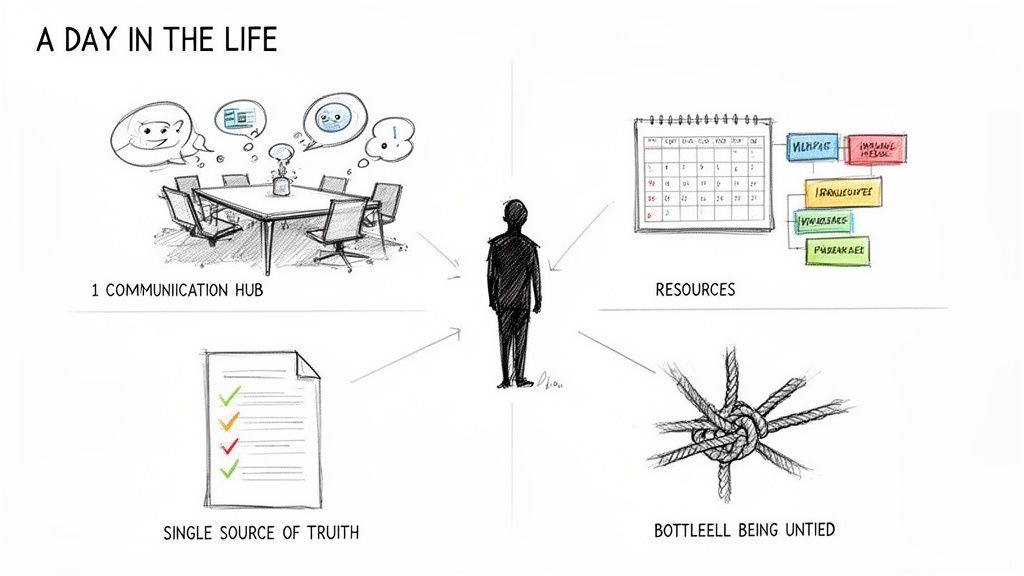
So, what does a project coordinator really do all day? It's far more than just ticking off boxes on a to-do list. Their work is a constant balancing act across four critical areas, and they are the human routers who keep projects from spiraling into chaos by directing information and resources exactly where they need to go.
Understanding these daily workflows is the best way to get a feel for what is project coordination. At its core, it’s about turning a jumble of tasks, deadlines, and personalities into a smooth, predictable process that actually moves forward.
Mastering Communication Flow
First up, communication. A coordinator acts as the central hub for every piece of project-related information. They’re the ones making sure everyone from the engineering team to the marketing department is on the same page. This isn't just about relaying messages; it’s about translating needs between different teams that often speak different professional languages.
For instance, when a developer flags a technical bug, the coordinator doesn't just forward the email chain. They make sure the marketing team understands how this might affect the launch date and get a meeting on the books to adjust the promotional schedule. This kind of proactive communication nips small misunderstandings in the bud before they can grow into major delays.
Juggling Schedules And Resources
Next, a coordinator has to be a master of logistics. Their day is a whirlwind of juggling team calendars, booking meetings, and confirming that all the necessary resources—whether it's a software license or access to a key dataset—are available precisely when needed.
This goes way beyond simple scheduling. It's about strategically aligning the team's availability with the project timeline. A good coordinator anticipates these needs, booking a critical brainstorming session weeks in advance because they know the key stakeholders' calendars are always packed. For example, they'll see a looming deadline for client feedback and proactively schedule a review session, preventing a last-minute scramble.
A project coordinator’s day is spent building bridges—between people, timelines, and information. They are the architects of operational harmony, ensuring the project's tactical execution is as strong as its strategic vision.
Maintaining The Single Source Of Truth
The third pillar is all about documentation. A project coordinator is the official guardian of the single source of truth. This means they're the ones meticulously organizing project files, updating progress reports, and sending out meeting minutes with crystal-clear action items. Their job is to ensure there is one central, reliable place for anyone to find the latest information.
Think about it: after a weekly status meeting, they're the one who immediately updates the project dashboard, assigns action items in the task management tool, and saves a summary to the shared drive. This discipline completely eliminates the classic "I didn't know that was decided" problem and keeps the entire team accountable and aligned. For more tips on organizing project data, check out our guide on building a dynamic project management table.
Proactively Solving Bottlenecks
Finally, a truly great coordinator is a proactive problem-solver. They are constantly scanning the horizon for potential bottlenecks—like a designer who's clearly overloaded with requests or a key decision that’s been lingering for too long. Crucially, they act before these issues can derail the project. They don’t just react to problems; they prevent them from happening in the first place.
Now, imagine all this manual effort—the relentless follow-ups, the scheduling puzzles, the constant report building—happening automatically. By hiring an AI employee to handle these coordination tasks, you free up your human team to focus solely on high-impact, strategic work. The goal isn't just to save time; it's to create a self-organizing project engine that runs flawlessly, 24/7, giving your team the breathing room to innovate and excel.
Automating Coordination With AI Employees
What if you could clone your best project coordinator? Imagine a new team member who works 24/7, never drops a ball, and handles all the repetitive, mind-numbing tasks without a single complaint. This isn't some far-off sci-fi concept; it's what's happening right now with AI-powered project coordination.
The dream of automating the meticulous, draining parts of the job is finally a reality. This means your human talent can stop drowning in administrative busywork and start focusing on what they do best: strategy, creative problem-solving, and high-impact work that actually moves the needle.
The New Digital Workforce
An AI employee isn't just another software tool. Think of it as an active, integrated member of your team, built to take over specific roles. These aren't simple chatbots. They are intelligent agents that understand context, work alongside their human colleagues, and run complex workflows across all the software you already use.
Just think about the daily grind of project coordination. An AI employee can step in and effortlessly:
Handle all scheduling, finding the perfect meeting time across a dozen calendars without the email ping-pong. For example, you can tell it "Find 45 minutes for the design review next week with marketing leads and the dev team," and it will handle the rest.
Send automated reminders and follow-ups, making sure tasks get done on time, every time. It becomes the polite but persistent nudge that keeps everything on track.
Transcribe meeting notes and immediately assign action items to the right people. No more deciphering messy notes or forgetting who was supposed to do what.
Update project dashboards in real-time, so everyone has a clear, up-to-the-minute view of progress without any manual data entry.
This is about more than just speed. It's about building an intelligent, self-managing system that gives your team a serious competitive edge.
Why Automation Is No Longer Optional
The market is shifting decisively toward intelligent automation, and the numbers don't lie. The AI in project management market is projected to rocket from $3.08 billion in 2024 to $7.4 billion by 2029, growing at an incredible 19.9% CAGR. This explosion is fueled by AI's knack for predicting risks and automating tedious work. For small and mid-size businesses, the adoption of these automation-first tools is climbing at a 17.3% CAGR.
This data points to a massive shift. Companies that don't bring AI into their coordination workflows will get left behind, buried under the same administrative weight their competitors have automated away.
The goal of AI in project coordination isn't to replace talented people. It's to liberate them from the low-value tasks that consume their time and energy, allowing them to focus on the work that truly requires human ingenuity.
Reimagining Your Team's Potential
When AI employees are handling the logistical backbone of your projects, you unlock your team's true capacity for innovation. The friction of daily operations just melts away, replaced by a smooth, predictable workflow.
For instance, instead of a human coordinator spending their morning chasing down status updates, an AI employee can gather that information and compile a report before the team even logs on. That coordinator can then spend their day identifying potential roadblocks or brainstorming creative solutions with the team. They shift from being a 'task-doer' to a 'problem-solver'.
This is the practical application of understanding what is project coordination in today's world. It’s about using technology to perfect the process so that people can perfect the product. By bringing AI into the mix, you can collect feedback, track progress, and manage submissions more efficiently than ever. To see this in action, you can explore tools for creating smart forms that feed directly into your workflows. It’s a great first step toward building a truly autonomous project engine.
See Your New AI-Powered Workflow in Action
Let's stop talking theory and walk through a real-world scenario. You're launching a new marketing campaign. Normally, this means a flood of administrative setup tasks. But now, you just forward the creative brief to your new AI Project Coordinator. This isn't science fiction; it’s a practical workflow that cuts out the friction and lets your team focus on what they do best.
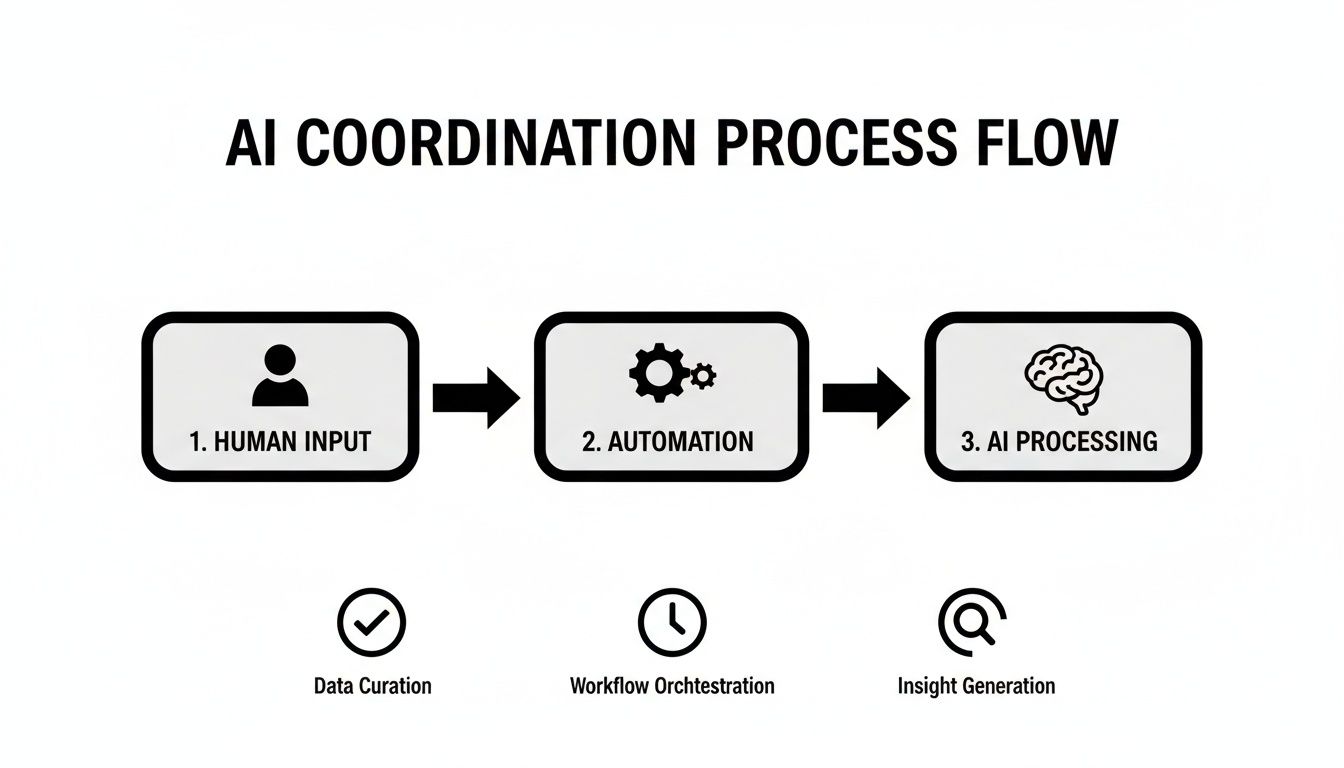
The second that AI Coordinator gets the brief, it springs into action. It reads the document, pulls out the key objectives, stakeholders, and deliverables, and instantly builds a new project in your team’s Asana or Trello board. Your one simple action kicks off a whole chain of perfectly automated tasks.
This diagram shows just how smooth that handoff from human strategy to AI coordination can be.
It’s a clear picture of how a single instruction from you can set a sophisticated, intelligent process in motion.
The Autonomous Project Engine
But creating the project is just the beginning. The AI Coordinator then scans everyone's calendars, finds the best time for the kickoff call, and sends out the invites. It even populates the invitation with an agenda based on the brief. From there, it assigns the first round of tasks—like "Draft social media concepts" or "Conduct keyword research"—to other specialized AI employees on your team.
While your human team is offline for the night, your AI copywriter is already generating ad variations. At the same time, your AI SEO analyst is pulling competitor data. This is where the real power lies: a hybrid team of people and AI working together, driven by a project engine that never sleeps.
This is about more than just saving a few minutes here and there. It’s about building a system where forward momentum is the default. Your team's brainpower goes toward strategy and creativity, not chasing down administrative details.
Seamless Monitoring and Reporting
As work gets underway, the AI Coordinator becomes your project watchdog. It keeps an eye on task completion, tracks progress against the timeline, and flags potential bottlenecks before they become full-blown problems. If a task is falling behind, it sends a polite, automated nudge to the right person—whether they're human or AI.
Every morning, a clear, simple status update lands in your inbox. It summarizes what’s been done, what’s coming up, and any risks you need to know about. No more chasing people for updates or manually piecing together reports. The entire coordination layer is handled for you.
This level of automation is becoming essential. The project management software market is projected to hit $15.06 billion by 2030. Meanwhile, experts predict a global talent shortage of 87.7 million roles by 2027 with only 40 million skilled professionals to fill them. AI is perfectly positioned to bridge that gap.
This shift means you can take on bigger, more complex campaigns with a smaller team, hit your deadlines faster, and build a workflow that’s not just efficient—it's smart. To see this in another context, take a look at how Dooza's AI employees handle automated social media management.
A Few Common Questions About Project Coordination
Even with a solid grasp of the role, a few questions always pop up, especially when people start thinking about bringing AI into the mix. Let's tackle them head-on to give you the full picture and help you imagine a smarter way for your team to work.
Can A Small Business Really Get By Without A Dedicated Project Coordinator?
Look, many small businesses start out with everyone wearing multiple hats. That’s just reality. But that approach has a shelf life. It’s often the very thing that grinds growth to a halt and burns out your best people.
When no one owns coordination, things inevitably get missed. Communication lines get crossed, deadlines start to feel like suggestions, and a quiet chaos begins to drain your team's energy and productivity. For example, two team members might accidentally work on the same task, wasting hours of effort because no one was tracking assignments.
Instead of jumping straight to a full-time hire, a smarter first step is to bring in an AI employee to handle the administrative grind. Think of it as a digital assistant that ensures scheduling, follow-ups, and reporting happen like clockwork, but without the overhead of a salary. It's a brilliant way to scale your operations, freeing up your team to focus on the work that actually grows the business.
What Is The Single Most Important Skill For A Project Coordinator?
If you have to pick just one, it’s communication. Hands down. A coordinator is the central hub, translating information between different teams, stakeholders, and even different personalities. Their job is to keep everyone on the same page and pulling in the same direction. Without that, the whole project can fall apart.
But in today’s world, tech savvy is a very close second. The ability to master project management software and integrate AI automation is what elevates a coordinator from good to indispensable. It turns them into a force multiplier, automating the tedious tasks so they can focus on the distinctly human side of things—like navigating team dynamics and creatively solving problems. Imagine freeing them from scheduling to let them mediate a disagreement between two departments—that's a far better use of their talent.
How Do I Start Using AI For Project Coordination?
Getting started is much easier than it sounds. The key is to not try and boil the ocean. Don't automate everything at once.
Instead, start small. Pinpoint the single most repetitive, time-sucking coordination task your team deals with. Is it the endless back-and-forth of scheduling meetings? Chasing people for updates? Piecing together weekly progress reports? For many teams, just automating meeting scheduling can save 5-10 hours a week.
Pick one of those pain points and assign a specialized AI employee to handle just that. Once your team feels the immediate relief—the time saved, the reduction in busywork—you can start layering in more AI support. This simple, step-by-step method builds an incredibly powerful automated workflow that gives your people their time back for the strategic work that truly matters.
Ready to stop juggling and start executing? See how Dooza.co can provide your team with AI employees to automate coordination and unlock your true potential. Hire your first AI employee today.
Ready to Get Started?
Automate your business with AI employees that work 24/7.
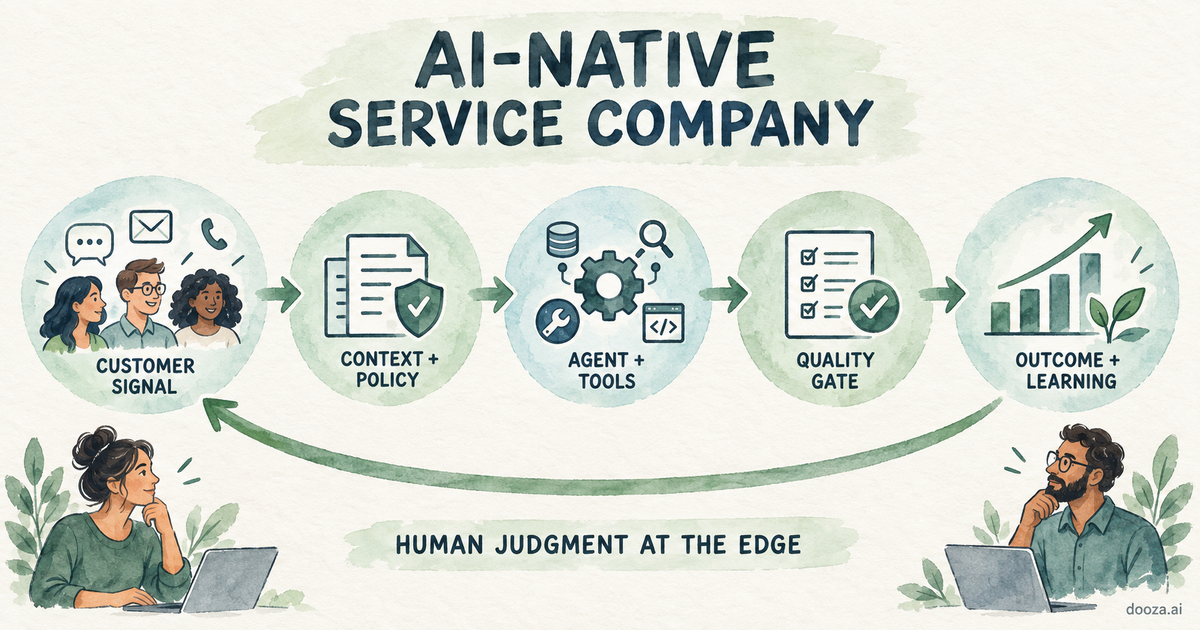
AI-Native Service Company: How It Works and How to Build One
An AI-native service company sells a completed outcome while agents run the repeatable work. See how the model works, where Dooza fits, and how to build one.