How to Build AI Agents: A Practical Guide to Reclaiming Your Time
Learn how to build ai agents to automate tasks and boost your productivity. A concise, practical guide to designing and deploying your own AI team.
23 min read
January 9, 2026
So, you're thinking about building an AI agent. It's really about creating a specialized AI "employee"—one that you can define a clear goal for, equip with tools like APIs, and guide its actions on a platform. Imagine hiring a tireless assistant that can handle complex, multi-step tasks on its own, 24/7, without ever needing a coffee break.
The Dream of AI Automation Is Now Your Reality
Picture this: you log in for the day, and your weekly marketing reports are already compiled, complete with charts and key takeaways, waiting in your inbox. All your social media content for the week is scheduled, tailored for each platform. The initial flood of customer support tickets has been sorted, answered, and escalated where needed. This isn't some far-off future fantasy; it's exactly what AI agents can do for your business today, freeing you up to finally think about strategy, not spreadsheets.
Platforms like Dooza are making it possible for solopreneurs and small teams to design and deploy AI agents that take over the repetitive grind. This is your chance to reclaim your time and focus on the work that actually grows your business. We've moved past simple chatbots into a new era of sophisticated agentic systems where multiple AIs can work together—and with your human team—to automate entire workflows, not just single tasks.
From Hype to Practical Application
The whole field of autonomous agents has exploded. It’s wild to think that in just a few years, we've gone from niche academic research to something you can set up for your business over a weekend.
The big shift really started around 2020 when OpenAI's GPT-3 proved that large language models (LLMs) could produce incredibly human-like text. Then, by 2023, we saw prototypes like AutoGPT show the world what was possible: agents that could break down a goal into smaller tasks and use tools like APIs to execute them. Now, platforms are making this process reliable and scalable, so agents can securely access data and truly collaborate.
This incredible pace means that powerful automation is finally within reach. You don't need a PhD in computer science to build an agent that can:
Dig into your sales data and generate a weekly summary report highlighting top-performing products and regions.
Keep an eye on social media mentions, draft replies for you to review, and even flag urgent customer complaints.
Handle the first wave of support emails, instantly answering common questions and flagging the tricky ones for a human, complete with a summary of the issue.
The real win here isn't just clawing back a few hours on a single task. It's about building an entire system where a small, smart investment in automation gives you a huge return in productivity and, frankly, your own sanity.
We're at a point where an AI workforce can genuinely take on the tedious, manual work that bogs you down. For more ideas on what this can look like, check out the articles on our blog. In this guide, we'll walk through the practical steps to build your own team of AI agents, turning abstract ideas into tangible business outcomes.
The Evolution from Simple Bots to Collaborative AI Agents
To really appreciate what's possible now, it helps to see how far we've come. The leap from basic chatbots to the multi-agent systems we can build today is massive, opening up entirely new ways to run a business.
Feature
Traditional Chatbots
Modern AI Agents (like on Dooza)
Primary Function
Answering simple, predefined questions
Executing complex, multi-step tasks
Autonomy
Limited; follows a rigid script
High; can make decisions and adapt
Tool Usage
None, or very basic integrations
Can use multiple tools, APIs, and databases
Collaboration
Operates in isolation
Works with other AI agents and human teams
Goal Orientation
Responds to immediate user input
Pursues long-term, complex objectives
Business Value
Basic customer support, lead capture
Deep process automation, data analysis, strategic support
This shift from single-purpose bots to collaborative agents is the key. It's the difference between a tool that answers a question and a teammate that completes a project for you while you sleep.
Designing Your First AI Agent Blueprint
Before you write a single line of code or touch any settings, the best AI agents start with a crystal-clear idea. This is the blueprinting phase—it's where you turn a fuzzy goal into a solid, workable plan. It’s the difference between saying, "I want AI to help with marketing," and designing an agent with a mission to "Generate five SEO-optimized blog topics every Monday morning based on trending keywords in our industry."
Honestly, this initial planning is the most important thing you'll do. Think about it: you wouldn't hire a new employee without a job description, right? It would be total chaos. It's the exact same for an AI agent. Spending time on a solid blueprint ensures your agent starts its digital life with a clear purpose, perfectly aligned with what you actually need from day one.
From Vague Goals to Specific Missions
First things first: you have to get brutally specific. Vague goals create vague, useless agents. The trick is to pinpoint a precise business problem or a super repetitive task that, if automated, would free up a ton of time and mental energy for your team.
What are the daily tasks that make you sigh? What work is absolutely essential but mind-numbingly boring? Those are the perfect candidates for an AI agent.
Here’s how you can sharpen your focus with real-world examples:
Instead of: "Automate customer support."
Try this: "Create an AI agent to handle the first response for all incoming support tickets. It will answer our top 5 most common questions and escalate complex issues to a human with a pre-written summary."
Instead of: "Improve social media."
Try this: "Design an agent to monitor Twitter for our brand mentions, sort them by sentiment (positive, neutral, negative), and draft replies for the positive and neutral ones for a human to review."
This level of detail is what makes automation actually work. It gives your agent a clear measure of success and stops it from getting lost in a sea of possibilities. You’re not just building an agent; you’re solving a real, tangible business problem.
Giving Your Agent a Role and Personality
Once you have a mission, it's time to give your agent an identity. This isn't just for fun—defining a role and personality has a huge impact on the tone, behavior, and decision-making of the underlying language model. Is your agent a meticulous Data Analyst, a witty Social Media Coordinator, or a formal Executive Assistant?
This persona gets defined in what’s called the master prompt (or system prompt). This is the agent's core directive, its constitution. It tells the agent who it is, what it does, what its limits are, and how it should act.
A powerful master prompt is the soul of your agent. It’s a permanent instruction that guides every single action, ensuring consistency and alignment with its designated role. Even small tweaks here can completely change its performance.
For instance, a master prompt for a content idea generator might look something like this:
"You are 'Sparky,' a creative strategist specializing in B2B marketing. Your tone is witty, insightful, and slightly provocative. Your sole job is to generate blog post ideas that challenge conventional wisdom in the marketing industry. You must never suggest generic topics."
Defining Tools and Memory
An agent can't do much without the ability to act and remember. That’s where tools and memory come into play.
Tools are the APIs, databases, and software your agent can connect with to do its job. An agent meant to schedule meetings needs access to a calendar API. One that analyzes sales data needs to tap into your CRM or a database. For example, an agent designed to manage your content pipeline could be given tools to access your blog’s CMS to check publishing dates and a web browsing tool to research competitor articles. You could even build an agent to help manage projects and tasks stored in one of our beautiful, user-friendly database tables on Dooza.
Memory is how an agent keeps track of what's going on. It’s essential for any task that involves more than one step. There are two main types you’ll need to think about in your blueprint:
Short-Term Memory: This is the agent's working memory for the immediate task. It remembers the last few steps, user inputs, and tool outputs within a single conversation or workflow.
Long-Term Memory: This allows the agent to recall information across different sessions. It could be user preferences, details from past projects, or feedback on its performance, which helps it learn and get better over time.
By meticulously planning out the mission, role, master prompt, tools, and memory, your blueprint becomes a true roadmap for success. You’re not just crossing your fingers for a good outcome; you’re engineering it from the very beginning.
Building Your AI Team with Orchestrated Collaboration
Why settle for a single AI agent when you can build an entire team? The real magic of automation isn't in a lone assistant handling one task; it’s in a symphony of specialized agents working together. This is how you stop just delegating tasks and start automating entire, complex workflows. It's how you truly reclaim your time to focus on actually growing your business.
Think about it like hiring for your company. You wouldn't hire one person and expect them to be your SEO expert, lead writer, social media manager, and graphic designer. You’d hire specialists for each role. The exact same logic applies when you're building an AI workforce. This is the whole idea behind orchestration: getting individual agents to collaborate like a cohesive, high-performing unit.
The Power of Multi-Agent Systems
Let’s make this concrete with a real-world scenario. Imagine you want to build a completely automated content marketing engine on a platform like Dooza. Instead of one generic "Marketing AI," you'd create a dedicated team:
The SEO Strategist Agent: Its sole mission is to connect to tools like Ahrefs or SEMrush, analyze keyword trends, and pinpoint high-intent, low-competition topics. Every Monday morning, it drops five fresh, data-backed content ideas into a shared project space.
The Content Writer Agent: This agent is a master of your brand’s voice. As soon as a new topic appears from the SEO Strategist, it gets to work—researching the subject and drafting a comprehensive, SEO-optimized blog post.
The Social Media Agent: The moment the Content Writer marks a draft as "ready for review," this agent jumps into action. It spins up a series of engaging posts for Twitter, LinkedIn, and Facebook, complete with relevant hashtags and a link back to the draft, all queued up for your final approval.
This isn't just a simple, linear handoff. It’s a dynamic, collaborative process. The agents share information, trigger actions in one another, and work seamlessly in the background. You just log in to find a week's worth of content already planned, written, and ready to schedule. That’s the dream of automation becoming your new reality.
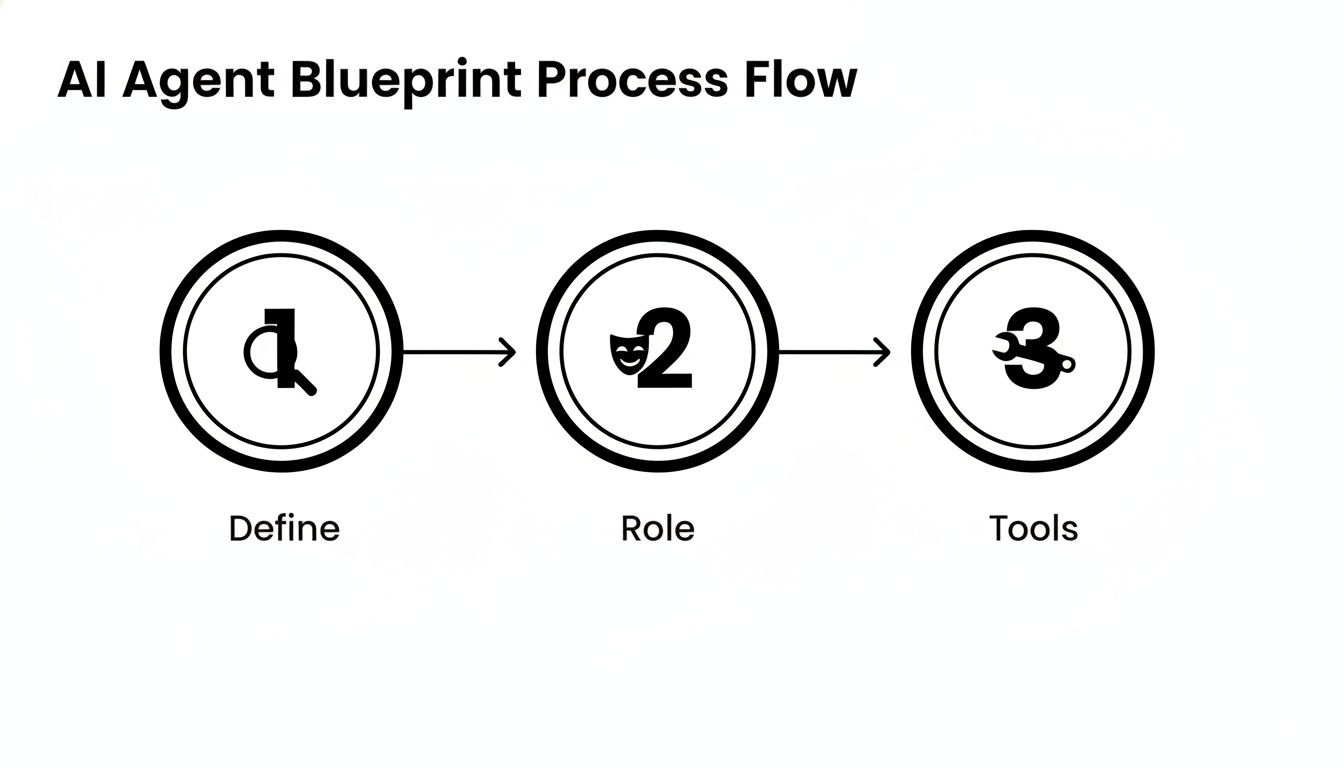
The basic blueprint for creating each specialized agent on your team is pretty straightforward.
This just goes to show that every effective agent, no matter its function, is built on the same foundation: defining a clear mission, assigning a specific role, and giving it the right tools for the job.
To give you a better idea of how this looks in practice, here is a sample breakdown of roles for a fully orchestrated AI marketing team.
Sample AI Marketing Team Roles and Responsibilities
AI Agent Role
Primary Mission
Required Tools
Example Master Prompt Snippet
SEO Strategist
Identify high-potential, low-competition keywords and content topics weekly.
Ahrefs/SEMrush API, Google Trends API, Shared Project Board (e.g., Trello)
"You are an SEO Analyst. Your goal is to find 5 keywords with a KD < 20 and search volume > 500. Analyze SERPs for intent and output your findings as a new card in our 'Content Ideas' list."
Content Drafter
Write high-quality, SEO-optimized first drafts based on topics from the SEO Strategist.
Google Docs, Web Browser Tool, SurferSEO API, Shared Project Board
"You are a long-form content writer specializing in B2B SaaS. When a new card appears in the 'Content Ideas' list, write a 1,500-word blog post optimized for the target keyword."
Social Media Promoter
Create a promotional social media campaign for each newly published blog post.
"You are a Social Media Manager. When a post moves to the 'Published' list, create 3 unique tweets and 1 LinkedIn post. Use relevant hashtags and tag any mentioned companies."
Email Marketer
Draft a weekly newsletter featuring the latest blog post and other relevant updates.
Mailchimp/ConvertKit API, Shared Project Board
"You are an Email Marketing Specialist. Every Friday, draft a newsletter featuring the article from the 'Published' list. Write a compelling subject line and a short intro. Save as a draft in Mailchimp."
As you can see, each agent has a narrow focus but contributes to a much larger, coordinated effort.
How Orchestration Actually Works
So, how do you get these agents to cooperate without you having to manually intervene all the time? The secret sauce has two main ingredients: shared memory and inter-agent communication.
A shared memory—like a common database or a project board—acts as the team's central nervous system. When the SEO Agent drops in new keywords, the Content Agent sees them instantly. This shared context allows for sophisticated workflows that are way more powerful than anything a single agent could pull off on its own. It's the digital version of a team huddle room where everyone is always on the same page.
This shift from single chatbots to collaborative, multi-agent systems is a massive leap forward. The early 2020s gave us LLM-powered agents that could use tools and remember things. By 2025, enterprise-grade features like secure authentication and agent-to-agent communication really opened the door for networks of specialized AIs that can safely share information and call on each other for help. This means you can build a practical architecture where distinct SEO, social media, and support agents are all orchestrated through a shared memory and a secure permissions layer.
By designing your AI workforce to mirror a high-performing human team, you create a system that is not only powerful but also intuitive to manage and scale. Adding a new "Email Marketing Agent" becomes as simple as defining its role and connecting it to the team's shared goals.
For those looking to build out their team's capabilities even further, you can always connect with our partners. They specialize in building and integrating these kinds of sophisticated AI workflows directly into your business operations. It’s how you turn a collection of individual tools into a true automated workforce.
Integrating Humans and AI into a Hybrid Workforce
Let's be clear: powerful automation isn't about replacing your team. It's about letting them do their best work. The real magic happens when you build a seamless hybrid workforce where AI agents handle the repetitive, soul-crushing tasks. This frees up your people to focus on strategy, creative solutions, and complex problems—the stuff humans are uniquely good at.
This synergy is how you actually multiply your team's talent without just hiring more people.
Think of your new AI agent as another teammate, fully integrated into your daily routine. On platforms like Dooza, that's exactly the goal. You can invite your human colleagues to work directly alongside AI agents, review their outputs, and provide feedback in one shared space. The trick is to design smart workflows with clear, intentional handoff points.
Designing Effective Human-AI Handoffs
The best hybrid systems are built on purpose, not by accident. You don't just set an agent loose and hope for the best. Instead, you design specific moments where it must loop in a human for review, approval, or to handle something beyond its scope. This creates a reliable safety net and keeps your quality high.
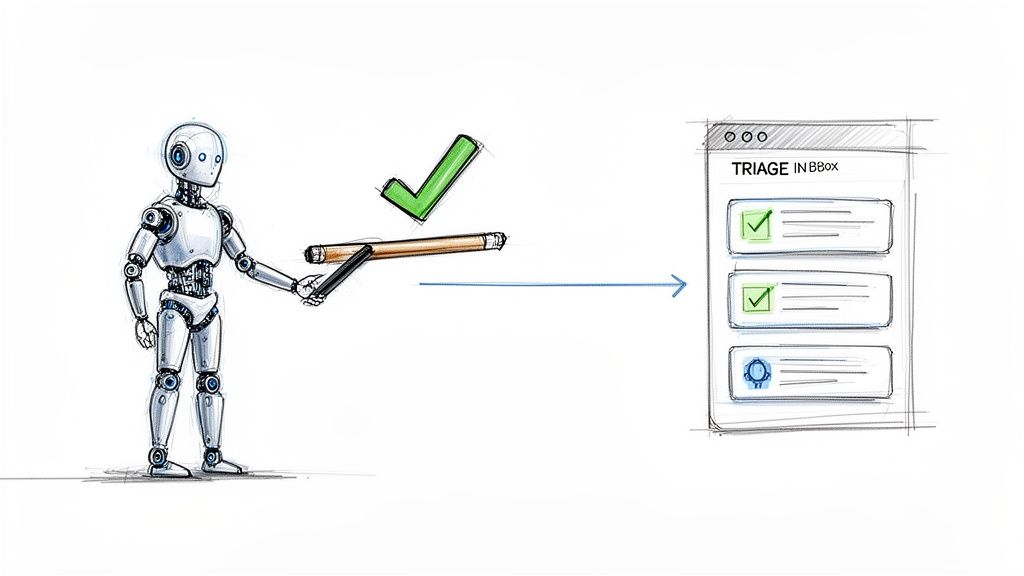
A perfect real-world example is in customer support. You could build an AI agent to triage every single incoming ticket. It could instantly handle the top 20% of common questions—"Where's my order?" or "How do I reset my password?" This first pass alone can slash your support team's workload.
But what happens when the agent gets a truly complex or emotionally charged issue? Its job isn't to struggle and fail. Its job is to escalate. The agent can summarize the conversation, pull up the customer's history, and package it all up for a human expert. Your team member gets the full context in seconds and can jump in to provide the nuanced, empathetic support that builds real loyalty. This is a massive improvement over many traditional tools, and you can see how this integrated model stacks up against other Gorgias alternatives for customer service.
The goal is to build a system where the AI does the heavy lifting of gathering and organizing, so your human experts can spend their time on the high-value work of solving unique problems.
Creating Approval Workflows for Quality Control
Content creation is another prime area for human-AI collaboration. An AI agent can draft blog posts, social media updates, or email newsletters at an incredible pace. But you still need a human touch to ensure everything aligns with your brand voice and quality standards. This is where approval workflows come in.
You can set up a simple but rock-solid process:
AI Drafts: Your Content Writer Agent drafts a blog post based on a detailed prompt.
Human Review: The agent automatically assigns the draft to a human editor on your team.
Feedback Loop: The editor provides feedback or makes direct edits right in the platform.
Final Approval: Once approved, the agent can hand the content to another agent to schedule for publishing.
This "human-in-the-loop" model gives you the best of both worlds: the speed and scale of AI combined with the quality control and strategic oversight of your human team. You’re not just automating tasks; you're building a reliable system that consistently produces excellent work.
By weaving humans and AI agents into a single, collaborative workforce, you stop seeing technology as a replacement. You start seeing it for what it is: the ultimate amplifier for your team's talent.
Testing, Deployment, and Continuous Improvement
Getting your AI agent live isn't the finish line; it’s really just the starting gun. The real value starts to build after launch, through a consistent cycle of testing, deploying, and refining its performance. This is how you take a cool prototype and turn it into an indispensable AI teammate that actually delivers.
Think about it: you wouldn't hire a new employee and immediately let them talk to your most important clients without any supervision. Your AI agent is no different. Before it ever touches live data or interacts with a real customer, it needs a safe space to practice.
That's what a "sandbox" environment is for. It's a controlled playground where you can simulate real-world situations without any of the real-world risks. Let your new customer support agent try its hand at fake tickets—some simple, some complex, and maybe a few that are designed to be confusing—to see exactly how it reacts and where its logic needs work.
Monitoring Performance After Launch
Once your agent has proven itself in the sandbox and you’ve set it live, your role shifts from builder to observer. You need to keep a close eye on its performance, measuring it against the business goals you set out in the beginning. Just letting it run wild is a recipe for disaster, or at the very least, a missed opportunity.
Don't get lost in a sea of data. Focus on just a handful of metrics that truly reflect the value it's providing.
Task Completion Rate: Is the agent finishing what it starts? If you ask for five blog topics, does it give you all five, every single time?
Accuracy and Quality: How good is the work? If it’s summarizing support tickets, are those summaries actually clear and useful for your human team?
API Costs: Every thought your agent has, especially when calling on powerful models like GPT-4, costs a tiny bit of money. You have to make sure the value it's creating is worth more than the cost to run it.
Your initial launch is all about gathering data. You're not aiming for perfection right out of the gate. You're just establishing a baseline. This data becomes the fuel for every improvement you make down the line.
Creating a Feedback Loop for Improvement
This is where your agent starts to get really good. The performance data you’re collecting isn’t just for a pretty dashboard; it’s the key to creating a powerful feedback loop. You should regularly dig into your agent's activity logs to find out where it's getting confused or stuck.
Maybe it consistently misinterprets a certain kind of customer question. Or perhaps it stalls out whenever a specific tool it relies on returns an error. These moments of failure are gold—they're your best opportunities to teach it something new. For example, after seeing an agent fail to find contact info on three different websites, you could refine its prompt to include a new strategy: "If a contact page is not found in the main navigation, look for a link in the website's footer before giving up."
Armed with these real-world insights, you can go back and tweak the agent's core instructions. Sometimes, a small change to its master prompt can lead to a huge improvement in its behavior, making it more robust and better at navigating those tricky edge cases. You can also get tips on boosting agent effectiveness from our guide on how Dooza can help you rank higher.
As you build more trust in your agent's abilities, you can slowly give it more responsibility. That support agent that started by only answering 5 common questions could eventually be trusted to handle 20, then 50. This ongoing process—test, monitor, refine, repeat—is how you build an AI workforce that genuinely scales with your business.
Frequently Asked Questions About Building AI Agents
As you dive into the world of AI agents, you're bound to have some questions. The idea of building an automated workforce can feel huge, but it's much more straightforward than you might think. We've pulled together the most common questions we hear from founders and their teams to give you clear answers and cut through the jargon.
Think of this as your quick-start guide, answering those last few nagging questions before you build an AI team that buys back your most valuable asset: your time.
Do I Need to Be a Programmer to Build AI Agents?
Absolutely not. This is probably the biggest myth holding people back.
While knowing how to code certainly opens up some advanced customization, the new wave of agent platforms like Dooza are built from the ground up for non-technical users. The power to create a smart AI assistant is no longer locked behind a wall of code.
These platforms give you an intuitive, no-code canvas where you can design powerful agents using plain English. You set the mission, define the personality, and grant it tools with simple dropdowns and text boxes.
For instance, connecting an agent to your Google Calendar or Slack isn't some complex coding project anymore. It’s a matter of a few clicks. The platform handles all the heavy lifting in the background—talking to the language models, managing memory, and coordinating tasks. A marketing manager can build a social media agent, and an operations lead can design a project management assistant, all without writing a single line of code.
Your expertise in your business is now far more important than your ability to code. You bring the strategy; the platform provides the engine.
This shift lets you focus on the what and the why of your automation goals, instead of getting bogged down in the technical how.
How Much Does It Cost to Build and Run an AI Agent?
The cost of building an AI workforce has dropped dramatically. The days of needing a massive upfront investment in R&D and infrastructure are over. Today, the costs are almost entirely operational and scale with your usage, making it incredibly affordable to get started.
The financial model usually breaks down into two main parts:
Platform Subscription: This is a predictable monthly fee for using the orchestration platform itself, like Dooza. This fee covers the user interface, security, and the core engine that helps your agents work together.
API Usage: This is the cost for the "brainpower" your agent uses from Large Language Models like OpenAI's GPT-4 or Anthropic's Claude. Essentially, you're billed for how much your agent "thinks" and processes information.
But don't let that scare you—these costs are highly manageable and predictable. You could build a simple agent to handle a few dozen tasks a day for less than the price of a daily coffee.
The key is to start with a high-value, repetitive task. Find something where the time saved for your team delivers an immediate and obvious return on investment. For example, if an agent that automates lead qualification saves a single sales rep five hours a week of manual research, that small operational cost pays for itself many times over, letting your rep focus on closing deals instead of copying and pasting data.
How Do I Ensure My AI Agents Are Secure with Company Data?
This is a critical question, and one that modern agent platforms are built to answer from day one. Protecting your data isn't an afterthought; it's woven directly into the platform's architecture with several layers of defense.
First and foremost, you are in complete control. You use granular permissions to define exactly what data and tools an agent can access. Think of it like giving a new employee a keycard that only opens the specific doors they need for their job. You could grant an agent permission to read a specific Google Drive folder to gather information for a report, but completely block it from ever deleting or editing files.
Second, platforms like Dooza handle sensitive information like API keys securely. You’re not just pasting secret keys into prompts where they could be exposed. Instead, they're stored in a secure vault and managed by the platform, following the principle of least privilege—only giving an agent the absolute minimum access it needs to do its job.
Finally, for secure connections to your other business software, these platforms use standardized protocols like OAuth. This ensures every interaction an agent has with your systems is properly authenticated and authorized. When you combine these security measures with the ability to monitor agent activity logs, you can build a powerful AI workforce with real peace of mind.
Ready to stop thinking about automation and start building it? With Dooza, you can design and launch your first AI agent in minutes, not months. Free up your team, automate your workflows, and get back to focusing on what truly matters. Start building your AI team on Dooza today!
Ready to Get Started?
Automate your business with AI employees that work 24/7.
Google I/O '26 Recap: The AI Agent Revolution Is Here — And What It Means for Your Business
Google just dropped bombshells at I/O '26 — from Gemini Omni to autonomous agents that build operating systems. We break down the key insights and show how Dooza's AI employees can put this power to work for your business today.
Claude AI Hacks That Will Transform Your Business Productivity (16-Minute Guide)
Discover 16 powerful Claude AI hacks that can save you hours, boost productivity, and grow your business. Learn how to integrate AI employees like Dooza for even greater automation.