AI Employees Are Coming. Here's How to Build It as a Business Before Everyone Else.
Most people building on OpenClaw are making the same mistake. They're building AI tools. They should be building AI employees. The difference is worth 100x in revenue.
Most people building on OpenClaw are making the same mistake.
They're building AI tools. They should be building AI employees.
The difference is worth 100x in revenue. Let me explain.
Tools vs Employees
An AI tool waits for you to ask it something.
An AI employee shows up at 9am, does the work, and moves to the next task. Whether you're watching or not.
AI Tool
Waits for instructions
Resets every session
Lives in a browser tab
Worth $20/month (ChatGPT anchor)
AI Employee
Shows up and does the work
Remembers everything
Works 24/7 autonomously
Worth $50-200/month (salary replacement)
The math that changes everything:
Human Social Media Manager
$4,000-6,000/month
AI Employee (80% of the job)
$50/month
That's not a feature comparison. That's a hiring decision. The buyer already has the budget. You just need to show up in the right meeting.
The Platform Play
You could build one AI employee on OpenClaw. A social media agent. Sell it for $50/month. Good business. Real money.
But it has a ceiling.
The better play? Build the platform that runs AI employees. Then let other people create the employees on top of it.
The Shopify Model
Shopify doesn't sell products. It sells the infrastructure that lets anyone sell products. Result: Shopify makes money from every store, regardless of what they sell. Same model works for AI employees.
We tried building individual agents on OpenClaw first. Every new agent type meant rebuilding 80% of the same stuff: auth, data isolation, chat, cron, deployment.
The infrastructure is the same every time. The only thing that changes is the agent's brain.
So we flipped the model. Build the infrastructure once on OpenClaw. Let anyone build brains. That's the real business.
Watch: How to build AI employees as a business
The 7 Problems OpenClaw Doesn't Solve
OpenClaw is powerful. But it's an agent runtime. Not a business platform.
Here are the 7 problems standing between your OpenClaw agent and paying customers. We hit every one of them. The hard way.
1
Multi-Tenancy
OpenClaw runs one agent per directory. Fine for a demo. Dealbreaker for a business.
One server per customer = costs scale linearly = no margins = dead.
You need: one server, many customers, total isolation.
Wall 1: Database
Every record tagged with customer ID. Row-level security at the database level. Even if the code has a bug, Customer A can't see Customer B's data. The database won't allow it.
Wall 2: Filesystem
Clone OpenClaw templates into per-customer directories. Validate every file path. No customer touches another customer's files. Ever.
Wall 3: Runtime
Every request tagged with customer identity using AsyncLocalStorage. That tag follows the request through every function, every query, every operation.
Cost to add a new customer: $0. That's how platforms work.
2
AI Employees Need Workstations
OpenClaw agents are headless. No UI. If you give every agent the same chat window, the buyer thinks: "This is ChatGPT with extra steps." Game over.
Social Media Agent
Content calendar with scheduled posts
SEO Agent
Keyword dashboards and rankings
Support Agent
Ticket queue and response history
Same platform. Totally different experience. This is what you demo. This is what closes deals.
When a prospect sees a content calendar with AI-generated posts already scheduled, they stop evaluating technology. They start imagining life without a social media manager.
3
Make It Feel Like Slack
Business buyers live in Slack and Teams. That's their mental model for talking to coworkers. Your AI employee needs to feel like a coworker. Not a prototype.
Hybrid Streaming Architecture
Browser to Platform:Server-Sent Events
Simple, auto-reconnects, works through corporate proxies
Platform to OpenClaw:WebSocket
Persistent, fast, bidirectional
Real-time word streaming
Auto-reconnect on drop
Multi-tab sync
First token <200ms
These seem like small details. They're not. They're the difference between "cool demo" and "shut up and take my money."
4
Cron: The Feature That Changes Your Pricing
Most people building on OpenClaw skip this. Massive mistake.
Without Cron = Assistant
Only works when a human talks to it
$20/mo
ChatGPT price anchor. You'll never escape it.
With Cron = Employee
Wakes up, does work, reports back autonomously
$50-200/mo
Salary replacement pricing. That's how businesses think.
Two Cron Systems We Built
Scheduled Conversations
Cron expressions that wake agents and give them tasks at set times. "Generate 5 posts at 9am. Monitor reviews at noon. Weekly report every Monday."
Background Automation
Platform jobs that execute queued work. Agent scheduled 3 posts for 2pm? They publish at 2pm. No human needed.
The pricing shift:
"Chat with an AI" = commodity.
"AI that does 30 hours of work per week without being asked" = salary replacement.
Price accordingly.
5
Prebuilt Skills: The Distribution Unlock
If your platform only has agents you personally built, growth is capped. The best AI employee types will come from people who know specific industries deeply. Agencies. Freelancers. Domain experts.
These people are not engineers. They don't want to write code or deploy anything. They want to pick skills from a menu and attach them to an agent.
📝
Save Post
+ Add skill
📊
Analytics
+ Add skill
📧
Send Email
+ Add skill
📅
Schedule
+ Add skill
🔍
Research
+ Add skill
🎨
Generate Image
+ Add skill
Click. Click. Click. Done. A real estate agent who knows nothing about programming can build an AI employee that pulls listings, writes descriptions, and schedules social posts. Just by adding skills.
The easier it is for non-engineers to build on your platform, the faster supply grows. Supply drives demand.
Shopify didn't win because of the best storefront. They won because anyone could build a store. Prebuilt skills are your on-ramp for non-technical creators.
6
Updates Without Killing Memory
Nobody warns you about this one.
You push an update to your OpenClaw agent. Better prompts. New tools. Bug fixes. But the agent has been learning for 3 months. It knows the customer's brand voice. What content works. What doesn't.
Overwrite the files? Memory gone. Customer notices immediately: "Why did my AI forget everything?"
That's a churn event.
Our Update Process
1
Save OpenClaw's memory directory
2
Overwrite everything else with new template
3
Restore memory
4
Auto-fix stale config paths
Agents get every improvement AND keep everything they've learned.
Memory Is Your Moat
The longer a customer's AI employee has been learning, the harder it is for them to leave. Every week of accumulated context increases switching costs. Protect that memory at all costs.
7
Security: The Trust Gate
No business buyer gives AI access to their data without trusting your security. One incident. One data leak. One prompt injection that crosses tenant boundaries. Trust is gone. Permanently.
Agent Policy
Whitelist per agent type. Social media agent can save posts and generate images. Nothing else.
Global Policy
Hard blacklist. No agent can ever run system commands, spawn processes, or touch the shell.
Sandbox Policy
Each customer's agents can only access their own directory. Physical filesystem boundary.
All three layers active by default. Zero configuration. If you're shipping OpenClaw agents to customers without this, you're one prompt injection away from disaster.
The Cost Structure That Kills Funded Competitors
Everything described above runs on:
One server~$7/month
DatabaseFree tier
FrontendFree tier
TotalUnder $15/month
Can serve hundreds of customers.
Funded AI Startups
$30-50K/mo
Infrastructure costs. Need hundreds of customers at premium pricing just to break even on hosting.
OpenClaw Builders
Under $15/mo
Framework is open source. Hosting near zero. Profitable from customer one. Grow on revenue, not fundraising.
Skip the Infrastructure: Dooza
Every problem in this article is one we hit while experimenting with OpenClaw. If you'd rather not solve them yourself, Dooza is a managed alternative to self-hosting OpenClaw. Dooza is an AI-native company that builds AI products and services for small businesses.
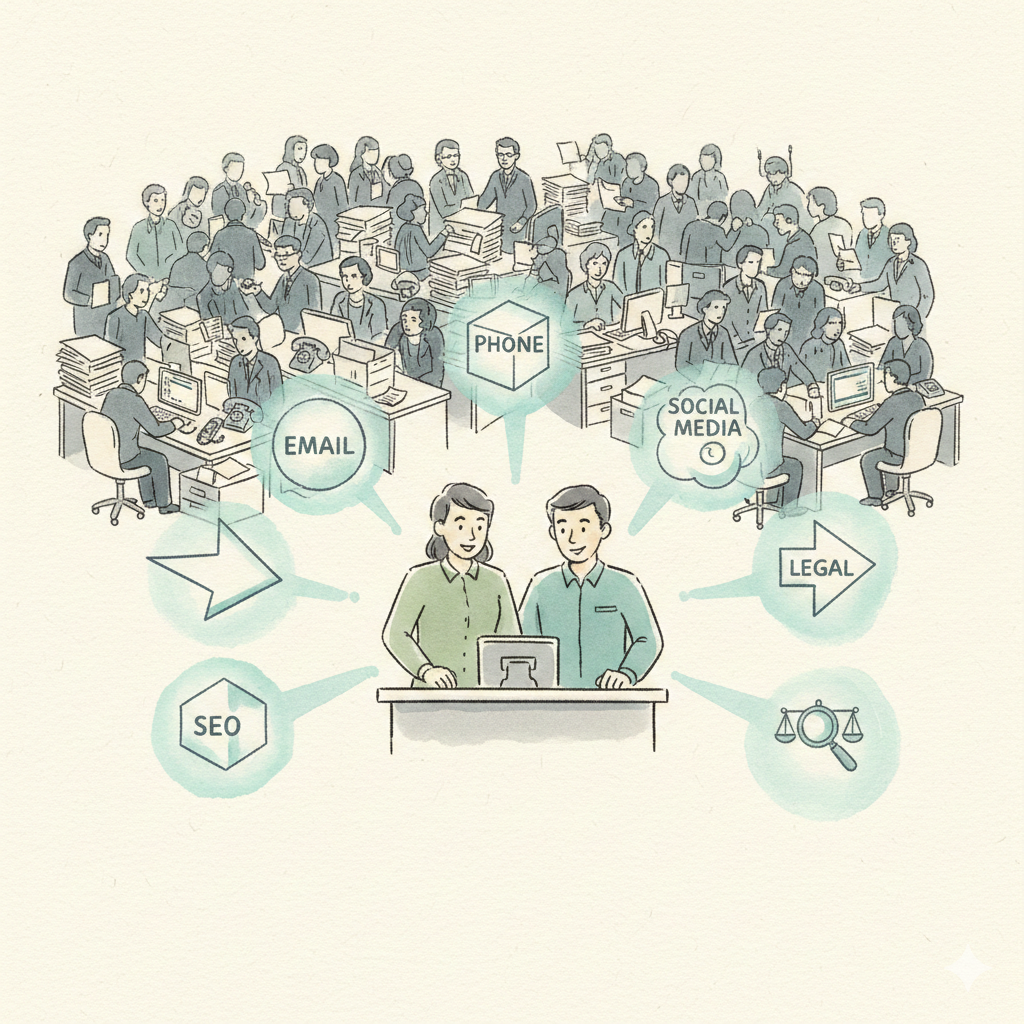
With Dooza Workforce, businesses hire AI employees that work as a team. Social media. Customer support. SEO. Business development. Each agent with its own workspace. Real-time chat. Scheduled tasks. No-code tools.
No servers to run, no tenancy to build, no security layers to wire up yourself. Encrypted connections and your approval on anything sensitive.
Need a Custom AI Employee?
On Dooza Agents, Dooza engineers build and maintain custom AI agents for your business. Here's how it works:
Describe the job on a free 30-minute pilot call
Dooza engineers build the agent, usually live in days
We handle hosting, tenancy, security, and updates
Start with a refundable pilot — 100% refund within 14 days
Add multi-tenancy, cron, and security. Without those three, you have a demo. Not a business.
If you want to skip the infrastructure:
Use Dooza, a managed alternative to self-hosting OpenClaw. Dooza engineers handle the 7 problems; you focus on the job. Start with a refundable pilot — 100% refund within 14 days.
If you're a founder looking at this space:
The market is massive. The window is open. Most players are doing it wrong. Building chatbots when they should build employees. Burning cash when they should run lean on OpenClaw. Selling tools when they should sell labor.
What's the difference between an AI tool and an AI employee?
An AI tool waits for you to ask it something. An AI employee shows up, does the work, and moves to the next task - whether you're watching or not. Businesses have budgets for employees ($4,000-6,000/month for a social media manager), making AI employees worth 100x more than AI tools.
Can I build a business on OpenClaw?
Yes, but OpenClaw is an agent runtime, not a business platform. You'll need to solve multi-tenancy, security, cron scheduling, UI workspaces, and billing yourself. Alternatively, Dooza is a managed alternative to self-hosting OpenClaw: Dooza engineers handle the infrastructure so you can focus on the job you want the AI employee to do.
How much does it cost to run an AI employee platform?
With OpenClaw's open-source framework, total infrastructure can run under $15/month (one server ~$7, free-tier database, free-tier frontend) able to serve hundreds of customers. Compare this to funded AI startups spending $30-50K/month on infrastructure.
What is multi-tenancy and why does it matter?
Multi-tenancy means one server running AI employees for many customers with total data isolation between them. Without it, you'd need one server per customer, which means costs scale linearly and margins die. It's the difference between a demo and a real business.
Why do AI employees need cron scheduling?
Without cron, your agent only works when a human talks to it - that's an assistant worth $20/month (the ChatGPT price anchor). With cron, your agent wakes up at 9am, generates posts, monitors reviews, and sends reports autonomously - that's an employee worth $50-200/month.
Can Dooza build a custom AI employee for me?
Yes. Dooza is an AI-native company that builds AI products and services for small businesses. On Dooza Agents, its AI agentic platform, Dooza engineers build and maintain custom AI agents for you and handle hosting, tenancy, security, and deployment, which makes it a managed alternative to self-hosting OpenClaw. Every Dooza product starts with a refundable pilot: 100% refund within 14 days.
Is it safe to give AI employees access to business data?
Only with proper security layers. Dooza uses three layers: agent-level whitelists (each agent type can only use approved skills), global blacklists (no agent can ever run system commands), and sandbox isolation (each customer's agents can only access their own directory). All active by default.
Related Articles
Comparison
Best OpenClaw Alternatives in 2026: Self-Hosted, Lightweight, and Managed Options Compared
OpenClaw is free, MIT-licensed, and the most-starred personal agent on GitHub, but you run it, pay the model bill, and own the security. Here are the alternatives worth a look in 2026, with sourced facts, a comparison table, and an honest note on when to stay with OpenClaw.
How to Build a 20X Company: The Playbook Any Business Can Follow
Y Combinator companies are using AI to do the work of 20 people with teams of 4. Here's how any business can follow the same playbook — no engineers required.
Start with a refundable pilot — 100% refund within 14 days. A Dooza engineer scopes it with you on a free 30-minute call. Pricing depends on the product; see pricing.