AI Customer Support
Best AI Agents for Customer Support: What to Automate First
Compare the best AI agents for customer support and learn which workflows to automate first with safe approvals and human handoffs.
12 min read
ReadA practical buyer's guide to retail customer support AI in 2026 — what it is, the features that matter, the 6 best platforms compared, how to calculate ROI, and a 4-week rollout plan that keeps humans in control.
Every retailer hits the same wall. At 50 orders a month, support is a founder answering emails from their phone. At 500, it is a shared inbox that someone checks twice a day. At 5,000, it is a queue that never empties — and the questions in it are overwhelmingly the same ones, asked over and over.
Where is my order. How do I return this. Does this come in a medium. When will it ship. Why was my card charged twice.
These are not hard questions. What makes them expensive is volume, repetition, and timing. They arrive at 9 PM on a Sunday. They spike after every promotion and every carrier delay. And every hour they sit unanswered costs you twice: once in the refund or chargeback that follows a frustrated customer, and once in the sale that a pre-purchase question never converted because the answer came back a day too late.
The traditional fixes both fail. Hiring more agents scales cost linearly with volume and still leaves nights and weekends dark. Old-style chatbots deflect instead of resolving — they match keywords, link to a FAQ page, and hand the customer right back to the queue angrier than before.
That is the gap retail customer support AI closes in 2026, and this guide covers how to buy it well: what the technology actually is, which features separate real platforms from demos, how the six leading options compare, how to put a number on the return, and how to roll it out without putting your brand at risk.
Retail customer support AI is software that reads an incoming customer message, understands what the customer actually wants, pulls the relevant context from your systems — the order, the tracking status, the return policy, the product spec — and then either resolves the request end-to-end or hands a fully-drafted answer to a human for approval.
The difference from the chatbots retailers were burned by five years ago comes down to three things:
That last point matters most. The goal is not replacing your support team. It is an AI layer that resolves the repetitive majority instantly, so the humans you have spend their day on the complaints, the edge cases, and the VIP customers — the conversations where judgment and empathy actually move revenue. If you want the deeper primer on this human-in-the-loop model, start with our guide to automating customer support with AI.
Demos all look the same. These are the eight capabilities that separate a platform you can run a store on from a chatbot with a new coat of paint — treat this as your evaluation checklist.
To make the checklist concrete, this walkthrough builds an ecommerce support agent from scratch: it ingests an incoming customer email about a return policy, classifies it, pulls the answer from the store's knowledge base, drafts the reply, and pings the team to review before anything is sent. That capture-classify-draft-approve loop is exactly the workflow we recommend starting with in the rollout plan below — and watching it built by hand is also a good preview of the setup work a done-for-you deployment saves you.
The market splits into three camps: AI employees that work across your whole stack, AI add-ons inside helpdesk suites, and standalone bots. Here is how the leading options compare for a retail or ecommerce business.
Dooza takes a different approach from everyone else on this list: instead of selling you a tool to configure, Dooza deploys an AI support employee for you. The Dooza team connects it to your store, inbox, and channels, trains it on your policies and tone, sets the approval rules with you, and tunes it against your real ticket history before it ever talks to a customer.
Three things make it the strongest fit for small and mid-size retail:
Gorgias is the incumbent ecommerce helpdesk, with deep Shopify hooks and an AI agent layered on top. Strong for merchants who want ticketing and automation in one Shopify-native tool; the tradeoff is that AI resolutions are metered, and you are adopting a full helpdesk whether or not you need one.
If you are already running a large support org on Zendesk, its AI agents are the path of least resistance — mature routing, strong analytics, and enterprise governance. For smaller retailers the combined suite-plus-AI pricing and the configuration overhead are hard to justify.
Fin is one of the strongest raw AI agents on the market, priced per resolution. That model is clean at low volume and expensive at retail volume — a promotion that doubles your tickets doubles your support bill in the same week your margin is thinnest.
Lyro is a simple, affordable AI chat agent aimed at small stores. It handles FAQ-style questions well, but task execution and multi-channel depth are limited — most growing merchants outgrow it at the point support becomes a real cost line.
Forethought focuses on enterprise-scale triage, tagging, and routing across existing helpdesks. Powerful at tens of thousands of tickets a month; more machinery than a typical retail brand needs below that.
For a broader comparison beyond retail, see our roundup of the best AI agents for customer support.
Skip the vendor ROI calculators and do this on one sheet of paper. You need four numbers.
The cost math on those numbers: 2,000 tickets × 60% × $5 = $6,000 a month in handling cost the AI absorbs. Against a platform cost in the hundreds to low thousands, the cost side alone typically pays back inside the first quarter.
But for retail specifically, the bigger number is usually revenue, and it comes from two places:
Run the same one-week tagging exercise on pre-sale questions and attach your average order value to the ones that went unanswered overnight. For most stores, that recovered-revenue line ends up rivaling the cost-savings line. Our ecommerce support guide walks through this exercise in more depth.
The retailers who fail with support AI almost always fail the same way: they turn on full automation on day one, the AI gets something wrong publicly, and the project dies. The ones who succeed stage it. Four weeks is enough.
Week 1 — Connect and audit. Plug the AI into your inbox, store platform, and policy docs in read-only mode. Tag a week of real tickets by category. You now know exactly what your queue is made of and what "good" answers look like.
Week 2 — Draft-only mode. The AI drafts every response; humans review and send. Measure the edit rate per category. Your team is now training the AI on tone and policy with every correction — and going faster, because editing a good draft beats writing from scratch.
Week 3 — Autonomy for proven categories. Categories where drafts ship nearly untouched — order status first, usually — go autonomous. Refunds, complaints, and anything with angry sentiment stay behind human approval. Watch CSAT on AI-resolved tickets against your human baseline.
Week 4 — Expand and instrument. Add the next channel (chat, socials), promote the next proven category, and stand up the weekly report: resolution rate, escalation reasons, and the cluster of questions the AI could not answer — which is your list of policy gaps and missing product info to fix.
The principle underneath all four weeks: autonomy is earned per category, not granted globally. Nothing goes customer-facing until it has proven itself on your real traffic with your team watching.
Everything in this guide — the integration work, the voice training, the approval rules, the staged rollout — is exactly what Dooza's deployment team does for retailers, so you do not have to become an AI ops team to get the outcome.
A Dooza AI support employee connects to your storefront and your channels, learns your policies and your tone from your real history, and starts in draft-and-approve mode until the numbers say it has earned autonomy. It answers order status instantly at any hour, handles returns and product questions, follows up on the conversations that would otherwise slip, and hands anything sensitive to your team with full context attached.
And because every Dooza customer runs in their own isolated tenant, the thing your support conversations are really made of — your product knowledge, your customer relationships, your way of doing business — stays inside your boundary and compounds there. You are not feeding a shared model that the rest of the market rents by the resolution.
Book a free pilot call and we'll map your top ticket categories to an AI rollout plan. Every pilot comes with a 100% refund within 14 days.
Book a Free Pilot CallSoftware that reads incoming customer messages across channels, understands intent, pulls live context from your order and product systems, and either resolves the request end-to-end or drafts a response for human approval — executing real tasks like order lookups and return labels rather than linking to help articles.
Retail queues are dominated by a handful of repeatable categories — order status, returns, shipping, availability, sizing. A well-trained AI agent reliably resolves the majority of those, with everything sensitive escalating to humans. Target your top 5 ticket categories in month one, not a blanket automation percentage.
Monthly tickets × share the AI resolves × your fully-loaded cost per human-handled ticket, compared against platform cost. Then add recovered revenue from instantly-answered pre-sale questions and after-hours coverage — for most stores that second line rivals the first.
Deployed as a deflection wall, yes. Deployed with brand-voice training and approval rules, it does the opposite — every customer gets an instant, accurate, on-brand answer, and your human team's time concentrates on the conversations that need real judgment.
Dooza is deployment-led and tenant-isolated: the team sets up your AI support employee for you, there is no per-resolution meter, and everything the AI learns about your business stays in your own boundary instead of a shared model.
Retail customer support AI is software that reads incoming customer messages (email, chat, social, voice), understands intent, pulls context from your order and product systems, and either resolves the request or drafts a response for human approval. Unlike a scripted chatbot, modern support AI can execute real tasks — looking up an order, starting a return, updating a shipping address — instead of just linking to a help page.
Most retail inboxes are dominated by a small set of repeatable questions: order status, returns and exchanges, shipping times, product availability, and sizing. Once an AI agent is connected to your storefront and policies, it can typically resolve the majority of these routine tickets automatically, while escalating complaints, edge cases, and high-value customers to your team. The right target for the first month is not 100% automation — it is reliable handling of your top 5 ticket categories with clean escalation for everything else.
Take your monthly ticket volume, multiply by the share the AI resolves end-to-end, and multiply by your fully-loaded cost per human-handled ticket. Compare that against the platform cost. Then add the revenue side: faster answers on pre-sale questions (stock, sizing, shipping cutoffs) recover sales that slow replies lose, and 24/7 coverage captures the evening and weekend traffic most retail teams miss.
Only if it is deployed as a deflection wall. Deployed well, it does the opposite: every customer gets an instant, accurate, on-brand answer instead of waiting a day in a queue, and your human team spends its time on the conversations that actually need judgment and empathy. The key is training the AI on your tone and policies, and keeping approval rules on sensitive actions like refunds.
Most helpdesk AI is a per-resolution add-on inside someone else's ticketing suite. Dooza gives you an AI support employee that works across email, chat, and your store systems, deployed for you by Dooza's team, running in your own isolated tenant so your customer data and the AI's learning stay yours. There is no per-resolution meter — your AI employee handles the volume, and what it learns about your business compounds inside your boundary.
Automate your business with AI employees that work 24/7. Start with a refundable pilot: 100% refund within 14 days.
Compare the best AI agents for customer support and learn which workflows to automate first with safe approvals and human handoffs.
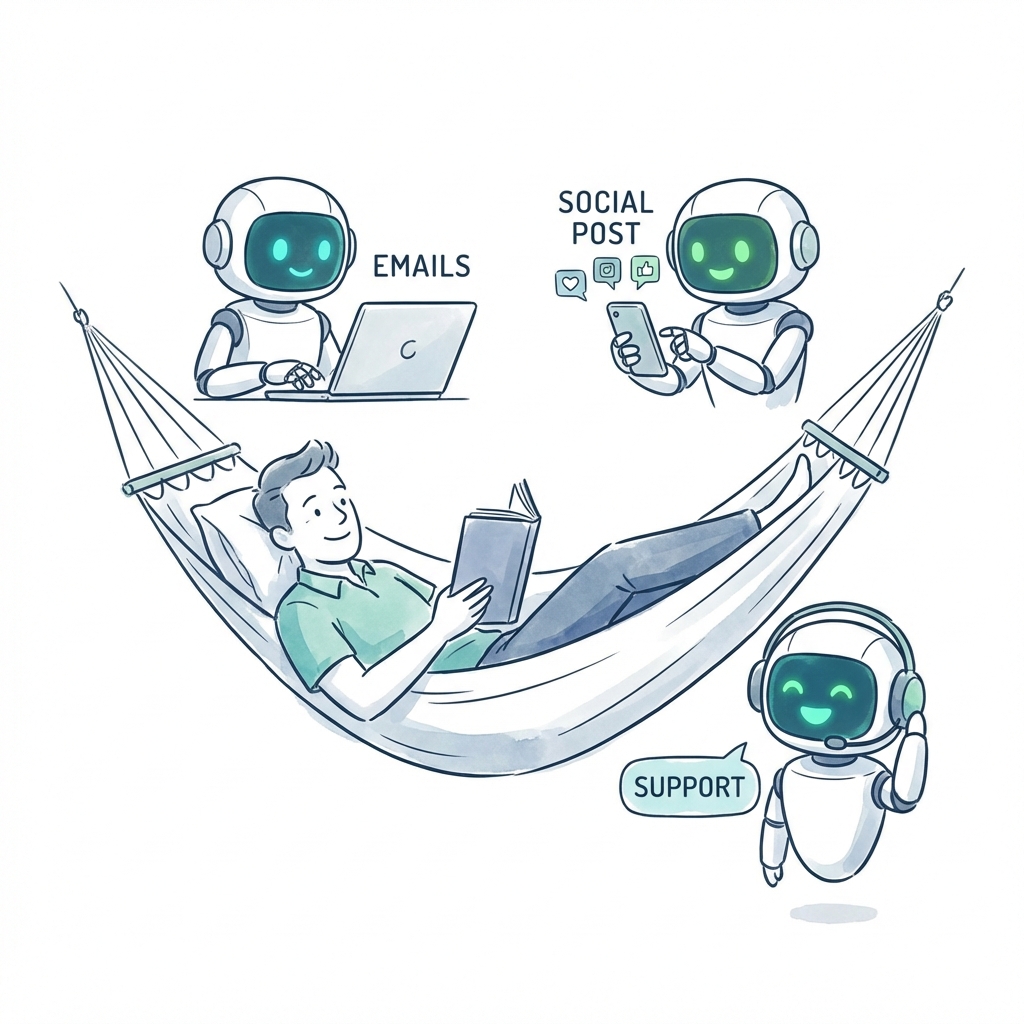
Learn how to automate customer support with AI using support categories, approval rules, connected tools, and Dooza AI deployment services.
Got busywork? Dooza it.
Start with a refundable pilot — 100% refund within 14 days. A Dooza engineer scopes it with you on a free 30-minute call. Pricing depends on the product; see pricing.
Refundable pilot · 100% refund within 14 days · No contracts
Dooza builds AI products and services for small businesses. Every product starts with a refundable pilot: 100% refund within 14 days.
Or start now: Dooza Managed, an admin assistant checked by a real person, first 7 days free, then $200/month. See pricing.