How to Automate Client Onboarding with AI: The Complete Step-by-Step Guide
Automate client onboarding with AI to save 10+ hours per week. Step-by-step guide covering welcome emails, intake forms, scheduling, and document collection.
12 min read
July 9, 2026
Why Client Onboarding Is Where You Win or Lose the Relationship
Here is a stat that should make every business owner uncomfortable: 86% of customers say they would be more loyal to a business that invests in onboarding content. Yet most small businesses still onboard clients with a messy combination of manual emails, sticky notes, and sheer willpower.
If you want to automate client onboarding with AI, you are not just saving time. You are fixing the single biggest drop-off point in the client lifecycle. Poor onboarding is the #1 reason clients churn within the first 90 days. Not your pricing. Not your competition. Your onboarding.
Think about what happens right now when a new client signs up. Someone on your team sends a welcome email (maybe that day, maybe tomorrow). They ask for documents. They schedule a kickoff call. They follow up when the client forgets to send something. They follow up again. Meanwhile, the client's excitement fades, confusion sets in, and that promising new relationship starts feeling like a chore.
AI changes this by making onboarding instant, consistent, and completely hands-off for your team — while feeling personal and seamless to every client.
What Parts of Client Onboarding Can AI Actually Handle?
Not everything should be automated. But the administrative grind that eats 80% of your onboarding time? That is exactly what AI was built for.
Welcome Emails and First Impressions
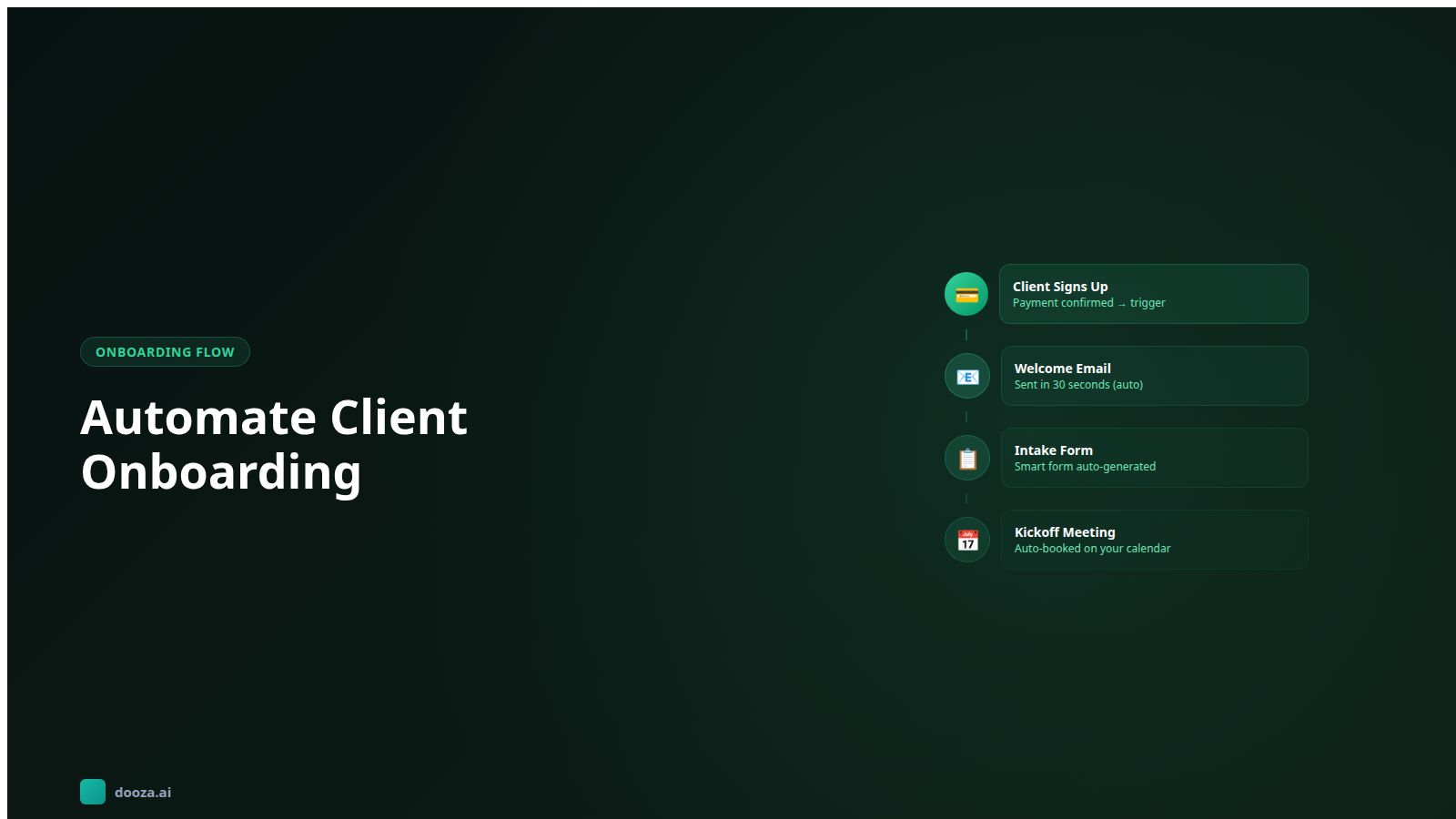
The moment a client signs a contract or makes a payment, an AI employee can send a personalized welcome email within seconds. Not a generic template — a message that references their specific service, their name, their company, and exactly what happens next. First impressions set the tone for the entire relationship. Sending a thoughtful welcome email 30 seconds after sign-up tells the client they made the right decision.
Intake Forms and Information Collection
Every business needs information from new clients — branding guidelines, login credentials, project specifications, preferences. Manually chasing this information is painful. AI sends the right intake form at the right time, tracks what has been submitted and what is missing, and follows up automatically. No more spreadsheets tracking who sent what.
Scheduling and Calendar Management
Kickoff calls, strategy sessions, onboarding walkthroughs — all of these require scheduling. AI handles this end-to-end: sending a booking link, confirming the appointment, sending reminders, rescheduling if something comes up. Your team never touches a calendar until they show up for the call.
Document Collection and Organization
Contracts, NDAs, tax forms, brand assets — clients need to send files, and those files need to end up in the right place. AI requests specific documents, confirms receipt, flags missing items, and organizes everything into the correct client folder automatically.
Follow-Up Sequences
This is where most manual onboarding falls apart. A client does not respond to the intake form? AI follows up in 24 hours with a friendly reminder. Still nothing after 48 hours? A different message with a simpler ask. AI never forgets, never gets frustrated, and never lets a client fall through the cracks.
The 5-Step Framework to Automate Client Onboarding
Whether you are a freelancer onboarding 5 clients a month or an agency handling 50, this framework scales.
Step 1: Map Your Current Process
Before automating anything, document exactly what happens from the moment a client says "yes" to the moment they are fully set up. Write down every email, every form, every call, every follow-up. Be brutally honest about where things break down.
Most businesses discover their onboarding has 12 to 20 individual touchpoints. Many of them are redundant, inconsistent, or just plain forgotten half the time.
Your process map should answer:
What information do you need from the client, and when?
What does the client need from you, and when?
What are the decision points (where does the process branch)?
Where do delays and bottlenecks typically happen?
Which steps require a human, and which are purely administrative?
Step 2: Design the Automated Workflow
Now restructure your process into a clean, linear flow. Group touchpoints into phases:
Phase 1 — Welcome (Day 0): Welcome email, account setup confirmation, intake form link
Phase 2 — Information gathering (Days 1-3): Intake form reminders, document request, scheduling link for kickoff call
Phase 4 — Activation (Days 5-7): First deliverable or service activation, check-in email, feedback request
Each phase should have a clear trigger (what starts it), clear actions (what happens), and a clear exit condition (what marks it complete).
Step 3: Build Your Email Sequences
Write the emails for each automated touchpoint. Here is what separates good automated emails from obvious robot messages:
Use the client's name and specifics. "Hi Sarah, welcome to our Growth Plan" beats "Dear Valued Customer."
One purpose per email. Do not ask for documents, schedule a call, and share a tutorial in the same message. Each email should have one clear ask.
Set expectations. Tell them exactly what happens next and when. "You will receive your intake form tomorrow. It takes about 10 minutes to complete."
Keep it short. Under 150 words for action emails. Save the long explanations for your knowledge base or portal.
Step 4: Set Up Conditional Logic and Follow-Ups
This is where AI earns its keep. Your workflow needs to handle the messy reality of human behavior:
Client submits the intake form on day 1? Skip the reminders and move straight to scheduling.
Client ignores the intake form for 3 days? Send a simplified version asking just the critical questions.
Client books a kickoff call before completing the form? Flag it for your team so they can collect info during the call.
Client goes completely silent for 7 days? Escalate to a human team member for a personal follow-up.
Without conditional logic, automated onboarding feels robotic. With it, it feels attentive.
Step 5: Test, Launch, and Iterate
Run your automated onboarding with 3 to 5 real clients before rolling it out fully. Watch for:
Emails that feel awkward or generate confused replies
Steps where clients consistently stall
Information you forgot to collect
Timing issues (emails arriving too early or too late)
Fix what is broken, refine the messaging, and then launch to all new clients. Review the data monthly — completion rates, time-to-onboard, and client satisfaction scores will tell you exactly what to optimize.
What You Need to Automate Onboarding (Without Overcomplicating It)
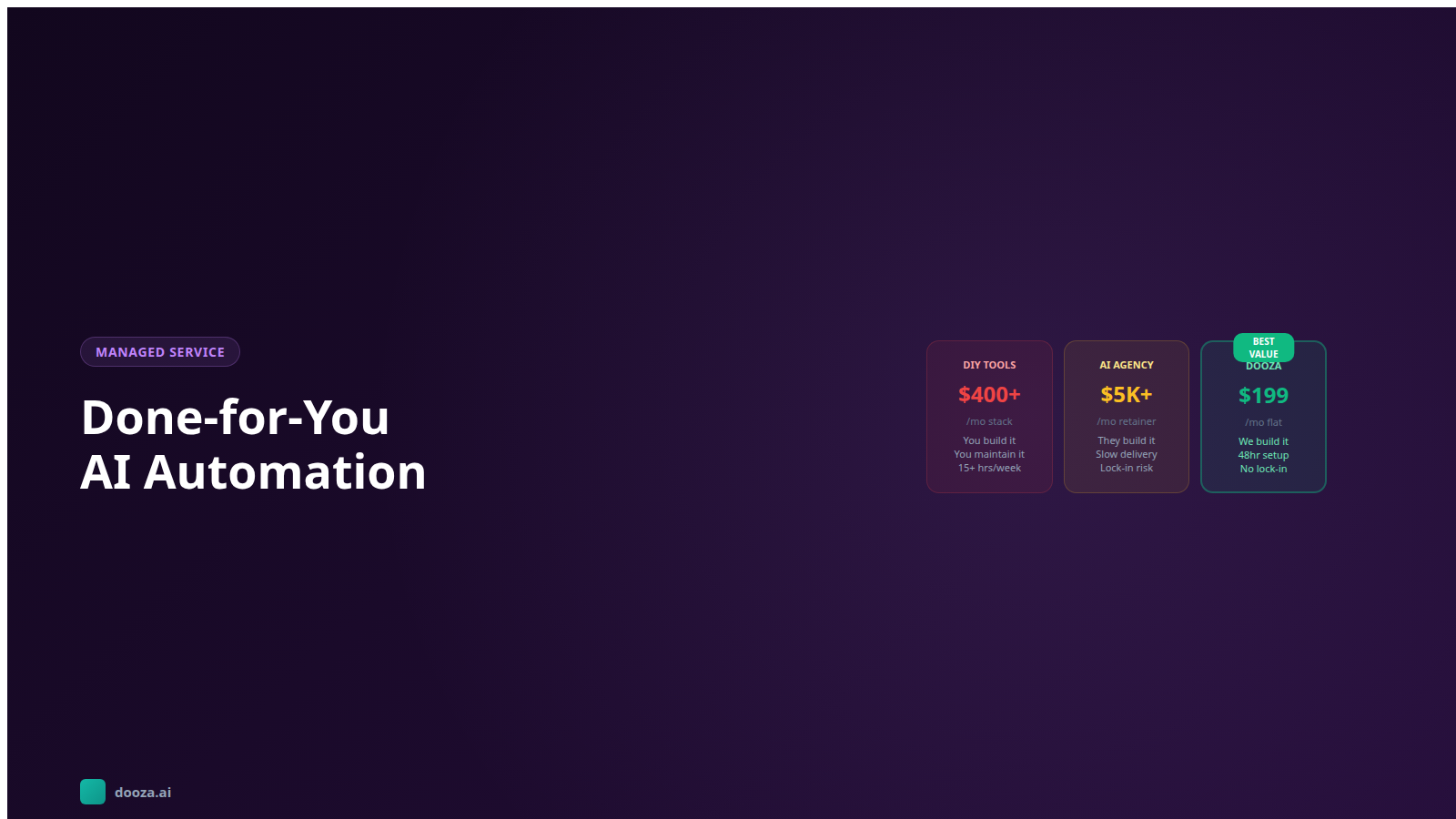
The DIY approach to onboarding automation typically requires stitching together 4 to 6 tools:
Email automation: Mailchimp, ConvertKit, or ActiveCampaign for sequences
Forms: Typeform, JotForm, or Google Forms for intake
Scheduling: Calendly or Cal.com for booking
Document collection: DocuSign, HelloSign, or Dropbox for file management
Project management: Asana, Monday, or ClickUp for internal task tracking
Connector: Zapier or Make to wire everything together
Total cost: several separate subscriptions, each priced on its own vendor page. Total setup time: 2 to 4 weeks. Total maintenance: someone on your team needs to keep it all running.
Or you can use an AI employee that handles the entire flow — emails, forms, scheduling, follow-ups, and document collection — in a single platform. That is the approach we will cover in the Dooza section below.
5 Mistakes That Break Automated Onboarding
Automating before you have a process. If your manual onboarding is chaotic, automating it just creates faster chaos. Fix the process first, then automate it.
Too many emails, too fast. Sending 5 emails on day one overwhelms clients. Space your communications out. One email per day maximum in the first week.
No human touchpoint. Fully automated onboarding without a single human interaction feels cold. Keep at least one personal touchpoint — a kickoff call, a voice note, a quick Loom video. It does not take long, but it matters.
Ignoring no-shows and non-responders. Your automation needs a "what if they ghost us" pathway. Most systems just stop after the sequence ends. Good systems escalate to a human after a defined silence period.
Never updating the workflow. Client needs change. Your services evolve. If you built your automation 6 months ago and never touched it, the messaging is probably stale and the flow might be missing steps. Review quarterly at minimum.
How Dooza Automates Client Onboarding for You
Here is the reality: most small businesses and solopreneurs do not have the time or technical skills to build a multi-tool onboarding automation stack. That is exactly why Dooza Agents exists.
Starting with a refundable pilot (100% refund within 14 days), Dooza gives you an AI employee that handles your entire client onboarding process:
Instant welcome sequences: Personalized welcome emails sent within seconds of a client signing up, referencing their specific service, plan, or purchase
Smart intake collection: AI sends intake forms, tracks completions, follows up on missing items, and organizes responses — all without your team lifting a finger
Automated scheduling: Kickoff calls booked, confirmed, and reminded automatically — synced with your team's real availability
Document management: AI requests, receives, and organizes client files into the correct project folder
Intelligent follow-ups: If a client stalls at any step, AI follows up with increasingly simplified asks — and escalates to your team if the client goes silent for too long
Compare that to hiring a virtual assistant to do the same work manually — with human error, sick days, and timezone limitations baked in. Dooza runs 24/7, never forgets a step, and handles 10 clients the same way it handles 100.
Watch: How to Build an AI Client Onboarding Workflow
This video walks through a practical 5-step AI workflow for client onboarding — covering task automation, follow-up sequences, and how to connect everything without code.
Bottom Line
Client onboarding should not be a bottleneck. It should be the smoothest, most impressive part of working with you. When you automate client onboarding with AI, you eliminate forgotten follow-ups, missing documents, and inconsistent experiences. Every client gets your best onboarding — not the version that depends on how busy your team is that week. Start by mapping your current process, identify the repetitive steps, and either build your own automation stack or let Dooza handle it, starting with a refundable pilot. Your clients will notice the difference immediately. Your team will wonder why you did not do this sooner.
Frequently Asked Questions
How long does it take to set up automated client onboarding?
Most businesses can set up a fully automated onboarding workflow in 2 to 5 days. The first day is mapping your current process and identifying automation points. Days 2 to 3 involve configuring your tools — email sequences, intake forms, scheduling links, and document collection. Days 4 to 5 are for testing with a few real clients and refining the flow. With Dooza, much of this setup is handled for you within the first day.
Will clients feel like they are talking to a robot during automated onboarding?
Not if you do it right. Modern AI writes in natural, conversational language that matches your brand voice. The key is personalization — use the client's name, reference their specific project or purchase, and tailor the content to their situation. Clients notice when onboarding is smooth and timely. They rarely notice (or care) that it was automated, as long as the experience feels personal and helpful.
What parts of client onboarding should NOT be automated?
Keep human involvement for high-touch moments: the initial kickoff call or strategy session, handling sensitive contract negotiations, addressing unique client concerns that fall outside standard workflows, and any situation where the client expresses frustration or confusion. The goal is to automate the repetitive administrative tasks so your team has more time for these meaningful interactions.
How much time does automated onboarding actually save?
Businesses that automate client onboarding typically save 8 to 15 hours per week depending on client volume. A manual onboarding process — sending welcome emails, chasing documents, scheduling calls, following up on incomplete forms — takes 45 to 90 minutes per client. Automated onboarding reduces the hands-on time to under 10 minutes per client, mostly spent on the personal kickoff conversation.
Can I automate onboarding for different types of clients?
Yes. The best approach is creating onboarding templates for each client type or service tier. A basic service client might get a streamlined 3-step onboarding, while a premium client gets a more detailed 7-step process with additional touchpoints. AI tools like Dooza can dynamically select the right onboarding flow based on the service purchased, client size, or other criteria you define.
Ready to Start Your Pilot?
Automate your business with AI employees that work 24/7. Start with a refundable pilot: 100% refund within 14 days.
Done for You AI Automation: Get AI Working for Your Business Without the Technical Headache
Most small businesses know they need AI automation but don't have the time or skills to build it. Learn how done for you AI automation puts AI employees to work from day one — no coding, no complexity.
Start with a refundable pilot — 100% refund within 14 days. A Dooza engineer scopes it with you on a free 30-minute call. Pricing depends on the product; see pricing.