Customer Service Automation Tools for Startups: 2026 Guide
The essential automation tools every startup needs to deliver enterprise-grade customer support on a bootstrap budget. Tool stack, setup guide, and 90-day results.
11 min read
July 3, 2026
What Customer Service Automation Means for Startups
Customer service automation tools for startups are software systems that handle support tickets without requiring a dedicated support team. For a startup with two founders and zero support hires, these tools are the difference between professional customer service and "we will get back to you eventually."
Salesforce research shows 88 percent of customers say the experience a company provides is as important as its product. Startups that deliver slow, inconsistent support lose customers to competitors who respond in seconds. Automation solves this without burning runway on headcount.
Why Startups Cannot Afford to Ignore Automation
Startups face a unique support challenge: high customer expectations with near-zero support budget. Here is the reality:
Your first 100 customers define your reputation. Early adopters talk. If support is slow or nonexistent, they churn and share their experience. One bad review on G2 or Product Hunt can tank your launch.
Founders should not be doing support at scale. Answering the same shipping question 40 times a week is not a good use of a founder's time. But ignoring those tickets loses customers.
Hiring a support agent too early burns runway. At $4,000 per month fully loaded, a single support hire costs $48,000 per year. That is six months of runway for some seed-stage startups. AI covers the repetitive part of that job for a fraction of the cost.
Enterprise support tools are designed for enterprise budgets. Zendesk Suite starts at $55 per agent per month. Intercom starts at $39 per seat. These assume you have agents to put in seats. Startups need tools that work without agents.
The right automation stack lets you deliver enterprise-grade support on a bootstrap budget. Here is what that stack looks like.
The 5-Tool Automation Stack Every Startup Needs
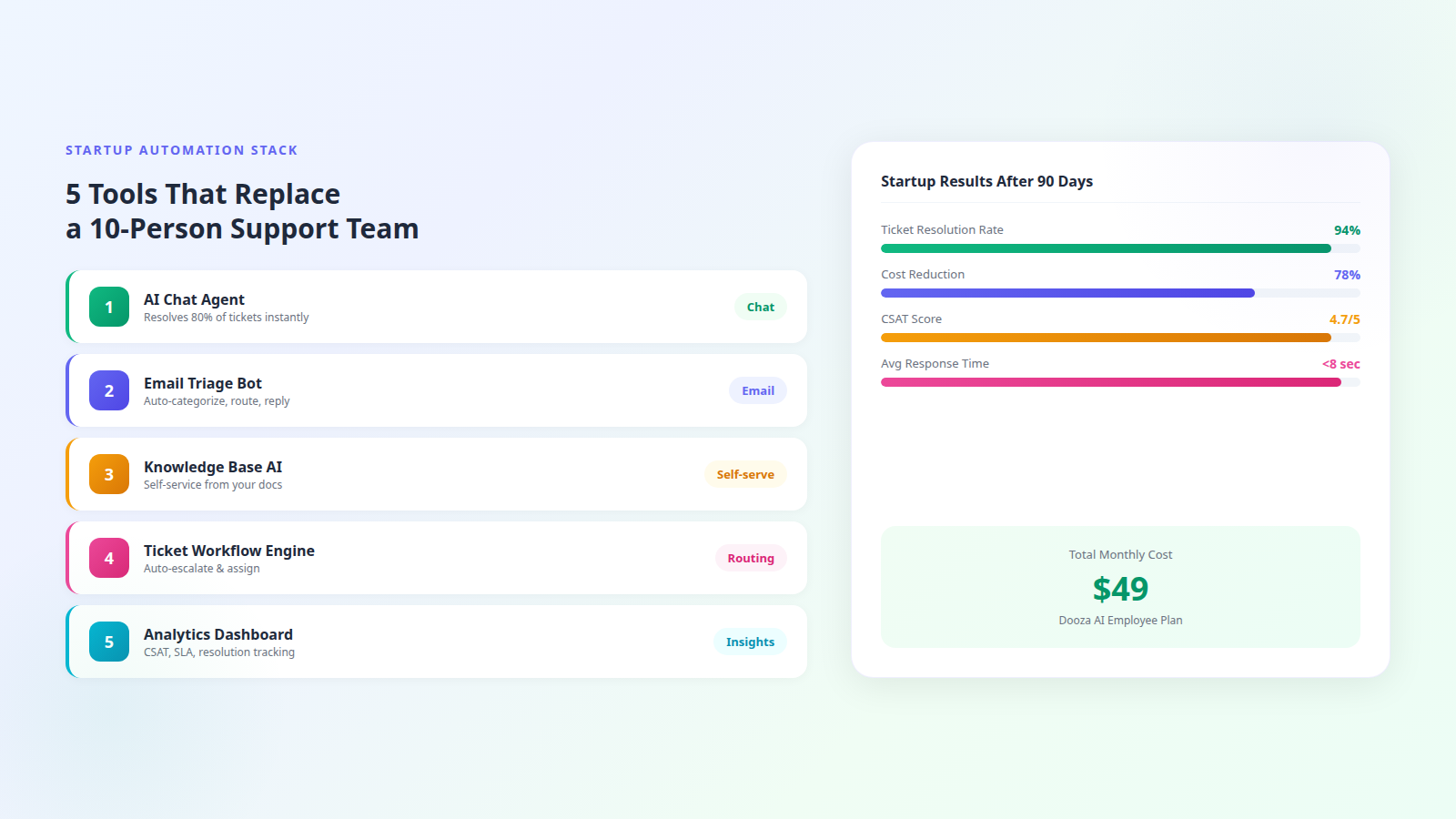
You do not need 15 tools. You need five capabilities, and the best approach is a single platform that handles all of them:
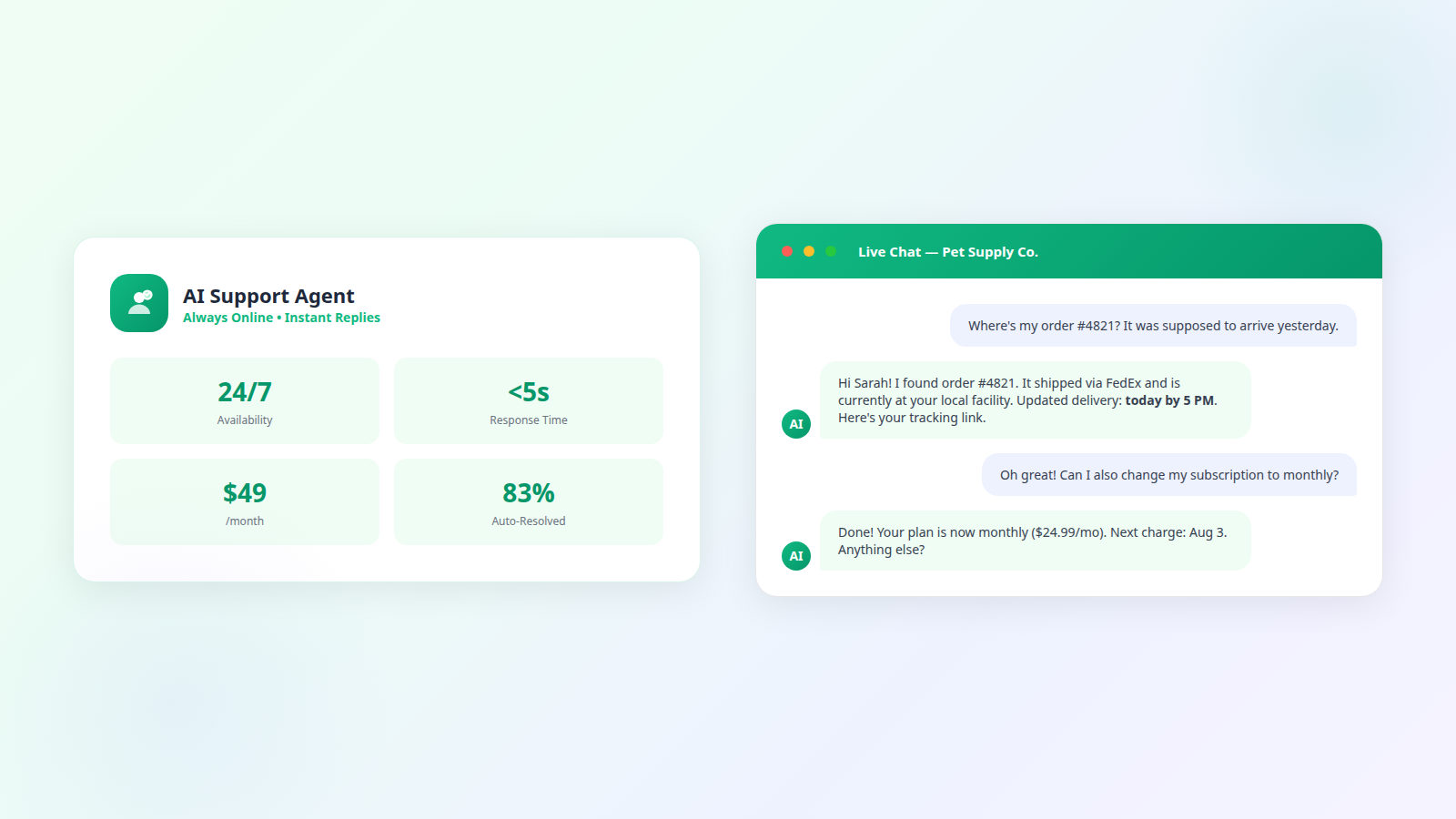
AI Chat Agent. This is your frontline. It sits on your website and answers customer questions instantly. Modern AI agents resolve 75 to 83 percent of tickets without any human involvement. They handle order tracking, product questions, account changes, refund requests, and troubleshooting by pulling from your knowledge base and responding in your brand voice.
Email Triage Automation. Customers still email. Your automation should read incoming emails, classify them by type and urgency, auto-respond to common questions, and route complex issues to the right person. No more manually reading every email and copy-pasting template responses.
AI-Powered Knowledge Base. Customers prefer finding answers themselves when a good self-service option exists. An AI knowledge base takes your product docs and FAQ content and surfaces relevant answers when customers search. It reduces ticket volume by 20 to 40 percent before a conversation even starts.
Workflow Engine. Rules that run automatically: if a ticket mentions "cancel," route to retention. If a VIP customer reaches out, escalate immediately. If a ticket is unresolved after 2 hours, notify the founder. These workflows replace the judgment calls a support manager would make.
Analytics Dashboard. You cannot improve what you do not measure. Track resolution rates, response times, customer satisfaction, and escalation patterns. Identify which questions the AI struggles with and fill those knowledge gaps weekly.
AI-first platforms like Dooza bundle all five into a single product. You do not need to stitch together five separate tools and manage five separate subscriptions.
Where Dooza Fits: One Tool, Full Coverage
Dooza is an AI-native company that builds AI products and services for small businesses and startups. Instead of buying a helpdesk, a chatbot, a knowledge base, and an analytics tool separately, you deploy one AI agent that handles everything.
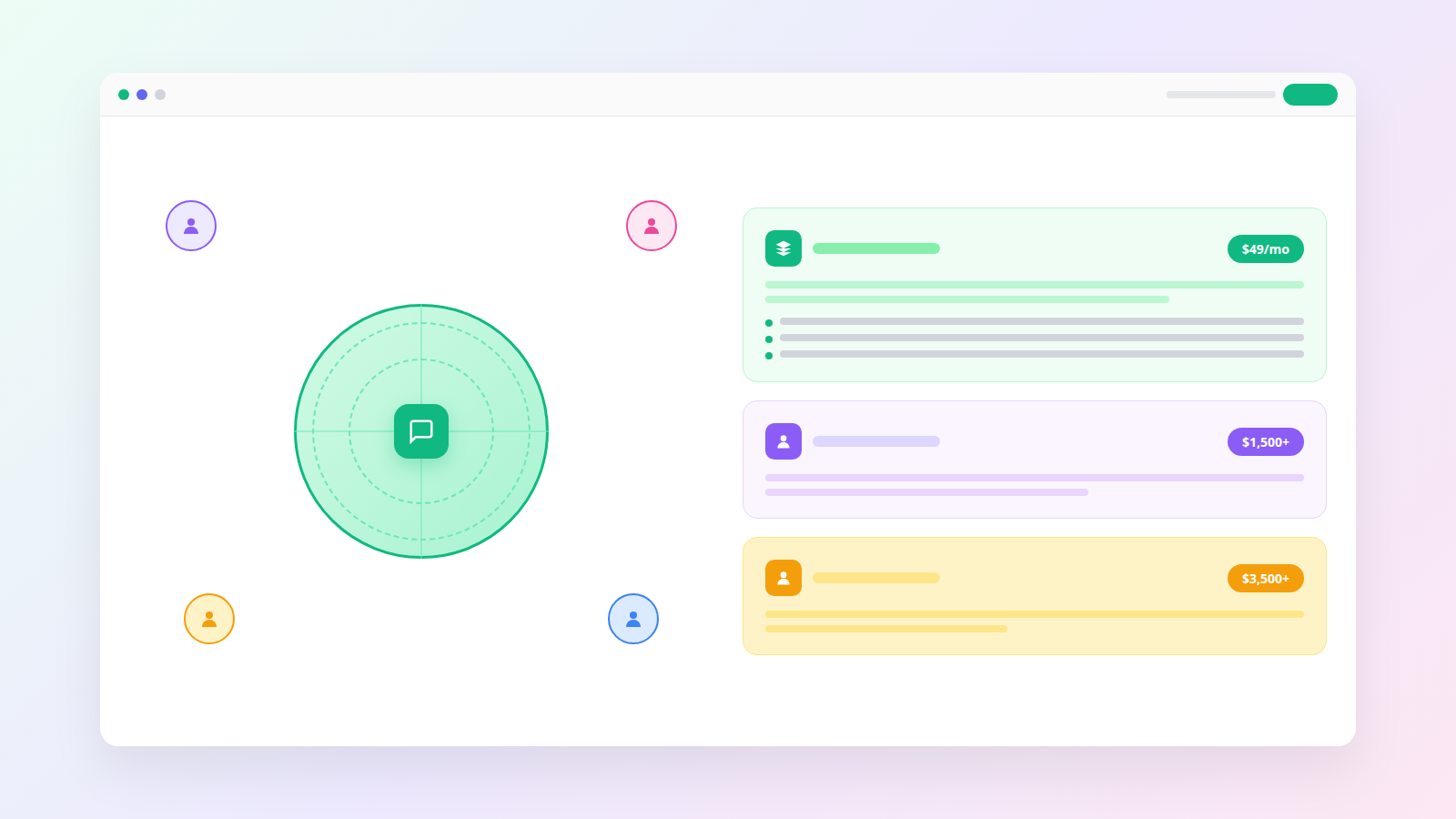
Start small — AI chat agent, email automation, knowledge base, basic analytics, human escalation. Unlimited conversations. Perfect for pre-Series A startups.
Add channels as you grow — Everything in Starter plus social media channels, CRM integrations, advanced workflow rules, and detailed reporting.
Fully managed — Enterprise-grade features: custom API actions, SLA tracking, dedicated onboarding, and priority support for your support.
Every Dooza product starts with a refundable pilot — 100% refund within 14 days. The cost comparison is stark: Zendesk Suite for a team of 3 agents runs $165 per month minimum. Intercom for the same setup starts at $117 per month and still needs human agents in seats. Dooza runs your routine support with no humans required in seats, at a fraction of that cost.
90-Day Implementation Plan for Startups
Here is the phased rollout that works for every startup stage:
Week 1 — Foundation. Sign up for Dooza. Upload your product documentation, FAQ page, pricing info, and return and shipping policy. Set your brand voice (are you formal and professional, or casual and friendly?). Add the chat widget to your website. Connect your support email.
Weeks 2 to 4 — Observe and tune. Monitor every AI response for the first two weeks. Flag incorrect or incomplete answers. Update your knowledge base daily with answers to questions the AI escalated. By week four, you should see 60 to 70 percent auto-resolution.
Weeks 5 to 8 — Expand channels. Connect social media DMs and add email automation rules. Set up workflow triggers for common scenarios: refund auto-approval under a certain amount, VIP customer routing, weekend escalation to Slack.
Weeks 9 to 12 — Optimize and scale. Review analytics weekly. Your resolution rate should be approaching 80 to 94 percent. Identify the top 5 remaining escalation categories and write knowledge base articles for each. By day 90, your AI should handle nearly everything autonomously.
Total founder time investment: about 2 hours in week one, 30 minutes per week after that. Compare that to 15 to 20 hours per week doing manual support.
What 90-Day Results Look Like
Based on typical startup deployments, here is what to expect:
Resolution rate: 75 to 94 percent of tickets resolved without human involvement by day 90.
Response time: Under 8 seconds average across all channels. Customers never wait in queue.
CSAT score: 4.5 to 4.8 out of 5 stars. Customers value speed and accuracy over whether a human typed the response.
Cost reduction: 70 to 80 percent lower than hiring equivalent coverage. A fraction of the $4,000 plus per month for a single agent.
Founder time saved: 10 to 15 hours per week reclaimed from manual support. That is time back on product, sales, and growth.
Escalation rate: Under 20 percent of tickets need human attention by month three.
These are not hypothetical. These are the numbers startups hit when they deploy AI-first support and invest 30 minutes per week improving their knowledge base.
Watch: Startup Support Automation in Action
See a real startup go from zero support infrastructure to full automation with metrics from the first 90 days.
Bottom Line
Startups do not need enterprise support tools or enterprise support budgets. A single AI employee handles your entire customer service operation — chat, email, social, knowledge base, and analytics — for a fraction of a support hire. Start with a refundable pilot (100% refund within 14 days), and spend your time building product instead of answering the same questions. Book a free pilot call and see what your support could look like by next week.
Frequently Asked Questions
What customer service automation tools do startups actually need?
Startups need five core automation capabilities: an AI chat agent for instant ticket resolution, an email triage system for auto-categorization and routing, a knowledge base for customer self-service, a workflow engine for escalation and assignment rules, and an analytics dashboard for tracking resolution rates and customer satisfaction. Dooza bundles all five into a single AI employee, starting with a refundable pilot (100% refund within 14 days).
How much should a startup spend on customer service tools?
Early-stage startups can usually keep customer service automation well under $1,000 per month. Enterprise platforms like Zendesk or Intercom charge $50 to $150 per agent per month and require multiple seats. Dooza includes every AI employee with no credits, and every Dooza product starts with a refundable pilot (100% refund within 14 days).
Can a startup run customer service with zero support staff?
Yes, many startups successfully run customer support with zero dedicated support staff using AI automation. The AI handles 75 to 83 percent of tickets autonomously. The remaining 15 to 25 percent are escalated to founders or product team members who can handle them in 30 minutes per day. This works well up to about 2,000 tickets per month.
Which is better for startups — Zendesk, Intercom, or AI-first tools like Dooza?
Zendesk and Intercom are built around human agent workflows with AI bolted on. They charge per agent seat and get expensive fast. AI-first tools like Dooza are built from the ground up for autonomous resolution with human escalation as the exception. For startups without a dedicated support team, AI-first tools deliver better results at one-tenth the cost.
How fast can a startup deploy customer service automation?
A startup can deploy full customer service automation in one to three days. Upload your product docs and FAQ content, configure your brand voice, add the chat widget to your website, and connect your support email. No engineering resources required. Dooza Workforce employees can start working the same day, and custom agents are live in days.
What results should a startup expect after 90 days of automation?
After 90 days, startups typically see 75 to 94 percent automated resolution rates, sub-10-second response times, customer satisfaction scores of 4.5 to 4.8 out of 5, and 70 to 80 percent reduction in support costs compared to hiring. The AI also continuously improves as it learns from escalated tickets and knowledge base updates.
Ready to Start Your Pilot?
Automate your business with AI employees that work 24/7. Start with a refundable pilot: 100% refund within 14 days.
AI Customer Service Agent for Small Business: Complete 2026 Guide
How small businesses deploy AI customer service agents to handle 80% of support tickets at a fraction of the cost. Setup steps, tool comparison, and real results.
Start with a refundable pilot — 100% refund within 14 days. A Dooza engineer scopes it with you on a free 30-minute call. Pricing depends on the product; see pricing.