How to Automate Sales Outreach: The Multi-Channel Playbook for 2026
Learn how to automate sales outreach across email, LinkedIn, and social. From DIY tools to done-for-you AI employees that book meetings while you sleep.
13 min read
July 9, 2026
Why Manual Sales Outreach Is Costing You Deals
Let us start with a number that hurts: the average sales rep spends only 28% of their week actually selling. The rest goes to research, data entry, email drafting, follow-ups, and CRM updates. If you are a solopreneur or small team doing your own outreach, it is even worse — you might spend 15 hours a week on outreach tasks that generate 3 meetings.
Learning how to automate sales outreach is not about replacing the human touch. It is about freeing you to focus on the conversations that close deals instead of the administrative grind that leads to them.
Here is what changes when outreach is automated:
Volume goes up without burning hours. Send 200 to 500 personalized messages per week instead of 30 to 50 manual ones.
Follow-up never stops. Most sales take several follow-ups, but many reps give up after one. Automation follows up on schedule, every time.
Multi-channel becomes possible. Manually juggling email, LinkedIn, and social is a full-time job. Automation coordinates all three simultaneously.
Response time shrinks. When a prospect replies, AI can respond in minutes instead of hours — which matters enormously for conversion rates.
The businesses booking the most meetings in 2026 are not the ones with the biggest sales teams. They are the ones with the smartest automation.
The Outreach Channels Worth Automating in 2026
Cold Email
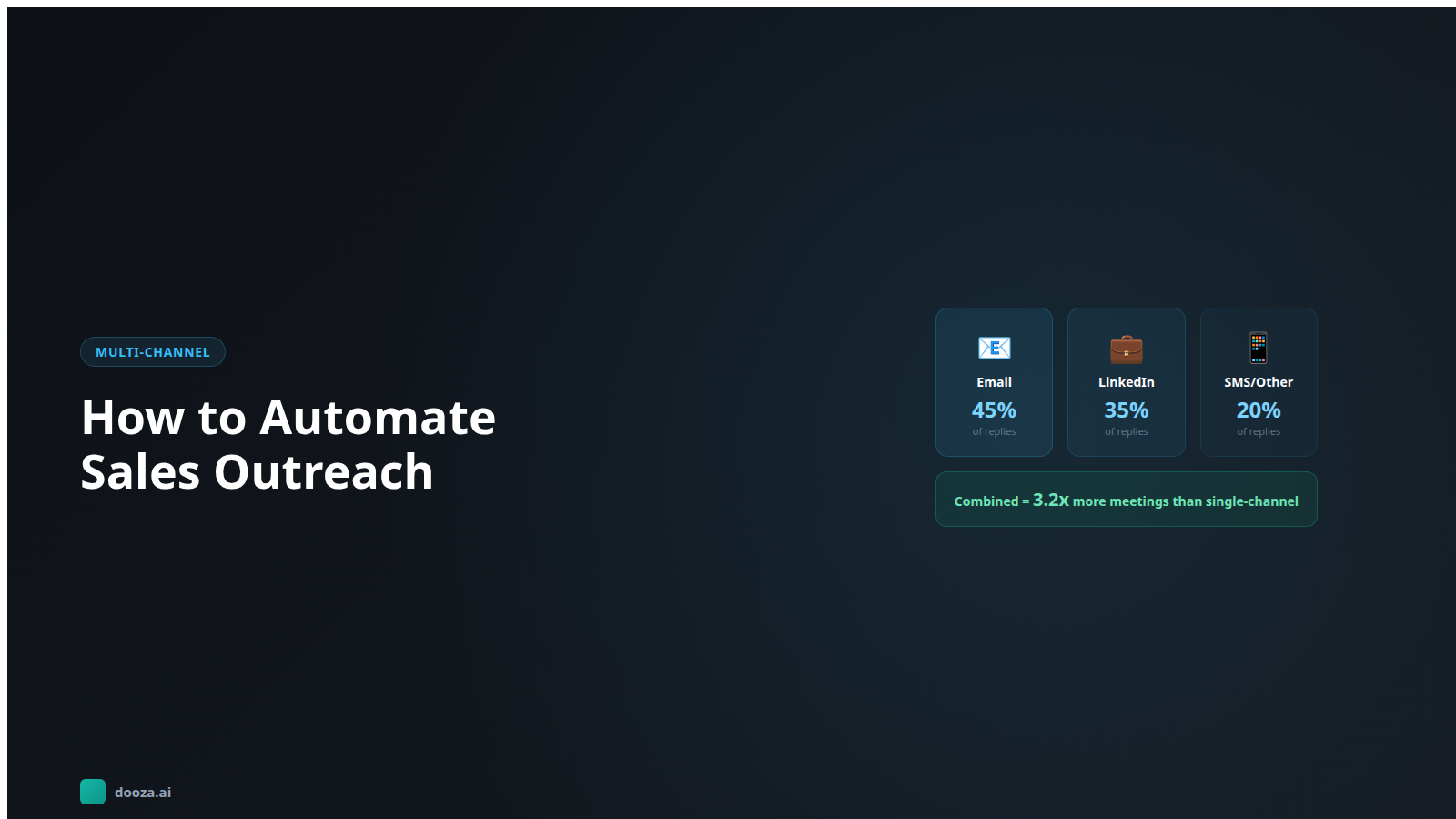
Still the workhorse of B2B outreach. Email reaches decision-makers directly, scales efficiently, and costs almost nothing per message. With proper infrastructure (dedicated sending domains, warm-up, SPF/DKIM/DMARC), well-targeted cold email delivers 40 to 55% open rates and 3 to 8% reply rates.
The key is AI personalization. Generic templates land in spam. AI-written emails that reference a prospect's specific company situation, recent news, or job postings land in the primary inbox and get responses.
LinkedIn
LinkedIn is where B2B buyers live. Decision-makers check LinkedIn more frequently than email for industry content. Automated LinkedIn outreach includes connection requests, follow-up messages, profile visits, and engagement with prospect content.
Average LinkedIn connection acceptance rates for well-targeted requests sit around 25 to 40%. Once connected, a thoughtful message sequence converts at 5 to 15%. The platform rewards relevance — the more targeted your request, the higher the acceptance rate.
Social Selling (Twitter/X, Instagram)
Underrated for B2B. Many founders and executives are active on Twitter/X. Engaging with their content before reaching out via email or LinkedIn warms the relationship. AI can monitor prospect social activity and engage thoughtfully — liking posts, leaving relevant comments, sharing their content — creating familiarity before the first outreach message.
SMS and Voicemail Drops
For certain industries (real estate, local services, healthcare), SMS and ringless voicemail are powerful outreach channels. Automated SMS achieves 45% open rates within 90 seconds of delivery. These channels work best as follow-up touches after an email or LinkedIn connection, not as cold first contact.
The DIY Outreach Automation Tech Stack
If you want to build your own outreach automation, here is what most people piece together:
Data and Prospecting
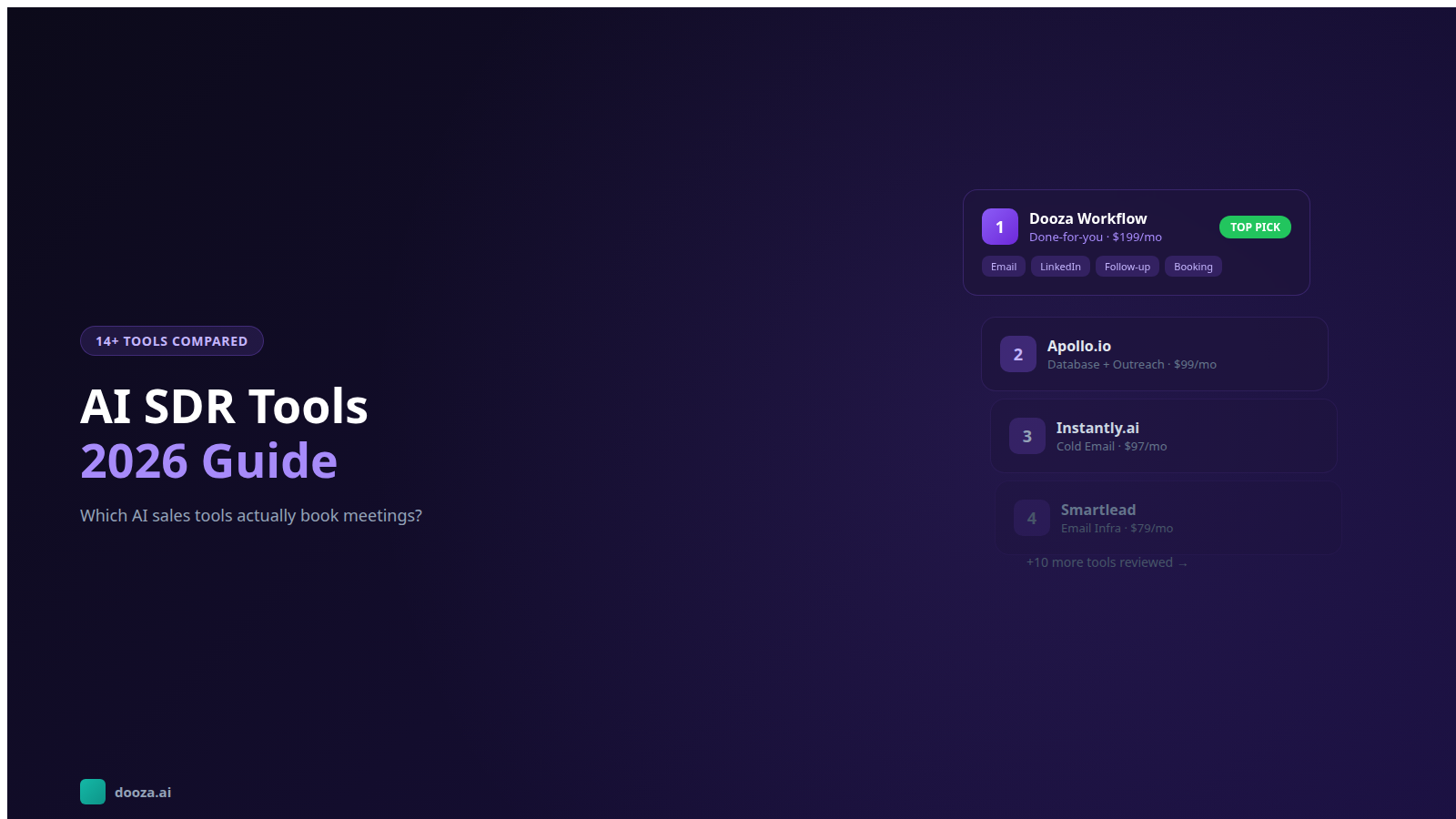
Apollo.io (see Apollo's pricing page) — Contact database with email verification, company data, and intent signals
LinkedIn Sales Navigator (Core is US$119.99/month per LinkedIn's plans page, checked October 7, 2026) — Advanced search filters, lead recommendations, InMail credits
Clay (see Clay's pricing page) — Data enrichment platform that pulls from 75+ sources to build detailed prospect profiles
Email Sending
Instantly (from $47/mo billed monthly, checked October 7, 2026) — High-volume cold email with built-in warm-up and rotation
Total DIY cost: the sum of several separate subscriptions before you spend a single hour on setup, writing, or management. Most small businesses spend 10 to 15 hours per week managing this stack. That is not automation — that is a part-time job.
How to Build a Multi-Channel Outreach Sequence That Converts
The power of multi-channel outreach is not just reaching prospects in more places. It is that prospects who see you across multiple channels are 3x more likely to respond than those who receive email only. Here is a proven 14-day multi-channel sequence:
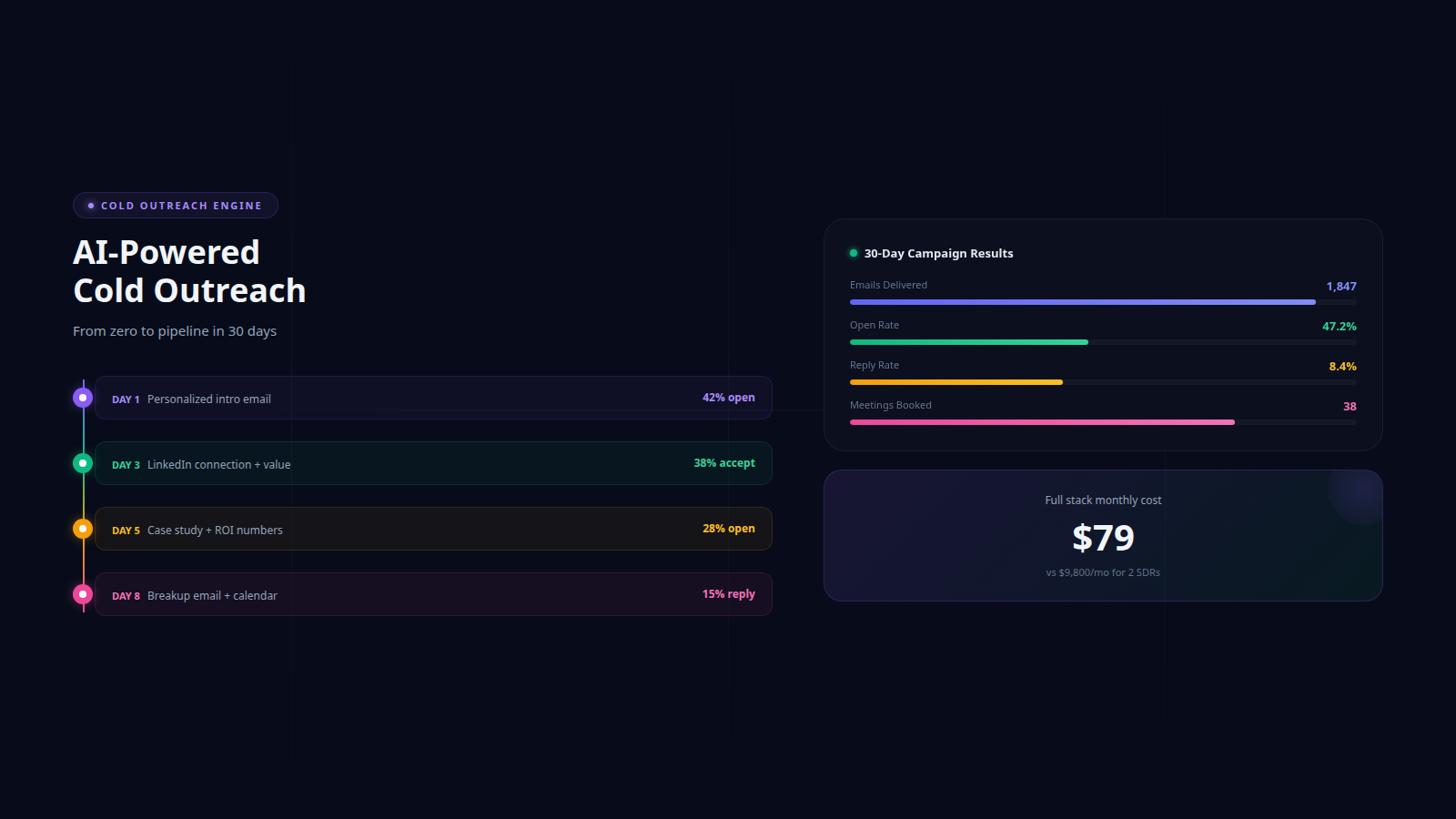
Day 1: LinkedIn Connection Request
Send a personalized connection request. No pitch. Something like: "Hi [Name], noticed we both work in [industry]. Your post on [specific topic] resonated — would love to connect." Acceptance rates for non-salesy requests: 30 to 45%.
Day 2: Email #1
Send your first cold email. Reference something specific about their company — a recent hire, product launch, or challenge that relates to your solution. Keep it under 100 words. One clear question at the end.
Day 4: LinkedIn Profile Visit + Content Engagement
Visit their LinkedIn profile (they see the notification) and engage with a recent post. A thoughtful comment is worth more than a like. This creates a second touchpoint without a direct pitch.
Day 5: Email #2
Follow up with a different angle. Share a relevant case study, stat, or insight. Do not reference your first email — treat each email as if they never saw the previous one (because they might not have).
Day 8: LinkedIn Message
If they accepted your connection, send a short message. Reference your shared connection or their content. Briefly mention why you reached out and ask a specific question. If they did not accept, skip this step.
Day 10: Email #3
Third email — new angle entirely. Maybe share a relevant piece of content, a competitor comparison, or an industry trend that ties back to the problem you solve.
Day 14: Breakup Email
Final email. Acknowledge that timing might not be right. Leave the door open. "Totally understand if this is not a priority right now. If [specific problem] comes up again, happy to help. No hard feelings either way." Breakup emails consistently generate the highest reply rates of any sequence — often 8 to 12%.
How AI Makes Personalization Possible at Scale
The old outreach trade-off was simple: personalize deeply and send 20 emails a day, or use templates and send 200. AI eliminates that trade-off entirely.
Here is how AI personalization actually works in practice:
Prospect research. AI reads the prospect's company website, recent blog posts, LinkedIn activity, job postings, funding announcements, and technology stack — in about 3 seconds per prospect.
Hook identification. AI identifies the most relevant talking point for each prospect. Two CTOs at similar companies might get completely different hooks based on their recent priorities.
Message generation. AI writes a unique email or LinkedIn message using the identified hook, your value proposition, and a natural, conversational tone. No two messages are identical.
A/B learning. AI tracks which hooks, angles, and message structures generate the best response rates, and automatically shifts toward what works for each persona and industry segment.
The result: you get the volume of templates with the quality of hand-written messages. A human SDR writing 40 personalized emails per day has a median US base salary of about $55,000 a year before commission and benefits (Bridge Group, 2025). AI does 500 per day.
From DIY to Done-For-You: How Dooza Automates Sales Outreach
There are two ways to automate sales outreach. The first is building your own stack — buying 4 to 6 tools, connecting them with Zapier, writing your own sequences, managing deliverability, and spending 10+ hours a week on maintenance. Some businesses thrive with this approach.
The second way is letting someone else handle it. That is what Dooza Agents does.
Starting with a refundable pilot (100% refund within 14 days), Dooza gives you an AI employee that handles the entire outreach process:
AI Prospecting: Finds companies and contacts matching your ideal customer profile daily, with verified email addresses and enriched company data
AI-Written Outreach: Generates unique, personalized emails and LinkedIn messages for each prospect — not templates with mail merge fields
Multi-Channel Sequencing: Coordinates outreach across email and social with optimized timing and follow-up cadences
Smart Responses: AI reads and classifies replies, books meetings with interested leads, handles objections, and respects opt-outs — without your involvement
Continuous Optimization: Learns from every campaign to improve targeting, messaging, and timing automatically
Compare the numbers:
Hiring an SDR: median base about $55,000 a year (Bridge Group, 2025) + commission + benefits + training + management time
DIY tool stack: monthly software subscriptions + 10 to 15 hours/week of your time
Dooza: refundable pilot, then see pricing + near-zero hours of management
For small businesses and solopreneurs, the math is not close. See Dooza pricing and start automating outreach this week.
Watch: How to Automate Every Outreach Platform
This video covers the practical side of automating outreach across every major platform — including email, LinkedIn, Twitter, and more.
Bottom Line
Manual sales outreach is a time trap. You spend hours researching, writing, sending, and following up — only to book a handful of meetings that may or may not convert. Automating sales outreach with AI does not mean sacrificing quality. It means doing the same work in a fraction of the time, across more channels, with better personalization. Whether you build your own stack or let Dooza handle it, starting with a refundable pilot, the outcome is the same: more meetings, less grind, and a pipeline that grows while you focus on closing deals.
Frequently Asked Questions
Is automated sales outreach considered spam?
No, when done correctly. Spam is unsolicited bulk messaging with no relevance or opt-out. Automated sales outreach is targeted, personalized communication to prospects who fit your ideal customer profile. The key differences: you research each prospect, you personalize each message, you include an opt-out mechanism, and you stop contacting anyone who asks. CAN-SPAM and GDPR both allow B2B outreach when these conditions are met.
How many outreach channels should I use simultaneously?
Start with two channels — typically email plus LinkedIn. Master both before adding a third. Spreading too thin across 5 channels with poor execution loses to doing 2 channels exceptionally well. Once your email and LinkedIn sequences are converting consistently, add a third channel like Twitter or SMS depending on where your audience is most active.
What response rate should I expect from automated outreach?
Well-targeted automated outreach typically achieves 3 to 8 percent positive reply rates across channels. Email alone averages 2 to 5 percent. LinkedIn connection requests average 20 to 35 percent acceptance with 5 to 15 percent reply rates on follow-up messages. Multi-channel sequences that combine email and LinkedIn see 15 to 25 percent higher response rates than single-channel approaches.
How much does it cost to automate sales outreach?
DIY automation using separate tools means paying for several separate subscriptions — an email sending tool, LinkedIn automation, a data provider, and a connector like Zapier — each priced on its own vendor page. A done-for-you solution like Dooza starts with a refundable pilot (100% refund within 14 days) and handles everything end-to-end including prospecting, writing, sending, and responding.
Will LinkedIn ban my account if I automate outreach?
LinkedIn does restrict accounts that use aggressive automation. To stay safe: keep connection requests under 25 per day, use cloud-based tools that mimic human behavior patterns, personalize every request, avoid sending the same template message repeatedly, and stay within LinkedIn's weekly invitation limits. Tools that operate through a browser session and add randomized delays are much safer than API-based scrapers.
Ready to Start Your Pilot?
Automate your business with AI employees that work 24/7. Start with a refundable pilot: 100% refund within 14 days.
AI Cold Outreach Automation for Startups: From Zero to Pipeline in 30 Days
The complete startup guide to AI-powered cold outreach. Setup playbook, email sequences, deliverability tips, and how to book 30+ meetings per month for under $100.
Start with a refundable pilot — 100% refund within 14 days. A Dooza engineer scopes it with you on a free 30-minute call. Pricing depends on the product; see pricing.