From Zero to AI Agent Millionaire: How No-Code n8n Automation Is Reshaping Business (And Why Dooza Does It Better)
A deep dive into the viral 8-hour n8n course that teaches you to build and sell AI agents without a single line of code. We break down the key concepts—AI workflows vs. agents, deterministic vs. non-deterministic processes, and the goldmine opportunity—and show how Dooza’s ready-made AI employees outshine DIY automation every time.
12 min read
July 23, 2026
Imagine making over half a million dollars in eight months with no coding experience—just by building and teaching people how to build AI agents. That’s the story behind the viral YouTube video "Build & Sell n8n AI Agents (8+ Hour Course, No Code)", now with over 1.7 million views. The creator promises to take you from absolute beginner to building powerful no-code automations that can transform how you work. But as I watched the entire eight-hour deep dive, two things became crystal clear: the opportunity is real, and for most businesses, building from scratch is not the smartest path.
In this blog, I’ll break down the video’s key insights—the workflow vs. agent debate, the crawl-walk-run methodology, and the real-world automations you can create—and then I’ll show you why a ready-made solution like Dooza.ai delivers those same benefits (and more) without the steep learning curve. If you’re a business owner, marketer, or operator who wants AI to do the heavy lifting, this one’s for you.
The Opportunity We’re All Living In
The video opens with a bold claim: we’re living in a once-in-a-generation opportunity to use AI agents for real business results. The creator argues that while ChatGPT and other LLMs (large language models) are powerful, they’re incomplete on their own. An LLM can write an email, but it can’t send it. It can analyze a spreadsheet, but it can’t update a CRM. The real magic happens when you give the LLM access to tools—Gmail, HubSpot, Slack, Notion, Airtable, you name it.
“This LLM at its core cannot take any action. It’s really not that practical.”
That’s the foundational insight: AI value comes from connecting thinking to action. n8n, a no-code workflow tool, is the bridge. Drag a node for Perplexity, another for OpenAI, another for Gmail, and suddenly you have an autonomous system that researches a lead, drafts a personalized email, and sends it—all without human intervention. The video calls this “AI workflow” or “AI agent,” and understanding the difference is crucial.
AI Workflows vs. AI Agents: The Core Distinction
One of the most valuable parts of the course is the clear separation between AI workflows (deterministic, sequential, predictable) and AI agents (non-deterministic, autonomous, decision-making). The video uses a simple diagram: an LLM plus tools can produce either a workflow or an agent, depending on how you structure it.
AI Workflow: New lead lands in HubSpot → Research with Perplexity → Draft personalized email with LLM → Send via Gmail. Every time, the same steps. Reliable, cheap, easy to debug.
AI Agent: The LLM decides which tools to call and in what order. It can research, then decide to send an email, or maybe first check the CRM, then decide to create a task. Flexible, but slower and more expensive.
The video’s advice: use workflows when the process is known and linear; use agents when the path is unpredictable. This is a critical lesson for anyone building automations. But as the course progresses, the creator acknowledges that even “agents” are often overkill—and that most business processes benefit from the guardrails of a workflow.
Crawl, Walk, Run: Why You Need Workflows Before Agents
The creator uses the “crawl, walk, run” analogy: don’t build AI agents until you’ve mastered AI workflows. The first 60% of the course is dedicated to workflows—setting up credentials, building step-by-step integrations, and learning the n8n interface. Only then do they dive into agent architecture, tools, memory, and MCP servers.
This is sound advice. But here’s the problem: crawling takes time. The video is 8+ hours long. The free trial of n8n only lasts two weeks. You need to set up credentials, learn the UI, debug when integrations break, and maintain your workflows as APIs change. For a solopreneur or a small business owner, that’s precious time you could be spending on revenue-generating activities.
And that’s exactly where Dooza.ai comes in. Why crawl when you can run?
Step-by-Step: What You’ll Actually Build
The video walks through over 15 automations, including:
Lead enrichment: When a form is submitted, research the company and update the CRM.
Email outreach sequences: Send personalized follow-ups based on lead behavior.
Content repurposing: Turn a blog post into social media captions, tweets, and LinkedIn posts.
SEO analysis: Automate keyword research and competitor analysis using APIs.
Customer support triage: Classify incoming tickets by urgency and route accordingly.
These are powerful, no doubt. But notice a pattern? They are all tasks that Dooza’s AI employees already handle, out of the box, with zero configuration. Need email automation? Maily listens to your inbox and drafts replies, schedules campaigns, and nurtures leads. Need social media? Somi generates posts, schedules content, and engages with your audience. Need SEO? Ranky analyzes your site, suggests keywords, and tracks rankings. Need leads? Stan qualifies inbound leads and books meetings.
You don’t need to build workflows. You don’t need to connect APIs. You don’t need to debug a broken node at 2 AM. Dooza’s AI employees are pre-built, pre-trained, and ready to deploy in minutes.
Why Build When You Can Deploy? The Dooza Advantage
The video makes a compelling case for learning n8n. For a developer or a tech-savvy marketer, that’s a great skill. But the video’s audience is primarily people who want to sell AI agents as a service—agencies, consultants, freelancers. The creator himself made money teaching people, not necessarily running his own business on n8n.
If you’re a business owner who wants AI to work for you, not to become an AI builder yourself, then Dooza is the clear winner. Here’s why:
Zero setup: No credential configuration, no debugging. Just log in and assign tasks.
24/7 uptime: Dooza’s employees never sleep. They handle emails, support tickets, and social media around the clock.
Immediate ROI: You don’t spend weeks learning; you spend minutes onboarding. The automation starts working from day one.
Security and reliability: Dooza handles API integrations, error handling, and scaling. You don’t have to worry about maintenance.
Crawl Is Overrated: Skip the Learning Curve with Dooza
Let’s be honest—most of us aren’t interested in becoming n8n experts. We want results. The video itself admits that AI agents are “more expensive, slower, and more error-prone” than workflows. So why would you spend eight hours learning to build something that you can have working in five minutes with Dooza?
Consider the economics: Your time is worth something. An 8-hour course costs you a full day of productivity. Then you need another few days to set up and test. In that same time, you could have deployed Maily, Somi, and Ranky and seen your first lead enrichment, email campaign, or SEO report by lunchtime.
“After you’ve built out a few AI workflows, it’s going to make a lot more sense when you hop into building some more complex agentic systems.” – Video Creator
That’s true—if you want to become an agent builder. But if you want to run a business, you don’t need to understand the engine; you just need the car to drive you there. Dooza is that car.
The Dooza Difference: AI Employees That Work 24/7/365
One of the video’s most powerful use cases is customer support triage—classifying tickets and routing them to the right team. It’s a perfect example of a deterministic workflow (if ticket contains “refund” → route to billing; if “technical” → route to support). But what if you could have a full-time AI employee that not only triages but also resolves tickets, responds to emails, and answers customer queries without breaks?
That’s exactly what Dooza delivers. Our AI employees are designed to handle entire workflows, not just pieces. Maily manages all your email communication—inbound and outbound—with intelligent drafting, scheduling, and follow-ups. Stan qualifies leads and books meetings automatically. And because Dooza is built on top of the same LLM-and-tools paradigm that the video describes, you get all the benefits of AI agents without the complexity.
The video’s creator said, “The power of these large language models really comes into play when we start to expose them to different tools.” Dooza exposes your business to a full suite of tools—email, CRM, social media, search engines, analytics—all through one unified platform. It’s like having a team of specialists who never call in sick.
Watch: Build & Sell n8n AI Agents (8+ Hour Course, No Code)
If you’re curious about the underlying mechanics of AI automation, the video is an excellent resource. The creator is thorough, the production quality is high, and the 8-hour course is packed with actionable steps. Watch the full video below to understand the theory behind what makes AI agents tick.
Credit: YouTube channel (1779703 views)
Final Thoughts: Automate or Be Automated
The video ends with “lessons from my first 6 months of building AI agents.” The creator is transparent about the challenges—API rate limits, debugging agent loops, managing costs. It’s honest and useful. But the ultimate lesson for a business owner is this: you don’t have to build from scratch. You can use a platform like Dooza.ai that has already solved those challenges and packaged them into reliable, ready-to-use AI employees.
Whether you choose to learn n8n or skip straight to Dooza, the message is clear: AI automation is no longer optional. Businesses that adopt it will dominate their niches; those that don’t will be left behind. The question is not if you should automate, but how.
My advice: use the video to understand the concepts, then use Dooza to apply them. It’s the fastest path from “I wish I had an AI employee” to “My AI employee just closed a deal while I was sleeping.”
Frequently Asked Questions
What is the difference between an AI workflow and an AI agent?
An AI workflow follows a fixed, deterministic sequence of steps—like research a lead, draft an email, send it. An AI agent uses a large language model as its brain to decide dynamically which tools to use and in what order, making it suitable for non-deterministic, unpredictable tasks. Workflows are more reliable and cost-efficient; agents offer flexibility.
Do I need coding experience to build n8n AI agents?
No. As the video shows, n8n is completely no-code. You drag and drop nodes to connect tools and LLMs. The creator made over half a million dollars with no coding background.
How do Dooza’s AI employees compare to building your own n8n agents?
Dooza provides pre-trained, ready-to-deploy AI employees (Maily for email, Somi for social media, Ranky for SEO, Stan for leads) that handle your business tasks 24/7 without any setup or maintenance. Building your own in n8n requires time, learning, debugging, and ongoing management. Dooza is the plug-and-play alternative for businesses that want results, not another project.
Can Dooza handle customer support automatically?
Absolutely. Dooza’s AI employees manage tickets, respond to emails, and answer customer queries around the clock without breaks. They integrate seamlessly with your existing tools, so your team can focus on high-value work.
Ready to Automate Your Business with AI?
You’ve seen the theory. You’ve seen the potential. Now take the next step. Stop spending weeks learning to build automations when you can deploy them today.
Ready to automate your business with AI?
Book a free consultation with our team and see how Dooza's AI employees can work for you.
What is the difference between an AI workflow and an AI agent?
An AI workflow follows a fixed, deterministic sequence of steps—like research a lead, draft an email, send it. An AI agent uses a large language model as its brain to decide dynamically which tools to use and in what order, making it suitable for non-deterministic, unpredictable tasks. Workflows are more reliable and cost-efficient; agents offer flexibility.
Do I need coding experience to build n8n AI agents?
No. As the video shows, n8n is completely no-code. You drag and drop nodes to connect tools and LLMs. The creator made over half a million dollars with no coding background.
How do Dooza’s AI employees compare to building your own n8n agents?
Dooza provides pre-trained, ready-to-deploy AI employees (Maily for email, Somi for social media, Ranky for SEO, Stan for leads) that handle your business tasks 24/7 without any setup or maintenance. Building your own in n8n requires time, learning, debugging, and ongoing management. Dooza is the plug-and-play alternative for businesses that want results, not another project.
Can Dooza handle customer support automatically?
Absolutely. Dooza’s AI employees manage tickets, respond to emails, and answer customer queries around the clock without breaks. They integrate seamlessly with your existing tools, so your team can focus on high-value work.
Is the video course free?
The video on YouTube is free to watch. It covers both free and paid tiers of n8n (the free trial is mentioned). The investment is your time—the course is over 8 hours long.
Ready to Start Your Pilot?
Automate your business with AI employees that work 24/7. Start with a refundable pilot: 100% refund within 14 days.
Claude AI Hacks That Will Transform Your Business Productivity (16-Minute Guide)
Discover 16 powerful Claude AI hacks that can save you hours, boost productivity, and grow your business. Learn how to integrate AI employees like Dooza for even greater automation.
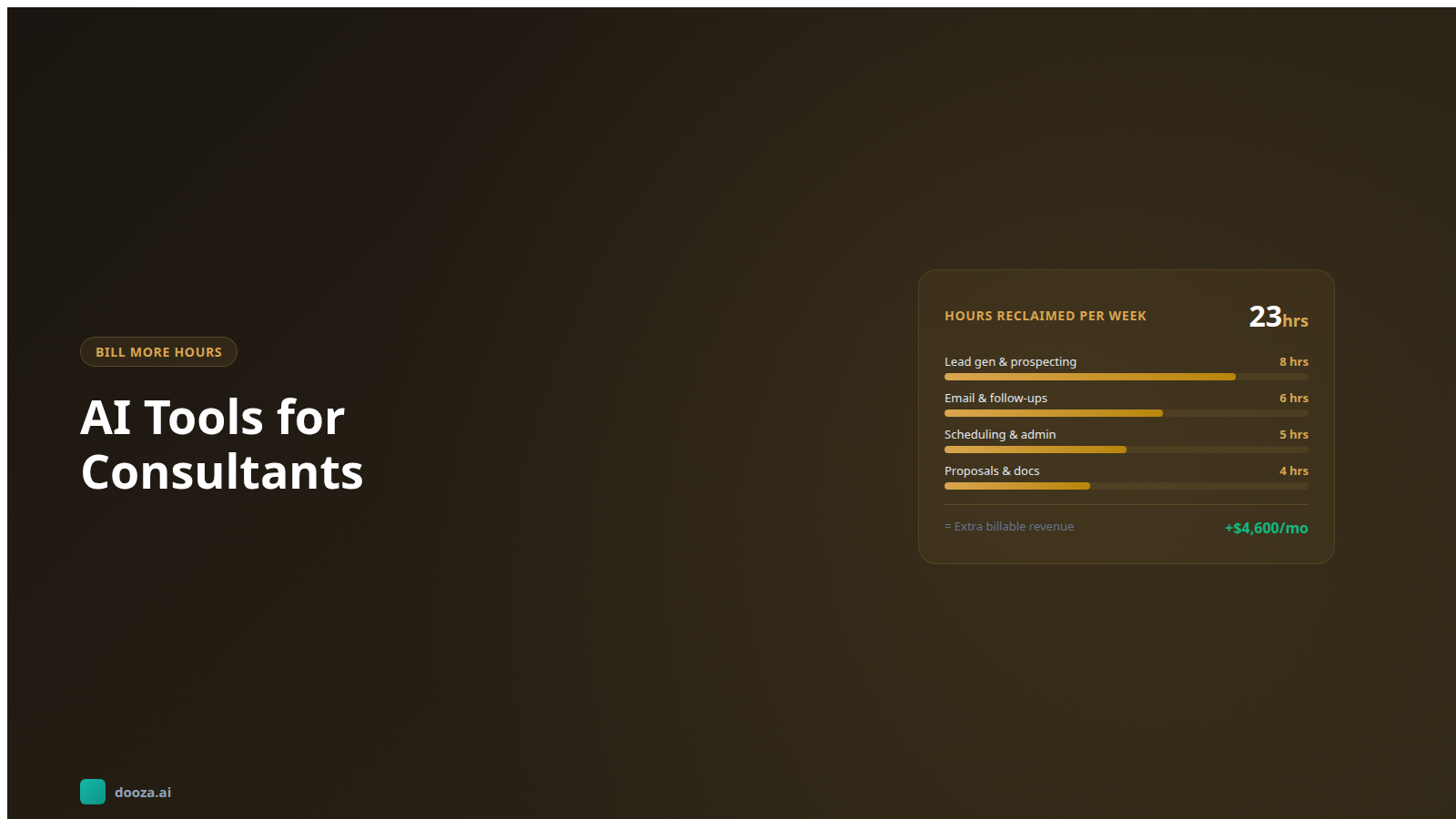
AI Tools for Consultants: Automate the Busywork, Bill More Hours
Consultants spend up to 40% of their time on non-billable tasks. Discover the best AI tools for consultants to automate admin, proposals, lead gen, and client communication.
Start with a refundable pilot — 100% refund within 14 days. A Dooza engineer scopes it with you on a free 30-minute call. Pricing depends on the product; see pricing.