How to Automate Customer Support Without Hiring in 2026
Step-by-step guide to automating your entire customer support operation with AI — no new hires, no outsourcing, no technical team required.
10 min read
July 3, 2026
What Automating Support Without Hiring Actually Means
Automating customer support without hiring means deploying AI to handle your customer inquiries instead of recruiting, training, and managing human agents. It does not mean ignoring customers or offering a worse experience — it means using technology that responds instantly, works 24/7, and resolves most tickets autonomously while escalating the rest to you or your existing team.
McKinsey estimates that AI can handle 60 to 80 percent of routine customer service interactions, freeing teams to focus on high-value work. For small businesses without a dedicated support team, this is the difference between ignoring messages and delivering professional-grade service.
Why Hiring Is No Longer the Default Answer
The math has fundamentally changed. Here is why hiring should be your last resort for customer support in 2026:
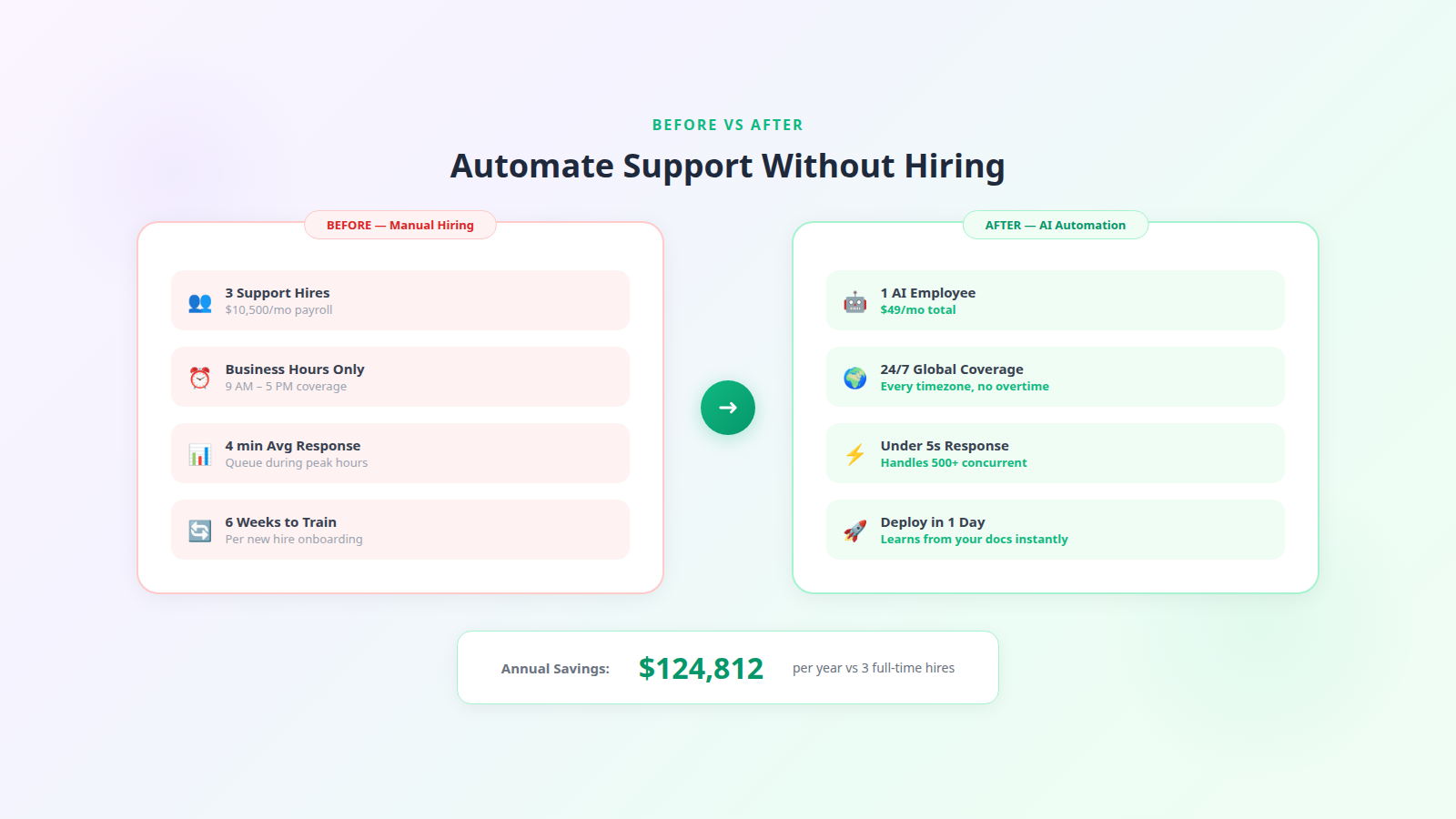
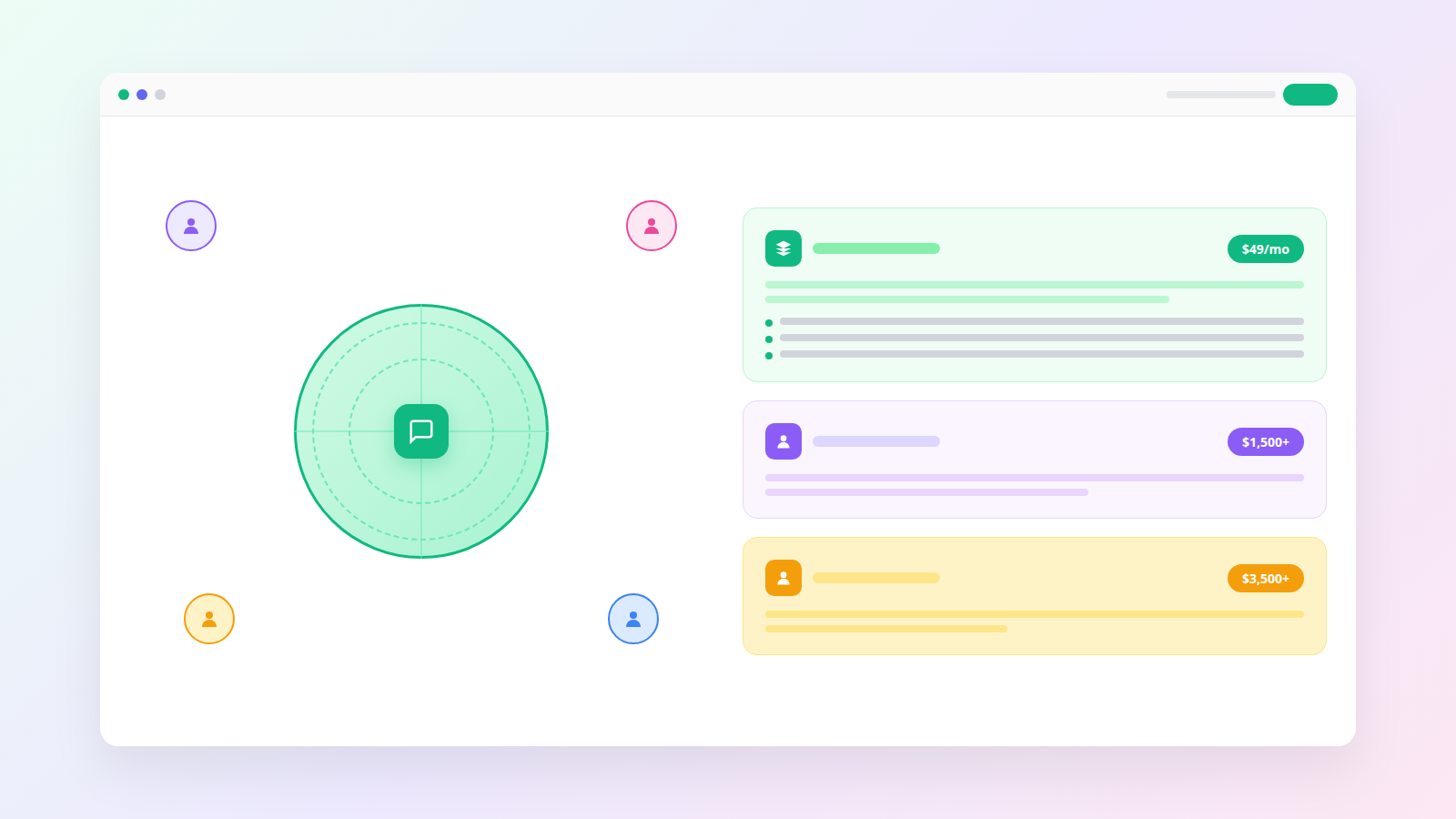
Cost. One US-based support agent costs $3,500 to $5,000 per month after salary, benefits, payroll taxes, and tools. Three agents for basic 12-hour coverage runs $10,500 to $15,000 monthly. AI costs a fraction of that.
Speed. Hiring takes 4 to 6 weeks for recruiting plus 2 to 6 weeks for training. AI deploys in one day.
Coverage gaps. Human agents work shifts. Unless you hire for three shifts, you have zero coverage nights and weekends — exactly when many customers need help. AI never sleeps.
Scalability. Black Friday traffic spike? Product launch surge? Human teams break under sudden volume. AI handles 500 concurrent conversations as easily as 5.
Turnover. Customer service has 30 to 45 percent annual turnover. Every departure means re-recruiting and retraining. AI never quits.
This is not anti-human. Humans are essential for empathy-heavy situations, complex problem-solving, and relationship building with key accounts. But for the 80 percent of tickets that are routine, AI automation is objectively better.
The Automation Workflow That Replaces Hiring
Here is exactly what happens when a customer reaches out to an automated support system:
Customer sends a message via chat widget, email, or social media DM. The AI receives it instantly across all channels.
AI classifies the intent. Is this an order status check, a refund request, a product question, a billing issue, or a complaint? Classification takes under 2 seconds.
AI retrieves the answer. It searches your knowledge base, product catalog, order system, and past resolved tickets for the specific information needed.
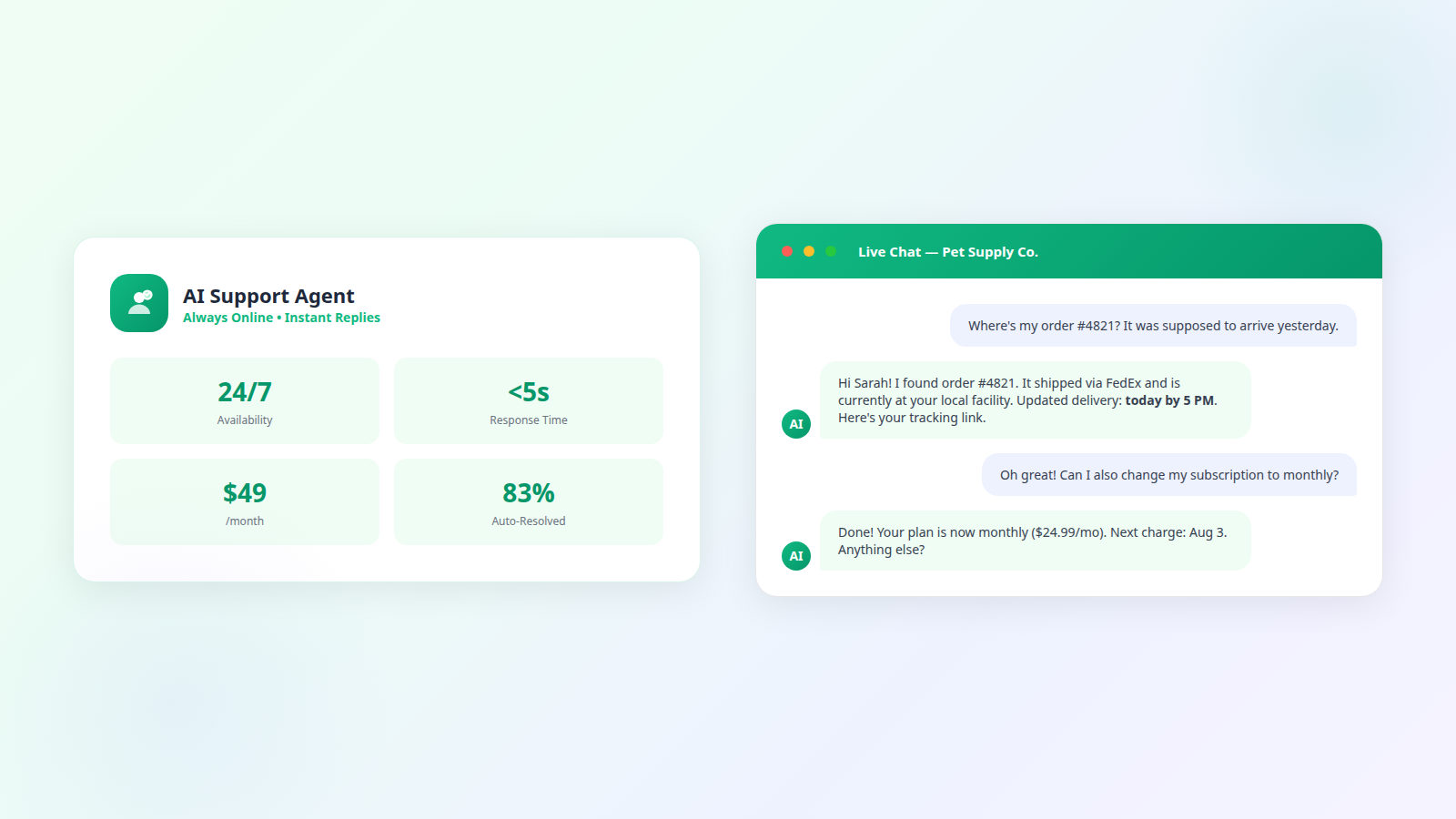
AI responds in your brand voice. The answer is personalized with the customer's name, order details, and relevant context. Response time is under 10 seconds.
AI takes action if needed. Process a refund, update a subscription, generate a return label, or reset a password — all without human involvement.
AI escalates when appropriate. If the issue is complex, sensitive, or outside its training, it routes to your email or Slack with full context. You handle the 15 to 20 percent that truly need a human.
This workflow handles everything a junior support agent does — but faster, cheaper, and around the clock. For the detailed technical breakdown, see our guide on AI workflow automation for customer support.
Where Dooza Fits: Your AI Employee Instead of a Hire
Dooza is designed for exactly this scenario — small businesses that need support coverage but cannot justify a full-time hire. Instead of posting a job listing, you deploy an AI employee.
Start small — Handles unlimited conversations across chat and email. Learns from your docs and resolves tickets autonomously. Human escalation included.
Add channels as you grow — Adds social media channels, deeper integrations with your CRM and helpdesk, and priority escalation routing.
Every Dooza product starts with a refundable pilot — 100% refund within 14 days. Pricing depends on the product (see pricing), and the cost is a fraction of a full-time agent's salary.
Step-by-Step: Automate Support in One Weekend
You do not need a technical background. Here is the fastest path:
Saturday morning — Gather your content. Export your FAQ page, return policy, shipping info, product descriptions, and any support email templates you use repeatedly. Save them as a single document or collection of files.
Saturday afternoon — Set up Dooza. Create your account, upload your knowledge base documents, configure your brand voice (tone, greeting style, escalation language), and set up your escalation email or Slack channel.
Sunday morning — Add the chat widget. Drop one line of code into your website header. If you use Shopify, WordPress, or Wix, there are one-click integrations. Connect your support email address for email automation.
Sunday afternoon — Test it. Send test messages as a customer across different scenarios: order status, refund request, product question, complaint. Verify the responses match your expectations and adjust the knowledge base where needed.
Monday — Go live. Turn on the AI for all incoming tickets. Monitor the first 50 conversations closely and flag any responses that need improvement. Feed corrections back to improve accuracy.
By Monday evening, you have 24/7 customer support coverage without a single hire. Total elapsed time: about 6 hours of active work spread over a weekend.
How to Know It Is Working
Track these numbers weekly:
Auto-resolution rate. Percentage of tickets resolved without any human touch. Start expecting 50 to 60 percent in week one, climbing to 75 to 83 percent by month two as you fill knowledge gaps.
Response time. Should be under 10 seconds for chat and under 3 minutes for email. If higher, check integration latency or knowledge base coverage.
Escalation volume. Track what types of tickets escalate most. Each category is a content gap you can close by adding an answer to your knowledge base.
Customer satisfaction. Use post-conversation surveys. AI-served customers should score equal to or higher than your pre-automation baseline.
Cost per ticket. Divide your monthly Dooza cost by total tickets resolved. Should land at $0.50 to $2.00 versus $8 to $15 per ticket with human agents.
Hours saved. Multiply auto-resolved tickets by average human handling time (6 to 10 minutes). This is the time you are not spending on support.
Watch: How to Automate Support Without Hiring
This walkthrough shows a real small business deploying AI support in under a day, with before-and-after metrics.
Bottom Line
You do not need to hire to deliver great customer support. AI resolves the majority of tickets faster and cheaper than any human agent, works every hour of every day, and scales with your business without additional cost. The question is no longer whether you can afford AI — it is whether you can afford not to have it. Start your refundable pilot with Dooza (100% refund within 14 days) this weekend and stop losing customers to slow responses.
Frequently Asked Questions
Can I really automate customer support without hiring anyone?
Yes. AI customer service agents now resolve 60 to 83 percent of support tickets without human intervention. For small businesses handling under 5,000 tickets per month, a single AI agent like Dooza can manage your entire support operation. You only need a human for complex escalations which typically account for 15 to 20 percent of tickets.
What types of support tickets can AI handle automatically?
AI handles order tracking, shipping status, return and refund requests, password resets, account updates, billing questions, product information queries, FAQ responses, appointment scheduling, and basic troubleshooting. These categories make up 60 to 80 percent of all support tickets for most businesses.
How much money will I save by automating instead of hiring?
A full-time support agent costs $3,500 to $5,000 per month in the US. Three agents for basic coverage runs $10,500 to $15,000 monthly. AI automation through Dooza costs a fraction of that, and every Dooza product starts with a refundable pilot (100% refund within 14 days).
Will automated support hurt my customer satisfaction scores?
No. Studies show that customers prefer instant AI responses over waiting in queue for a human. AI delivers sub-10-second response times versus 4 to 15 minutes for human agents. Most businesses see CSAT scores stay flat or improve after deploying AI because speed and consistency matter more than whether a human typed the response.
What happens when AI cannot solve a customer's problem?
The AI automatically escalates to a human agent with full conversation context, customer history, and a summary of what was attempted. The customer does not need to repeat themselves. You configure escalation rules to define which issues always go to humans, such as legal matters, high-value complaints, or VIP accounts.
Do I need technical skills to set up automated support?
No. Platforms like Dooza are designed for non-technical users. You upload your FAQ and product docs, set your brand voice, add a chat widget to your site, and the AI handles the rest. Setup takes one day with no coding required. A Dooza engineer scopes the pilot with you on a free 30-minute call, and every Dooza product starts with a refundable pilot (100% refund within 14 days).
Ready to Start Your Pilot?
Automate your business with AI employees that work 24/7. Start with a refundable pilot: 100% refund within 14 days.
AI Customer Service Agent for Small Business: Complete 2026 Guide
How small businesses deploy AI customer service agents to handle 80% of support tickets at a fraction of the cost. Setup steps, tool comparison, and real results.
Start with a refundable pilot — 100% refund within 14 days. A Dooza engineer scopes it with you on a free 30-minute call. Pricing depends on the product; see pricing.