AI Automation
Top AI Automation Companies to Watch in 2026
Discover the leading AI automation companies transforming business workflows in 2026. Learn how agentic AI and digital workers can boost your efficiency.
10 min read
ReadLearn how to automate business processes with this practical guide. Discover how to identify tasks, choose the right AI tools, and build intelligent workflows.
At its core, business process automation is about using technology to handle the recurring tasks that eat up your team's day. Imagine an AI that not only enters data but also analyzes it, drafts reports, and suggests next steps, freeing you up for the high-value, strategic work that actually moves the needle. This guide will show you how to build that reality.
Think about your workweek. How much of it is spent on tedious, repetitive tasks like compiling reports, manually updating a CRM, or answering the same customer questions over and over? Now, imagine waking up on Monday morning to find all of that already done. Your sales pipeline is updated, your social media is scheduled for the week, and your team has a prioritized list of creative tasks waiting for them. This isn't a far-off fantasy; it's the reality of smart AI automation. The dream is to build a system where routine work gets done on its own, creating a business that practically runs itself so you can finally focus on vision, not minutiae.
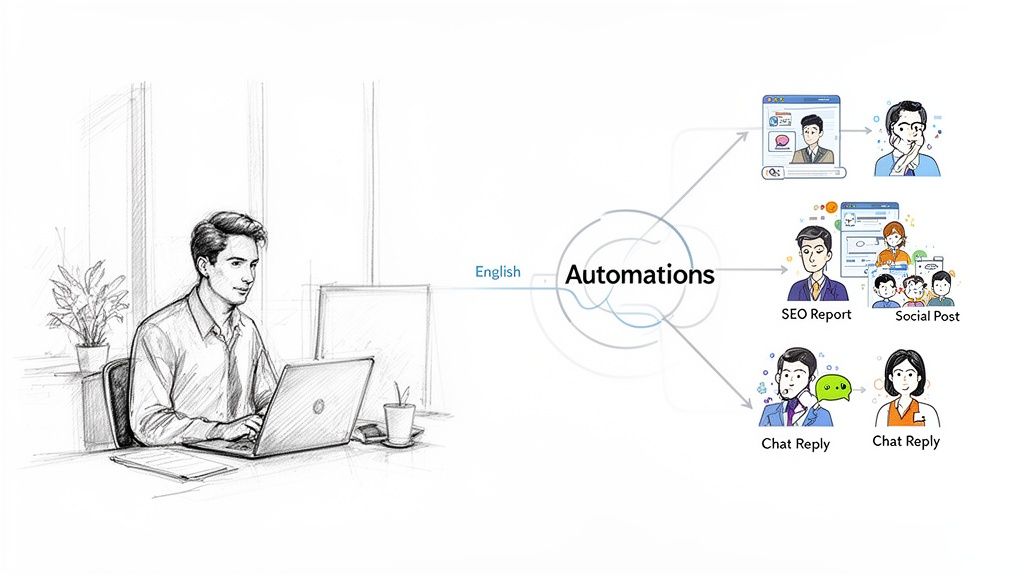
Let's get specific. What does this dream actually look like in practice?
This is a bigger shift than just connecting a few apps. It's about deploying specialized "AI employees" to manage entire functions. For instance, agentic AI platforms like Dooza offer AI agents built to handle roles in marketing, operations, and support. These agents don't just work in isolation; they collaborate with each other and your human team, creating a powerful, blended workforce that never sleeps.
This isn't just a trend—it’s a fundamental change in how successful businesses are built and run. The global market for business process automation is on track to hit $19.6 billion by 2026, which is more than double its size in just six years. Companies are adopting this not because it's new, but because it delivers a powerful competitive edge. In fact, nearly six in ten companies are already using some form of automation to get ahead.
The goal here isn't to replace your team, but to supercharge them. When you hand off the monotonous work to AI, you unlock your people's potential to focus on what humans do best: thinking strategically, being creative, and building real relationships.
This approach creates a more efficient, creative, and resilient business. Instead of being bogged down by administrative drag, your team can pour its energy into activities that drive growth. Imagine your best salesperson spending their time building relationships, not updating contact records. That's the freedom automation provides, giving your employees the space to do their most meaningful work.
To give you a better idea of where to start, here's a quick look at common business functions and the time-consuming tasks within them that are perfect for AI-powered automation.
| Business Function | Repetitive Task Example | How AI Automation Helps |
|---|---|---|
| Marketing | Manually posting to social media | AI agents can generate post ideas, write copy, schedule content across multiple platforms, and analyze performance. |
| Sales | Qualifying inbound leads | An AI can score leads based on predefined criteria, send initial follow-up emails, and book meetings for reps. |
| Operations | Onboarding a new employee | Automation can trigger a sequence: sending welcome emails, assigning training modules, and setting up accounts. |
| Customer Support | Answering frequently asked questions (FAQs) | AI chatbots or agents can provide instant answers to common queries, freeing up human agents for complex issues. |
| HR | Screening resumes for open positions | AI can scan resumes for keywords and qualifications, shortlisting the most promising candidates for review. |
| Finance | Processing and categorizing expense reports | AI tools can scan receipts, extract key data, and categorize expenses according to company policy automatically. |
These examples are just the tip of the iceberg. Nearly every role has elements that can be automated, allowing your team to shift from "doing the work" to "designing the system that does the work."
Before you can build your AI-powered business, you need to find the perfect starting point. Diving in without a map is a fast track to frustration. The first step is playing detective inside your own company, searching for the tasks that drain the most time and energy. Scoring these early wins builds momentum and shows your team the incredible future that's possible.
Think about it: what if your marketing manager didn't have to spend every Monday morning manually pulling analytics from five different dashboards? Or if your operations lead wasn't stuck for hours each week with tedious inventory updates? Imagine that time being spent on creative campaigns or strategic planning instead. Your mission is to find the processes that will give you the biggest return in time and freedom, fast.
The best processes to automate first almost always share a few tell-tale signs. You're hunting for tasks that are repetitive, follow clear rules, and eat up way too much time. These are the chores nobody wants, but the business can't run without them. They make perfect targets for your first AI assistants.
Start by asking yourself and your team a few direct questions:
Jot down every answer you get. Don't worry about filtering or judging just yet—the goal is to build a raw list of everything that could potentially be automated.
Okay, you've got your list. Now it's time to get strategic. Not all automations are created equal, and the trick is to find the ones that deliver the highest impact with the lowest effort. A simple scoring framework is perfect for this.
For each task on your list, weigh these three factors:
The sweet spot for your first automation win is a high-frequency, time-consuming task that everyone on your team dreads. Nailing this first project proves the concept and gets everyone excited for what’s next.
For example, a digital agency might discover their project managers are burning five hours every single week manually compiling client reports. It's frequent, it's a time-drain, and it’s mind-numbingly tedious—a perfect candidate. By setting up an AI agent to automatically pull data from their project management tool, analytics platform, and ad accounts, those reports can generate themselves. This move not only reclaims 20 hours per month but also wipes out copy-paste errors, freeing up project managers to spend that time on actual client strategy and building relationships. That’s the dream.
For more ideas on how to spot these opportunities, you can explore additional automation strategies on the Dooza blog.
Now that you've pinpointed which processes are ripe for an upgrade, it's time for the creative part: architecting a smarter workflow. This isn't just about connecting apps in a line. It’s about designing a dynamic system that operates less like a simple chain reaction and more like a highly skilled, coordinated digital team.
Forget the old "if this, then that" logic. That's automation 1.0. We're now in the era of agentic AI orchestration, where you can deploy multiple specialized AI agents that collaborate on complex, multi-step projects. Think of it as assembling a digital dream team that works 24/7 and never calls in sick, freeing you to live your life.
Let's take a common business function: the content marketing pipeline. With traditional automation, you might set up a simple trigger to post a link from your project management tool to a social media scheduler. That's helpful, but it's not a game-changer.
An agentic AI approach builds an entire digital "content team" to manage the whole process from start to finish, letting you reclaim dozens of hours.
Here's what that looks like in a platform like Dooza:
This entire sequence just happens. Each AI agent understands the context from the previous step and works with the others to hit the final goal. You've just moved from automating a single task to automating an entire business function, freeing your team to focus on creativity and strategy.
This simple flow shows how you move from identifying an opportunity to actually getting it done.
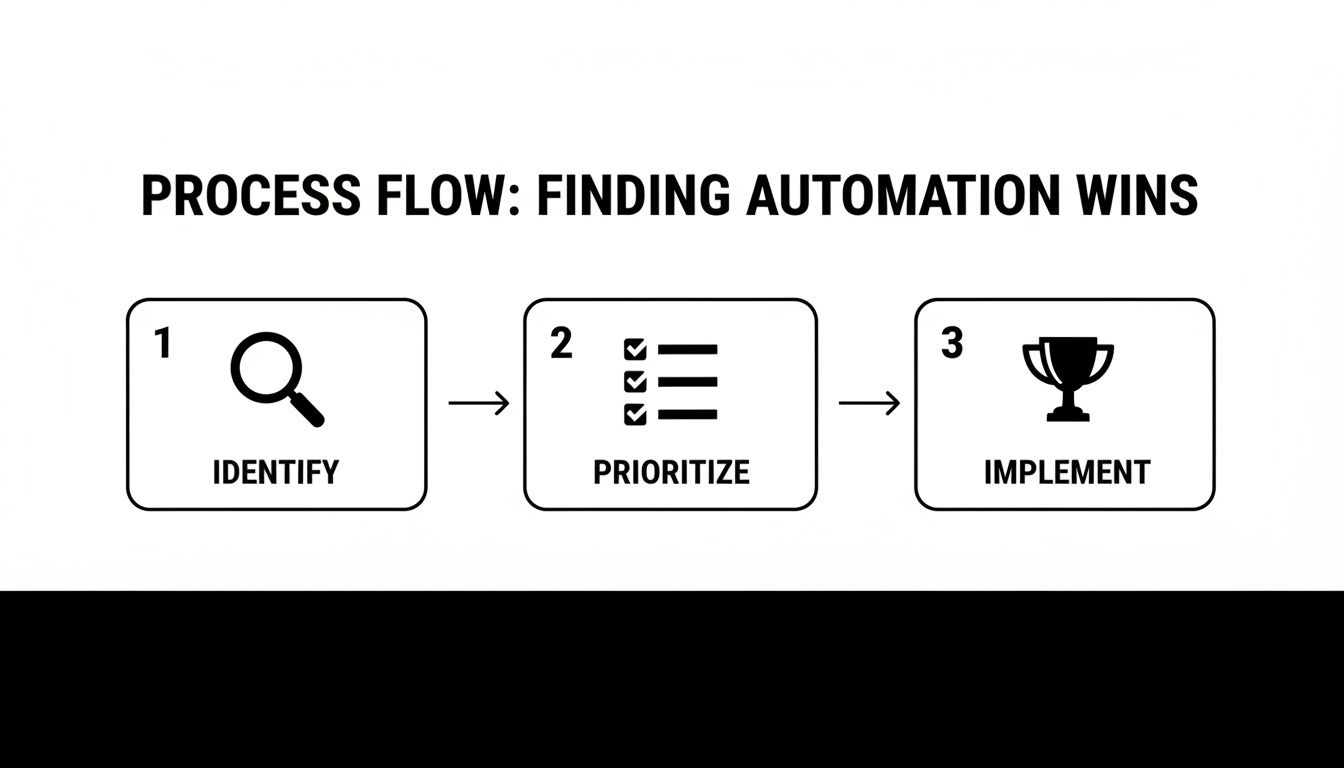
The real takeaway here is that successful automation isn't about finding a random task to offload. It's a strategic progression from identifying a pain point to implementing a smart solution.
To build an effective workflow, you absolutely need a clear map. Start by breaking your target process down into its essential parts. Don't just list the apps you use—think about the data, the decisions, and the handoffs that happen at every single stage.
Let’s map out a lead intake process from a website contact form:
When you map it out like this, you're creating the blueprint for your AI team and existing tools to operate together. You’re building the central nervous system for your business operations, one that runs flawlessly while you sleep.
The most powerful workflows are built around the tools you already use every day. True automation doesn't force you into a new ecosystem; it integrates seamlessly with your current software stack, like Slack, Google Drive, and your CRM.
This approach is fueling massive market growth. The automation and AI industry is projected to hit around $226.8 billion by 2025, a significant leap from $206 billion in 2024. This boom is powered by modern SaaS platforms that merge AI with workflow automation, making it possible for even non-technical teams to design these kinds of sophisticated systems. This isn't just a trend; it's the future of how work gets done.
Okay, you've mapped out a smart workflow. Now for the fun part: picking the right tech to make it all happen. The market is packed with automation platforms, but they are not all the same. Getting this choice right is the difference between simply connecting a few apps and actually building a digital workforce that gives you your time back.
You’re choosing between the old guard of traditional tools and the new wave of agentic AI orchestrators. Grasping this difference is everything if you want a business that truly runs itself, freeing you to focus on growth, not grind.
Traditional automation platforms, like Zapier, are fantastic at creating simple, one-way connections between your apps. They mastered the "if this, then that" logic. Think: "If a new row is added to my Google Sheet, then send a Slack message." This has been a huge help for knocking out single, repetitive tasks.
But that model has a ceiling. It's like setting up a line of dominoes—one action triggers the next in a perfectly straight, unbending line. It can't handle a complex project that needs a bit of judgment or collaboration.
This is where agentic AI platforms like Dooza completely change the game.
Instead of just connecting apps, agentic AI gives you a team of digital 'employees.' These AI agents can understand goals, reason through problems, collaborate with each other, and execute complex projects across your entire software stack.
Imagine hiring a marketing assistant who can draft a blog post, an SEO specialist who can optimize it, and a social media manager who can schedule its promotion—all happening autonomously while you're on vacation. That’s what agentic AI delivers. You’re not just building a static workflow; you're delegating an entire business function to a capable, autonomous team that works 24/7.
To really see the difference, let’s break it down. The table below shows just how far we've come from basic triggers to intelligent, collaborative agents.
| Feature | Traditional Automation (e.g., Zapier) | Agentic AI Orchestration (e.g., Dooza) |
|---|---|---|
| Core Function | Connects apps with "if-then" logic. | Orchestrates teams of AI agents to achieve goals. |
| Complexity | Best for simple, linear, single-step tasks. | Handles multi-step, complex projects with context. |
| Adaptability | Rigid and predefined. Fails if a step changes. | Dynamic and adaptive. Can reason and problem-solve. |
| Human Input | Requires manual setup for every possible path. | Understands natural language goals. ("Draft a blog post.") |
| Collaboration | No collaboration between automated tasks. | Agents collaborate and hand off work to each other. |
| Analogy | A series of connected dominoes. | A coordinated team of specialists. |
It becomes pretty clear that while traditional tools are great for simple tasks, agentic AI is built for running core business operations, allowing you to finally step back and work on the business, not just in it.
When you’re ready to automate at this level, your checklist needs to be different. You’re not just looking for a tool; you're looking for an operating system for your business.
Here’s what really matters:
The right platform completely changes your role. You go from being a doer of endless tasks to an architect of systems. You stop wrestling with to-do lists and start designing the engine that runs your business for you.
To see how this works in practice, check out our detailed breakdown of traditional vs. agentic automation solutions. It lays out exactly why "hiring" a team of AI agents is the only logical next step to finally reclaim your time and focus on what you do best: growing the business.
This is where the magic happens. Your planning now turns into real, working automation that gives you back hours in your day. It’s not about just flipping a switch; it's a hands-on process of bringing your first automated workflow to life, activating your AI agents, and watching them work.
That dream you've been sold—of an AI workforce handling the grunt work while you focus on growth—it really starts right here. The journey begins by launching a single, high-impact automation and then strategically scaling that success across your entire organization.
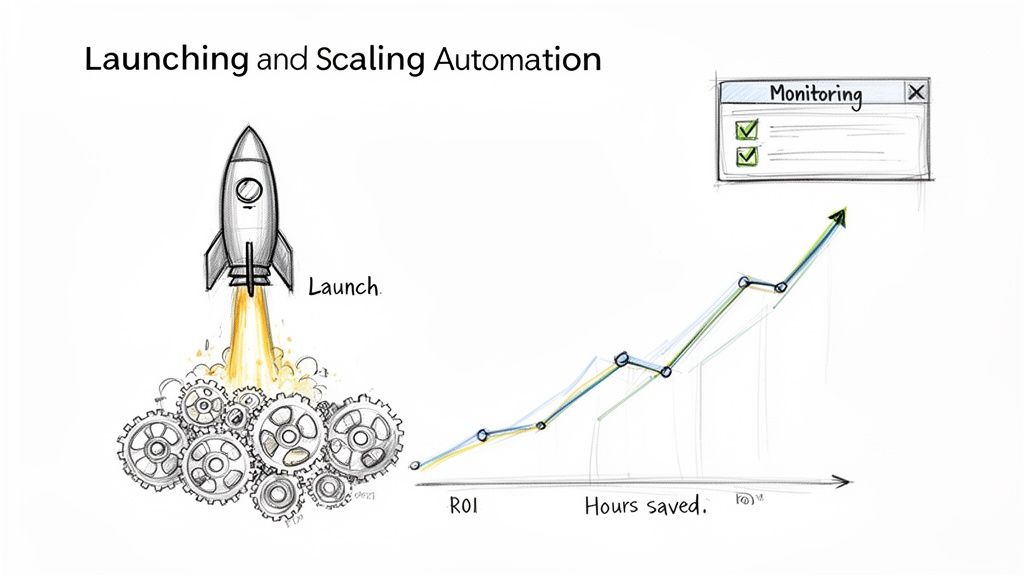
Jumping in headfirst is a recipe for disaster. The smartest way to automate is to start small, prove it works in a controlled environment, and then gradually expand its responsibilities. Think of it as a soft launch for your new digital employee.
First, test it in a sandbox environment. Before you let your automation touch live customer data, run it with dummy info. For example, if you're automating lead qualification, create a few test leads with different criteria to ensure the AI routes them correctly without spamming your sales team.
Next, run a pilot with a small group. Once the initial kinks are worked out, roll out the automation to a small, trusted internal team. Let them interact with it and give you feedback. This step is absolutely critical for building trust and refining the process.
Finally, go live and watch it like a hawk. After a successful pilot, it’s time. But your job isn’t done. For the first few weeks, keep a close eye on the workflow's performance. Monitor the outputs, track your key metrics, and be ready to make quick adjustments.
This phased rollout minimizes risk and practically guarantees your first automation is a success, building the momentum you need to free up even more of your time.
As you get started, you’ll run into common traps that can completely derail your progress. Knowing what they are from the outset can save you a world of frustration.
Your first successful automation is more than just a technical win—it's a cultural one. It proves to your entire team that this new way of working is not about replacing them, but about elevating their roles and freeing them from the drudgery of repetitive work.
That first automated workflow is just the beginning. The real freedom comes when you start connecting the dots, creating a network of AI agents that manage entire business functions. This is how you build a flywheel of continuous improvement.
Start by looking for adjacent processes. If you just automated lead intake, what’s next? Perhaps it's automating the personalized follow-up email sequence or the meeting scheduling process. Each new automation should build on the last, creating a smarter, more cohesive system.
As you scale, you’ll see the ROI compound. It's not just about saving money. The true return on investment is measured in:
This scaling journey turns a simple productivity hack into a genuine competitive advantage. As you add more automations, it's smart to make sure your tools can grow with you. Exploring different platforms is key, and understanding how Dooza's pricing and plans can support your growth is a vital part of that strategic planning.
Jumping into business process automation can feel like a huge leap. It's about fundamentally changing how your company operates. The dream of freeing up your team to do their best, most strategic work is exciting, but it’s totally normal to have questions before you dive in.
Let's clear up some of the most common concerns I hear from business owners and managers.
This is probably the biggest myth holding smaller businesses back. A decade ago, that might have been true. Automation used to mean massive budgets and teams of developers. Not anymore.
The game has completely changed. With no-code platforms and agentic AI, this power is now in everyone's hands. Startups and small businesses can now "hire" a whole team of specialized AI agents for less than the cost of a single part-time employee.
Imagine a solo consultant with an AI agent managing their lead nurturing and scheduling, or a small e-commerce shop using an agent to handle inventory alerts and draft product descriptions. These tools are built for the rest of us—the entrepreneurs who want to build an empire without burning out.
The dream of a self-running business is no longer reserved for Fortune 500 companies. It's now a practical reality for any entrepreneur who wants to reclaim their time and scale smarter, not harder.
This is a valid concern, but the goal here is augmentation, not replacement. The whole point is to create a hybrid team where your people and AI agents work together, each playing to their strengths. You hand off the repetitive, soul-crushing tasks that drain your team's energy and creativity.
Let’s take your marketing manager. What if an AI agent could take over the mind-numbing work of pulling weekly performance reports or scheduling a month's worth of social media posts? Suddenly, that manager has an extra 8-10 hours every single week to think about high-level campaign strategy, brainstorm creative new angles, or build key partnerships. That's the work that actually grows the business.
By letting AI handle the predictable, you empower your team to focus on complex problem-solving and innovation. It’s not about cutting headcount; it's about making every single person on your team more valuable and their jobs more fulfilling.
Measuring the return on your automation efforts is about so much more than just dollars saved. To get the full picture, you have to look at both the hard numbers and the softer, but equally important, benefits. The real value isn't just in the money you save, but in the new opportunities you create.
Here’s what you should be tracking:
Knowing where the landmines are can save you a world of headaches. Most teams that stumble right out of the gate do so for one of three reasons.
First, they automate a broken process. If your manual workflow is a mess, automating it just helps you do the wrong things faster. Always, always, always streamline and fix a process before you hand it over to an AI agent.
The second mistake is trying to boil the ocean. Don't try to automate your entire business on day one. Pick one high-impact, low-complexity task that everyone on the team hates doing. Nail that first. That early win builds incredible momentum and gets everyone excited for what's next.
Finally, people fall into the "set it and forget it" trap. Your business changes, and so should your automations. You need to schedule regular check-ins to monitor performance, tweak workflows, and make sure everything is still aligned with your current goals. An automation that was perfect six months ago might be holding you back today.
Ready to stop thinking about an automated business and actually start building one? The future of work isn't about grinding harder; it's about building smarter systems. With Dooza, you can hire specialized AI employees to run your SEO, manage your social media, and handle customer support on autopilot. It's time to free up your team for the work that truly matters.
Automate your business with AI employees that work 24/7.
Discover the leading AI automation companies transforming business workflows in 2026. Learn how agentic AI and digital workers can boost your efficiency.
Discover 7 practical AI automation examples that save time, reduce costs, and boost productivity. Learn how to implement these workflows in your business today.
Join thousands of companies using Workforce to automate their work. Get started for free today.
No credit card required · 7-day money-back guarantee · Cancel anytime