AI Automation
Top AI Automation Companies to Watch in 2026
Discover the leading AI automation companies transforming business workflows in 2026. Learn how agentic AI and digital workers can boost your efficiency.
10 min read
ReadLearn how to improve business efficiency with our guide to AI automation. We'll show you how to eliminate tedious tasks and free your team for strategic growth.
If you want to make your business more efficient, you have to start by finding your hidden bottlenecks. Once you know what’s slowing you down, you can bring in AI automation to take over all those repetitive, low-value tasks. Imagine a world where your most talented people are no longer bogged down by spreadsheets and manual data entry, but are free to innovate, create, and drive real growth. This is a strategic move that turns wasted hours into your biggest competitive advantage.
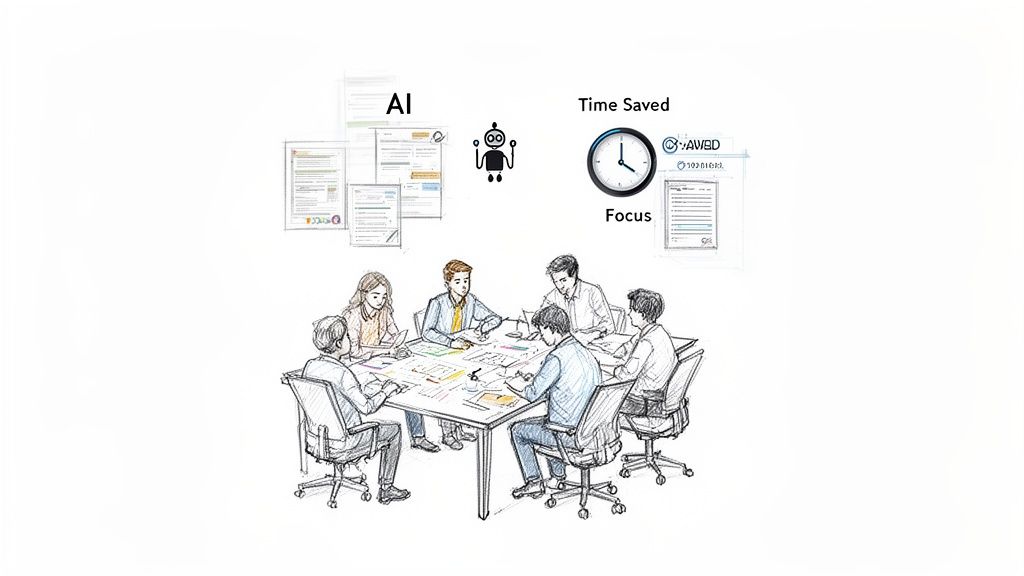
Picture this: your team walks in every morning ready to dive straight into creative problem-solving, client strategy, and growth initiatives. The soul-crushing drag of manually compiling weekly reports, chasing invoices, and endless administrative follow-ups? It’s all gone, handled quietly in the background by a digital workforce that never sleeps, never complains, and never makes a mistake. Your team gets to do the work they love, and the business runs like a well-oiled machine.
This isn’t some far-off fantasy. It's the reality for businesses that get strategic about efficiency. This guide is designed to take you beyond the buzzwords and give you a practical, step-by-step framework for rooting out the hidden friction that eats up your most precious resource: time.
We’re going to walk through how to map out your current workflows, find the tasks that cause the most headaches, and then deploy AI solutions that work like dedicated digital team members. The goal is simple: automate the mundane so your people can focus on the meaningful. For example, instead of your operations manager spending two hours a day manually reconciling payments, an AI can do it in seconds, freeing them up to optimize your supply chain. If you need a hand, you can even find specialist agencies and consultants who are Dooza partners to help build your automation strategy and get you there faster.
This is about more than just clawing back a few minutes here and there. It’s about fundamentally changing the way work gets done in your organization. When you offload rule-based tasks to AI, you empower your human team to operate at their absolute best, tackling complex challenges that demand empathy, critical thinking, and real strategic insight.
The core idea is simple: Automate the process, not the person. Freeing your team from tedious work doesn't just make them more productive; it makes their jobs more fulfilling.
This guide lays out a clear, actionable path to transform how your business operates. It’s built on four core principles that any company can put into practice, whether you're a solopreneur or a growing startup.
Think of it as your roadmap. Here’s a quick overview of the framework we’ll cover, breaking down each major step of the journey.
| Principle | Core Focus | Key Outcome |
|---|---|---|
| Diagnose Bottlenecks | Honestly mapping where time and energy are really spent. | A clear 'inefficiency map' of your business. |
| Prioritize for Impact | Targeting high-impact, low-effort tasks to build momentum. | Immediate time savings and team buy-in. |
| Implement Smart Automation | Deploying AI to handle tedious, rule-based workflows. | Freed-up human capital for high-value work. |
| Measure and Refine | Tracking key metrics to prove ROI and find new opportunities. | A culture of continuous, data-driven improvement. |
By following this structure, you'll go from feeling swamped by inefficiency to being in complete control of a lean, powerful, and intelligent operation. Let’s dive in and make this your reality.
Before you can fix the leaks dripping away your profits, you have to find them. Most businesses are quietly bleeding efficiency through dozens of tiny cuts—the five minutes spent copying data between apps, the ten minutes chasing a project update, the fifteen minutes correcting errors from a messy form. These moments feel small on their own, but they add up to thousands of wasted hours a year.
So, where do you start? You have to become a detective. Your mission is to uncover where your team's most valuable resource—their time and focus—is actually going. This isn’t about pointing fingers; it’s about getting a brutally honest look at your operations so you can make smart, impactful changes.
One of the most powerful tools I’ve seen work time and again is process mapping. It’s simpler than it sounds. You’re just visually charting a workflow from start to finish. You don't need fancy software—a whiteboard and some sticky notes will do just fine. Get your team in a room and walk through a common task together.
Let’s say you map your client onboarding process. You’d ask questions like:
As you lay it all out, the weak spots and redundancies jump right out at you. You’ll probably see that the same client information is being typed into three different systems or that a manager has to approve a tiny step that could easily be automated. Each of those friction points is an opportunity.
If process mapping shows you the what, a time audit shows you the how much. Ask your team (or just yourself, if you're flying solo) to track their time for one week. The key is to be honest and detailed. The goal isn't to micromanage; it's to get a data-backed snapshot of where the hours actually go.
The results are almost always a wake-up call. You might discover your marketing manager spends 25% of their time—a full day every week—just pulling numbers from different ad platforms to build a report. Or maybe your operations team collectively loses hours each day fixing data entry errors from a poorly designed intake form.
Key Takeaway: You can't optimize what you don't measure. A time audit replaces guesswork with cold, hard data. It shows you exactly where the biggest automation opportunities are hiding and is the first real step toward reclaiming your team's day.
These findings give you an "inefficiency map," a clear guide pointing directly to the workflows draining your resources. This is gold because it tells you what to fix first to get the biggest, fastest return on your effort.
Once you’ve identified these time sinks, automation stops being a buzzword and becomes a practical solution. Think of it like hiring an AI employee to handle all the tedious, repetitive jobs, freeing your team to focus on work that actually requires a human brain.
That marketing manager spending a day on reports? Imagine an AI agent connecting to your ad platforms at 5 AM every Monday, pulling all the data, compiling it into a clean report, and having it in everyone’s inbox before the first coffee is even brewed. The manager walks in and immediately starts analyzing the data to make strategic decisions, instead of wasting half their day on manual data collection.
This isn't just about saving time; it's about improving morale and letting your team do more meaningful work. For example, a simple automated workflow can completely change how you handle customer inquiries, a process we detail in our guide on creating a streamlined customer support table. That ops team struggling with bad data? An AI can standardize your intake forms and validate information as it comes in, slashing error rates and freeing them up to focus on the actual customer experience.
By finding and fixing these hidden inefficiencies, you’re not just making small tweaks. You're building the foundation for a smarter, more resilient business where technology handles the grunt work, and your team is finally free to do their best work.
Now that you've mapped out all the bottlenecks and time-wasters, it’s easy to feel overwhelmed. You see all the broken steps and the wasted hours, and the natural instinct is to try and fix everything at once.
Don’t. The secret to making real, lasting change isn’t some massive, disruptive overhaul. It’s about starting small and building unstoppable momentum.
You need a way to filter the noise and spot the real opportunities. I’ve found the most effective tool for this is the Impact vs. Effort matrix. It’s a simple four-quadrant grid: the vertical axis is for impact (low to high) and the horizontal axis is for effort (low to high). You simply take every inefficient task you found and plot it on this grid.
This one exercise cuts through the confusion immediately. Every task will land in one of four buckets:
Your first move should always be a Quick Win. It's the absolute fastest way to see a tangible improvement and get your team genuinely excited about the changes.
This decision tree gives you a visual for how to think about these time sinks and decide whether to automate, delegate, or refocus your own energy.
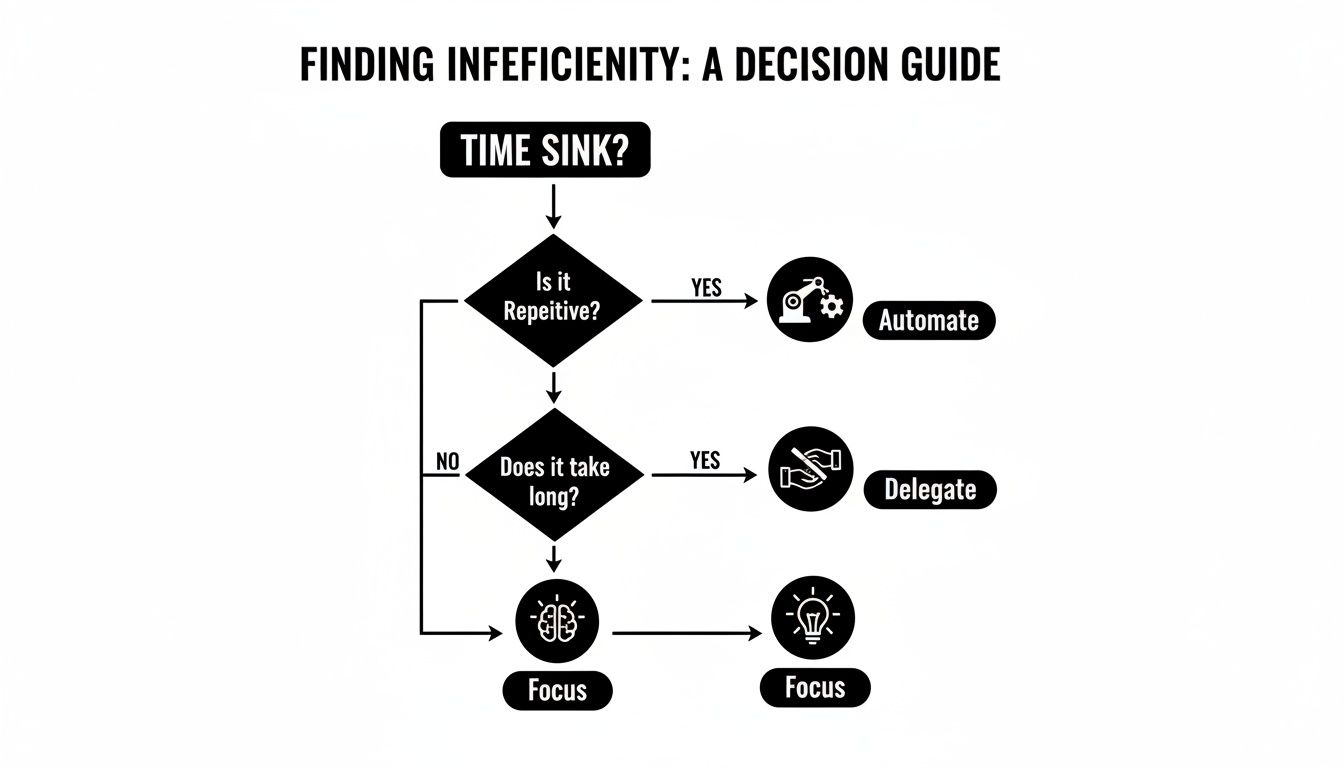
As the guide shows, if a task is repetitive and manual, automation is almost always the right call for an immediate efficiency boost.
Let's make this real. Say your process map showed that your sales team spends an hour a day manually sending follow-up emails after demos. A full CRM overhaul is a Major Project—we’re talking months of work. But a Quick Win is staring you right in the face.
Instead of trying to rebuild the entire sales flow, you start small. You decide to set up an automated email sequence that triggers after a demo is completed in your calendar. A personalized, templated follow-up goes out automatically.
With an AI agent tool like Dooza, that might take you two hours to set up. The payoff? You’ve just saved the team hours of manual work every single week, starting immediately. They can now use that time for another sales call, building relationships, or strategic planning.
That small victory is incredibly powerful. When people see that quick return on investment, it proves the concept and gets everyone on board. You build trust and enthusiasm, which is exactly what you’ll need when it's time to ask for the budget and resources for those Major Projects. It’s the same logic behind automating customer service—for more on that, check out how you can streamline your Instagram Direct Message workflows.
Key Insight: Momentum is a force multiplier. A small, visible win creates more energy and buy-in than a massive, stalled project ever could. Nail the Quick Wins first, and the bigger projects will practically fund themselves with the time and resources you've already saved.
This is where things get really interesting. Imagine you could hire a specialist for every single tedious task you identified earlier. A specialist who works 24/7, never gets tired, and executes flawlessly every single time. That's what modern AI offers. We're not talking about clunky, complicated software anymore; we're talking about deploying intelligent digital employees who become a real part of your team.
Let's make this tangible. Picture an AI employee for your marketing team. Before you’ve even had your morning coffee, it has already analyzed your top-performing content, identified keyword gaps, drafted three new blog post outlines based on those findings, and scheduled a month's worth of social media content to promote them. This isn't science fiction—it's how you shift from managing tasks to directing strategy.
Now, think about an AI agent for your operations team. It handles your shared calendar, books meetings without the endless email back-and-forth, and triages every customer support ticket. It doesn't just forward them—it actually reads the content, understands the urgency, and assigns the ticket to the right person with all the necessary context attached. For example, an email with the word "urgent" or "cancellation" could be immediately flagged and sent to a senior manager, while a simple "how-to" question gets an instant automated reply with a link to a help article.
These AI employees don't operate in a vacuum. The real power comes from their integration with the tools you already use every day. They can live in your Slack channels, update your Google Workspace docs, and log information directly into your CRM, becoming a seamless extension of your human workforce.
The mindset shift here is profound. Instead of your team burning hours on administrative upkeep, they’re freed up to focus entirely on high-value work that demands a human touch, like closing a complex deal or providing empathetic customer support.
So, how does this actually play out for different roles? By automating the right workflows, you're not just saving time; you're creating serious leverage for every single person in your company.
This isn't just a niche trend; it's rapidly becoming the new standard. Recent data shows a staggering 78% of organizations now use AI in at least one business function—a huge jump from 55% just last year. The reason for the surge is simple: the results are undeniable. Processing speeds can skyrocket by 10-100x, error rates often plummet by 80-90%, and operations can run around the clock without burnout. You can explore more about how AI is changing the workplace on Glean.com.
The best part? You can start small. You don't need to automate your entire business overnight. Just begin with one of those "Quick Wins" we identified earlier—that one frustrating, repetitive task that drives everyone crazy.
For instance, maybe you're still manually transcribing information from customer inquiries into a spreadsheet. This is a perfect job for an AI. You can create a simple workflow that captures data from an online form and populates your database automatically. To see just how easy this can be, you can get started by building automated online forms with Dooza.
Once you see the time you get back from that one small change, you’ll be hooked. From there, you can connect another process. Perhaps the AI that handles your forms can also send a Slack notification to your team and then create a task in your project management tool.
The Big Picture: Your goal is to create an interconnected system where your tools and your digital employees talk to each other. This eliminates the manual "copy and paste" work that drains energy and invites errors.
Ultimately, this is how you truly improve business efficiency. You build an intelligent, automated foundation that supports your human team, allowing them to do their most creative, impactful, and fulfilling work. You stop managing tasks and start orchestrating a symphony of automated workflows that drive your business forward.
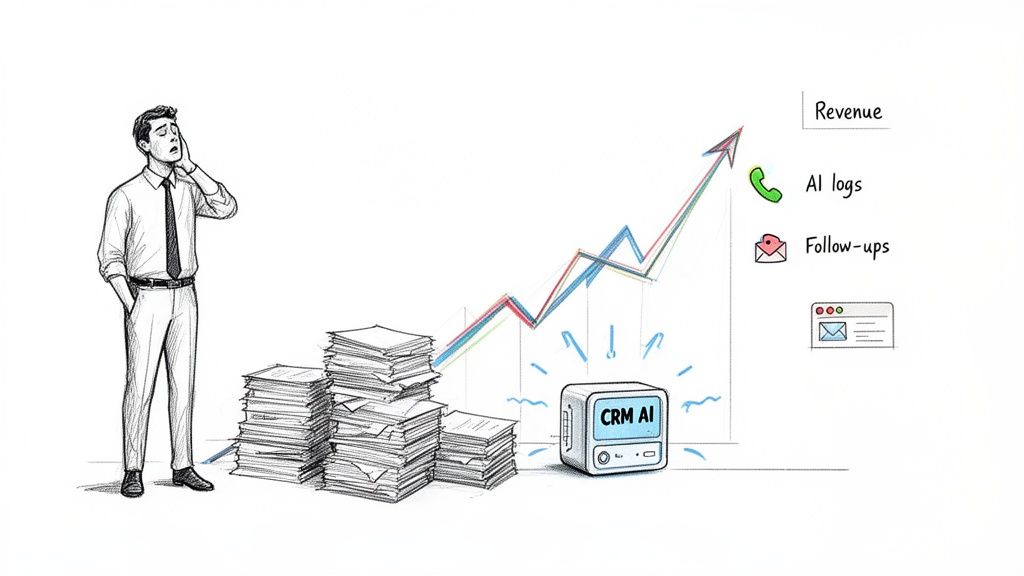
Your sales and customer success teams are the engine of your business. The problem? They’re often stuck in first gear, drowning in administrative quicksand. Instead of building relationships and closing deals, they spend most of their days on tasks that produce zero revenue.
Imagine a world where your top sales rep isn't spending two hours every afternoon manually logging call notes into the CRM. Picture your customer success manager not having to write the same welcome email for the tenth time this week. This isn't a pipe dream; it's what happens when you let AI handle the grunt work.
The reality is often worse than you think. Study after study shows that sales reps spend a shockingly small portion of their time actually selling. The rest is eaten up by data entry, reporting, and internal follow-ups. By not improving efficiency here, you're leaving a massive amount of revenue on the table.
So, let's change that. Think about what an AI agent integrated directly with your sales stack could do. This digital team member could:
This is about more than just saving a few hours. The impact is profound. Recent data shows that the average seller logs just 25% of their hours on actual selling activities. AI flips this script, potentially doubling active selling time. When you consider that win rates can jump over 30% and lead generation can surge by 50% with this kind of support, automation becomes a non-negotiable strategy.
The same principle applies to your customer success team. Their job is to forge lasting relationships and ensure clients get maximum value, but they're often bogged down by reactive support tickets and repetitive onboarding tasks.
An AI employee can completely overhaul their workflow, helping them create a proactive and delightful customer experience.
The Goal: Free your customer success team from being reactive firefighters and turn them into proactive strategic advisors for your clients.
Consider what an AI could handle here:
This level of automation creates an exceptional customer journey—a critical differentiator in a crowded market. For those looking to streamline customer interactions, our guide on the best Gorgias alternatives is a great place to start.
By automating these essential but time-consuming tasks, you give your revenue teams the leverage to not just meet their goals, but to shatter them.
Getting one automated workflow up and running is a great start. But the real win? Making that mindset a permanent part of your company's DNA. This is where efficiency stops being a project and starts being how you operate, every single day.
The goal is to get to a place where anyone on your team can look at a clunky process and confidently ask, "How can we make this better?" It's about building a powerful feedback loop: measure what you've done, celebrate the wins, and then create a clear path for your team to bring you the next big idea. When people see their suggestions turn into real changes that make their jobs easier, they become your biggest champions for innovation.
To keep the momentum going, you have to prove these changes are making a real difference. Skip the complicated spreadsheets and vanity metrics. Instead, track a few simple, powerful Key Performance Indicators (KPIs) that tell a clear story.
A simple dashboard shared with the whole company can work wonders. Here are a few KPIs that pack a punch:
When you can go to the team and show that marketing clawed back 20 hours last month or that finance cut data entry mistakes by 90%, the value becomes tangible and exciting.
Sharing the data is half the battle. The other half is actively hunting for the next opportunity. You need a formal way for people to submit their ideas for what to automate next.
It doesn't have to be complicated. A dedicated Slack channel (#process-ideas), a quick "Innovation Hour" on the calendar each month, or even a simple digital suggestion box can do the trick.
This creates an incredible flywheel effect. An employee points out a soul-crushing reporting task, sees it get automated, and suddenly has hours back in their week to focus on work that actually matters. This isn't just a nice theory—it's how smart companies grow. In fact, 21% of generative AI users are already completely redesigning their business processes, which is directly boosting revenue and cutting costs. When you free up hundreds of hours per employee, your team can finally focus on what humans are uniquely good at. If you want to dig into the numbers, you can explore more AI insights and trends on aristeksystems.com.
The Big Idea: Continuous improvement isn't a top-down order; it's a bottom-up movement. When you empower your team to find and flag the friction in their own work, you'll uncover your best opportunities for growth.
By celebrating every hour saved and reinvesting that time into high-value work, efficiency stops being a project with a finish line. It just becomes the way you do business—smarter, faster, and more innovative.
When leaders and their teams start thinking about boosting efficiency with AI and automation, a few key questions always come up. Let's tackle them head-on.
Look for the most mind-numbing, repetitive task you can find. Seriously. It's usually something like manually copying details from an email into a spreadsheet or pulling together the same daily report, day after day. A perfect example is automating your lead intake—instead of someone manually creating a contact in your CRM from a website form, an AI can do it instantly, error-free, and even assign it to a sales rep.
By automating one small but frequent task, you get an immediate and incredibly satisfying win. This "quick win" approach shows your team that automation actually works and builds the momentum you need to tackle bigger, more complex processes down the road.
The real goal here is to supercharge your team, not replace them. Imagine giving every employee a tireless assistant who loves handling all the tedious, rule-based work that people find draining. That's the promise of AI.
When you hand off repetitive work to an AI agent, you free up your people to focus on strategic problem-solving, creative thinking, and building customer relationships—the uniquely human skills that actually drive business value. This lets you scale your output without necessarily scaling your headcount, leading to a much more engaged and effective team.
You don't need a complex formula. Just track a few simple metrics to see a clear return on your investment.
The most obvious one is Time Saved. Just calculate the hours your team spent on a task before automation versus after. For example, if your team spent 5 hours a week manually creating invoices and automation cuts that to 15 minutes, you’ve saved 19 hours a month. That’s your ROI right there.
Other important things to watch are:
Combining the time you get back with improved output paints a powerful picture of how well your investment is paying off.
Ready to hire your first AI employee and give your team their time back? With Dooza.co, you can deploy AI specialists to handle everything from SEO to customer support, freeing up your team to focus on growth. Start automating your business today.
Automate your business with AI employees that work 24/7.
Discover the leading AI automation companies transforming business workflows in 2026. Learn how agentic AI and digital workers can boost your efficiency.
Discover 7 practical AI automation examples that save time, reduce costs, and boost productivity. Learn how to implement these workflows in your business today.
Join thousands of companies using Workforce to automate their work. Get started for free today.
No credit card required · 7-day money-back guarantee · Cancel anytime