How to Improve Operational Efficiency with AI Automation
Learn how to improve operational efficiency using AI automation. Our guide shows you how to streamline workflows, cut costs, and empower your team for growth.
23 min read
February 6, 2026
Improving your operational efficiency really boils down to one thing: systematically finding and killing wasted time, effort, and resources. It all starts with a clear-eyed look at your current workflows to spot the real bottlenecks. From there, you can bring in technology—especially smart AI automation—to take over the repetitive grunt work. Imagine a world where your most talented people are freed from mundane tasks, allowing them to focus purely on the strategic thinking that actually moves the needle.
The Hidden Costs of Inefficiency
Operational drag is the silent killer of growth. It's not just about the hours lost to clunky, outdated processes. The real damage is in the stifled innovation, the missed opportunities, and the slow drain on your team's morale. Too many businesses just accept this friction as the cost of doing business, but they're leaving a massive competitive advantage on the table.
We tend to think about inefficiency in terms of wasted minutes here and there. But its true cost is so much bigger. Imagine your best marketer burning a full day every week manually pulling data for reports instead of launching a game-changing campaign that could double your leads. Picture a top salesperson drowning in data entry instead of building relationships and closing the deals that fuel your growth. All that accumulated friction doesn't just eat into your bottom line; it burns out your best people.
Reclaiming Your Most Valuable Asset
Imagine a workday where all those repetitive, soul-crushing tasks just... disappear. Picture your key business functions running on autopilot, with a new class of AI employees handling the tedious work. This frees up your human team to focus purely on strategy, creativity, and growth. Think of the innovation that could be unlocked if your team had an extra 10, 20, or even 30 hours a week. This isn't some far-off future; it's happening right now for businesses that embrace hyper-automation.
For startups, one of the fastest ways to get more efficient is to automate core functions like SEO, social media management, and customer support. Imagine an AI agent that writes and schedules a month's worth of social media content in 15 minutes, giving your marketing manager an entire day back. This is exactly what platforms like Dooza are built for, offering customizable AI agents to handle these workflows.
Look at Tesla's Gigafactories. Between 2020 and 2024, they went all-in on robotics and AI, slashing production costs per vehicle by a staggering 30% while ramping up efficiency by 40%. You might not be building electric cars, but the lesson is universal for any team. You can dive deeper into these emerging business trends over on our blog.
The goal is to create a frictionless operation where your team's energy is directed toward what humans do best: thinking critically, solving complex problems, and innovating. Automation handles the rest.
From Corporate Metric to Competitive Edge
The first step is to completely reframe how you think about operational efficiency. Stop seeing it as a boring metric to track on a spreadsheet. Start seeing it as a powerful lever for unlocking your company’s real potential. By automating the mundane, you reclaim your team's most valuable and finite asset: time. This is the dream: a business that runs itself, leaving you and your team free to dream bigger.
This newfound freedom creates a ripple effect across the entire organization.
Sparks Innovation: When your team isn't buried in administrative muck, they finally have the mental bandwidth to think bigger. For example, your project manager, freed from chasing status updates, can now design a whole new, more profitable service offering.
Boosts Morale: Getting rid of frustrating, repetitive work makes for happier, more engaged employees who feel like their skills are actually being used. Imagine the relief when they realize they'll never have to manually format another report again.
Fuels Faster Growth: A truly efficient operation can take on more clients, launch products faster, and scale up without having to hire more people at the same rate. This is how you achieve exponential, not linear, growth.
Map Your Workflows to Uncover the Bottlenecks
Before you can plug the leaks in your operation, you have to find them. This is the classic misstep I see all the time: teams jump straight to solutions without ever getting a clear picture of the actual problem.
To really win here, you need to think like a detective inside your own business. Your main tool? Process mapping.
Don't get spooked by the jargon. Process mapping is just drawing a picture of how work really gets done. It’s about visually charting a workflow from the moment it starts to the moment it’s finished, step-by-painful-step. When you lay it all out, all the hidden friction suddenly becomes glaringly obvious. This is the treasure map that leads you to the gold: hours of reclaimable time.
Making the Invisible Friction Visible
Let's take a common process, like onboarding a new client. On paper, it probably looks pretty clean. But what actually happens the second that contract is signed?
Mapping it out often reveals a messier reality:
The salesperson has to copy-paste the client’s info into three different systems. By hand. (Friction point: 15 minutes of wasted time per client).
A five-mile-long email chain kicks off just to schedule a kickoff call, trying to wrangle four different calendars. (Friction point: 2 days of delay and frustration).
The project manager burns two hours digging through old emails and folders to find the original proposal details. (Friction point: 2 hours of high-value time spent on low-value search).
Each of these is a friction point—a small, time-sucking bottleneck. Individually, they feel like minor annoyances. But add them up, and you’re looking at dozens of lost hours every single month. That’s time that could be spent creating amazing results for that new client.
This is exactly the kind of low-hanging fruit where AI automation can make a huge, immediate difference. Imagine an AI employee that instantly syncs that new client data across all systems the moment the contract is signed, automatically finds a meeting time for everyone, and attaches all relevant documents to the calendar invite. The entire process becomes instant, effortless, and error-free.
The point of mapping isn’t to create some perfect, color-coded diagram for the boardroom. It's to get a brutally honest snapshot of your current reality. That’s how you’ll pinpoint exactly where an AI employee can deliver the biggest and fastest return.
A Simple Checklist for Workflow Mapping
You don't need fancy software to pull this off. A whiteboard, a simple flowchart tool, or even a pen and paper will do the job. Just grab your team, pick one important workflow, and get started.
Pinpoint the Start and Finish: What's the specific trigger that kicks this whole thing off (e.g., "new lead submits a form")? And what’s the final, successful outcome (e.g., "client proposal delivered")? Getting this right is critical.
List Every Single Step: Go deep. Document every single action that happens between A and Z, no matter how small. Think approvals, data entry, logging into software, sending a "just checking in" email. Keep asking your team, "Okay, and then what happens?" until there's nothing left.
Assign an Owner to Each Step: Who does what? Attach a person or department to every task. This quickly highlights how many times work gets passed from person to person, often exposing needless complexity and communication breakdowns.
Estimate the Real Time: How long does each step actually take, not how long it should take? Be honest about the time spent hunting for passwords, waiting for someone to reply, or fixing mistakes. This is where the true cost of the mess becomes painfully clear.
I once saw a digital agency map its monthly client reporting process. They were shocked to discover their senior strategist was spending 10 hours every single week just pulling data from five different platforms and manually pasting it into a presentation. That’s 40 hours a month of a high-value expert doing robotic work.
That single discovery is all the business case you need to deploy an AI employee. Imagine that strategist getting all 40 hours back to focus on actual strategy and growing client accounts. That’s the promise of AI brought to life. That's the dream of a business that lets its best people do their best work, all the time.
For an even more detailed look at how to structure this kind of data, you might be interested in our guide on organizing information with AI-powered tables. Mapping your workflow is the essential first step to automating the grind and freeing up your best people for the work that really matters.
Automating Your Way to a Frictionless Business
Alright, you’ve done the hard work of mapping your workflows and finding all the little (and big) points of friction. Now for the fun part: turning those bottlenecks into superhighways. This is where you bring in a dedicated AI workforce to dismantle the manual grind, piece by piece. We're not just trying to speed up a broken process; we're fundamentally redesigning how the work gets done.
The real goal here is to create a business where your team is free from the repetitive, soul-crushing tasks that drain their energy and creativity. Imagine an operation so smooth that your best people can spend their entire day on high-impact strategy, building client relationships, and genuine innovation. This isn't some far-off dream; it's what you can start building today with agentic AI.
Unleashing Your Digital Workforce
The best way to think about this next step is like hiring a team of specialists. The only difference is they're AI agents who work 24/7, never make typos, and actually thrive on the monotonous tasks that humans dread. You don't just "turn on automation." Instead, you deploy a specific AI "employee" with a crystal-clear job description.
Take a common headache for digital agencies: the entire SEO workflow. It’s a relentless cycle of keyword research, competitor analysis, content brief creation, and performance tracking. Done manually, this can easily eat up dozens of hours every single week.
But what if you could deploy an AI employee like 'Seomi'? Her whole job is to own that workflow. She continuously scans for new keyword opportunities, digs into what your top competitors are doing, and generates data-rich content briefs. Your writers get everything they need to create high-ranking articles in a fraction of the time. Suddenly, your marketing team isn't bogged down in the mechanics—they're free to focus on brand strategy and creative campaigns. The dream is real: your team becomes conductors of an orchestra of AI, not just musicians playing a single, repetitive note.
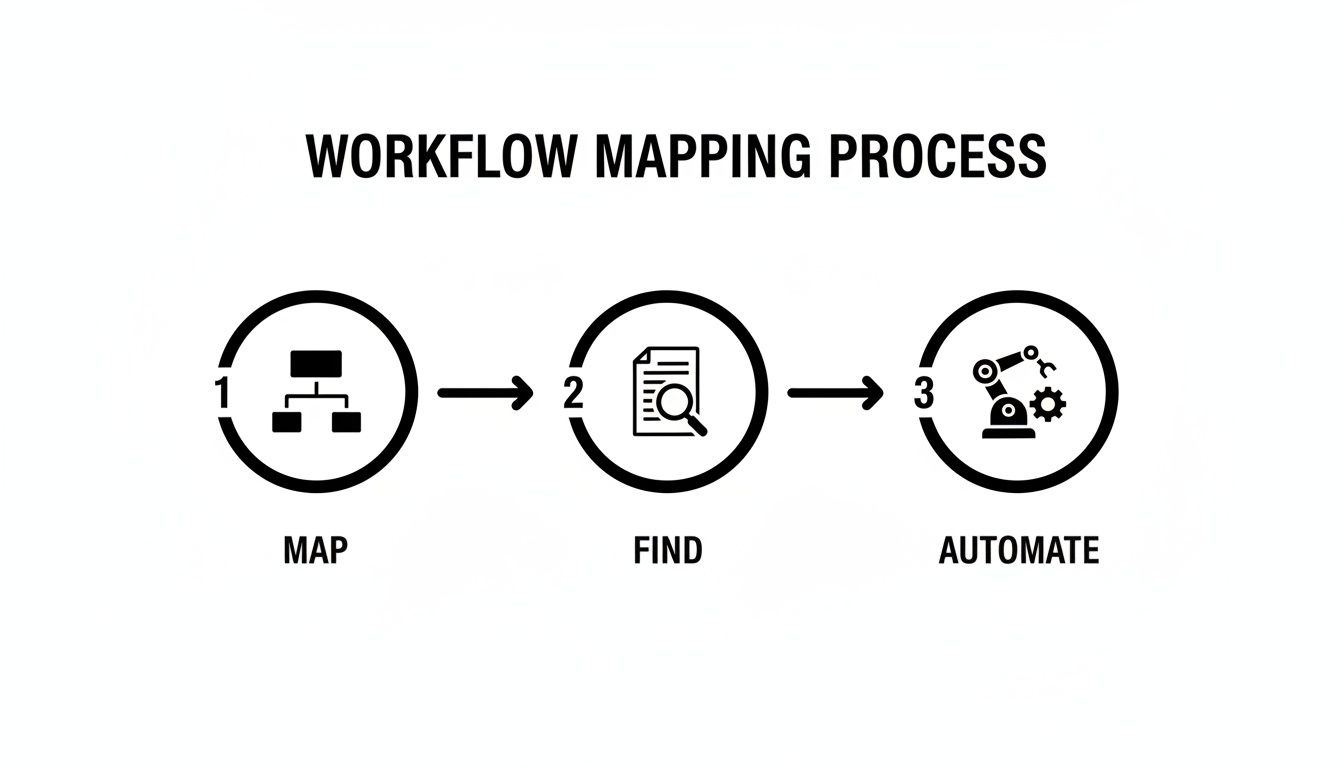
This visual breaks down the simple but powerful journey from spotting a problem to crushing it with automation.
It’s a straightforward progression: first you map out how things work now, then you find the pain points, and finally, you apply targeted automation to make the whole system run better.
Concrete Automation Recipes for Common Headaches
The true power of AI employees comes alive when you see them tackle specific, real-world business challenges. Let's move past the theory and look at some "automation recipes" you can put into practice right away.
Manual Grind vs. AI Employee Automation
Before diving into the recipes, it's helpful to see a direct comparison. The table below illustrates just how much time and energy gets wasted on common tasks and how a Dooza AI Employee can completely change the game.
Business Task
The Old Manual Way (Hours/Week)
The New Dooza Way (Automated)
Result
Social Media Posting
8-10 hours
Generates, schedules, and analyzes a month of content in minutes.
Consistent presence, strategic content, team freed for engagement.
SEO Content Briefs
5-7 hours
Creates data-rich briefs with SERP analysis and keywords on demand.
Higher quality content, faster production, better SEO outcomes.
Customer Support Triage
10-15 hours
Instantly reads, categorizes, and routes all incoming tickets 24/7.
Faster response times, no missed tickets, happier customers.
Meeting Scheduling
3-5 hours
Finds a time for everyone, sends invites, and books rooms in seconds.
Zero back-and-forth emails, faster decision-making.
As you can see, this isn't about small, incremental gains. It’s a complete overhaul of how work gets done, freeing up dozens of hours of human potential every week.
Scenario 1: The Social Media Black Hole
The Problem: Your team is trapped on the content treadmill, spending hours every week brainstorming ideas, writing copy, making simple graphics, and manually scheduling posts across a half-dozen platforms. It's exhausting and relentless.
The AI Employee: Deploy 'Connecta,' your new social media coordinator.
The Recipe: You give Connecta access to your brand guidelines and key content themes. From there, she autonomously generates a month's worth of posts, complete with engaging copy, relevant hashtags, and even simple videos. She schedules it all at the best times and can even flag comments that need a human touch.
The dream state: Your team's role shifts from content creator to community manager. They can finally focus on genuine engagement and building relationships instead of the daily grind of just filling the content calendar.
Scenario 2: The Customer Support Triage Mess
The Problem: Support requests flood a generic inbox. A team member has to manually read every single one, figure out if it's for Sales, Tech Support, or Billing, and then forward it. Delays are inevitable, and things fall through the cracks.
The AI Employee: Hire a digital receptionist to manage your front desk.
The Recipe: An AI agent monitors all your support channels—email, web forms, even social media DMs. Using natural language understanding, it instantly categorizes each ticket and routes it to the right person. It can even provide instant answers to common questions, resolving up to 40% of inquiries without any human help. To make this even smoother, you can build smart forms that integrate with AI to direct inquiries perfectly from the start.
Scenario 3: The Endless Calendar Tetris
The Problem: Trying to schedule one meeting with a few internal and external people turns into a week-long email chain. Finding a time that works for everyone feels like an impossible puzzle.
The AI Employee: A dedicated calendar and meeting manager.
The Recipe: Instead of the endless back-and-forth, you just tell your AI agent: "Find a 30-minute slot for the Q3 kickoff next week with me, Sarah, and the client." The AI checks everyone's calendars (with permission), finds the best slots, sends the invite, books a room, and even drafts a preliminary agenda. What used to take days now takes seconds.
This is about so much more than just saving a few hours. When you automate these manual tasks with an AI employee, you unlock an equal amount of human potential. Multiply that effect across marketing, sales, operations, and support, and the impact is massive.
Your team stops being task-doers and becomes system-overseers. They are the strategists guiding a highly efficient digital workforce, finally free to do their best, most valuable work. That’s how you truly improve operational efficiency in a modern business.
Building Your Modern Tech Stack
Once you've started automating individual tasks, you'll see gains. But the real magic happens when you get your entire operation working as a single, cohesive unit. This is where building a modern tech stack comes in—a collection of tools that talk to each other seamlessly. Forget the old days of needing a massive IT budget or a team of developers to build a powerful, integrated system.
The game has completely changed.
Today, the smartest tech stacks are built around agile, cloud-based platforms and intuitive no-code tools. This is the ultimate toolkit for lean teams, allowing you to scale rapidly without heavy upfront investment. The core principle is simple but powerful: integration.
This shift is more than just a trend; it's a fundamental change in how businesses operate. Cloud-based platforms and low-code/no-code tools are giving startups and agencies a level of automation that used to be reserved for huge corporations. This is precisely why integrated AI workforces are becoming so essential. Learn more about how these trends are shaping the future of operations.
Your AI Platform as the Central Hub
Think of your specialized software—your CRM, email marketing platform, project management tool—as expert members of your team. HubSpot is your sales guru, Slack is your comms director, and Google Workspace is your admin backbone. They’re all brilliant at their jobs, but they can't hit their full potential working in silos.
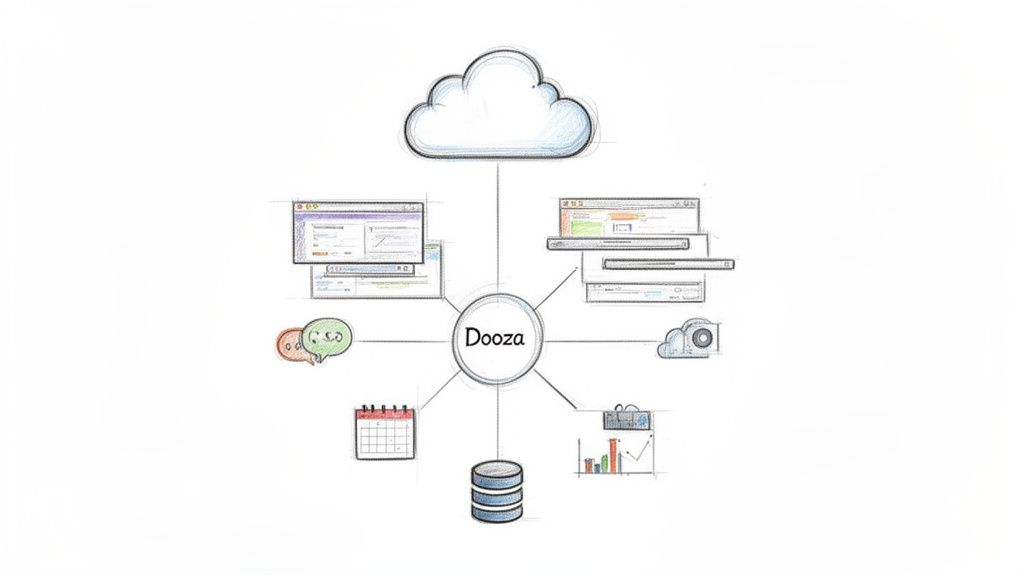
This is where an AI platform like Dooza becomes the project manager for your whole tech stack. It acts as the connective tissue, the central nervous system that allows your specialized tools and your new AI employees to work together.
The goal isn’t just to have the best tools; it's to have a team of tools that collaborate perfectly. Your AI platform is the conductor ensuring every instrument plays in harmony.
Let’s look at a real-world example. A new lead comes in through a form on your website. The old way involved a clunky chain of manual steps. Someone had to see the email notification, copy-paste the data into your CRM, assign the lead to a salesperson, and then maybe send a heads-up on Slack. Every step is a potential delay or a place to drop the ball.
With an integrated system, the process is instant and flawless. The dream becomes reality: an AI employee sees the new lead, automatically creates a new contact in HubSpot, assigns it based on your rules, and pings the correct salesperson on Slack with all the details. Zero human intervention needed. Your sales team wakes up to perfectly qualified, ready-to-contact leads.
Assembling Your Dream Team of Tools
Building your stack isn’t about collecting the most popular apps. It's about hand-picking tools that solve your specific problems and, crucially, can be easily connected. Your focus should be on creating a seamless flow of information across your entire business.
Here’s a simple framework for how I think about a foundational stack:
Communication Hub: This is where your team lives. For most, this is Slack or Microsoft Teams. It should be the central point for notifications and alerts from all your other systems.
Customer Relationship Management (CRM): This is your single source of truth for all customer data. Tools like HubSpot or Salesforce are the usual suspects for a good reason.
Project Management: This is how you track work. Asana, Monday.com, or Trello are all great choices that play nicely with other platforms.
Core Productivity Suite: The basics: docs, spreadsheets, and email. Google Workspace and Microsoft 356 are the clear front-runners here.
Your AI platform sits right on top of this foundation, orchestrating the actions between them. Imagine your AI calendar manager scheduling a meeting. It doesn’t just find a time; it checks availability in Google Calendar, logs the meeting activity in HubSpot, and sends a confirmation to everyone via Slack. That’s a truly integrated operation.
This level of connectivity also means your AI employees can collaborate with each other. The social media agent can pull performance data from the SEO agent to create better content, building a shared context that makes your entire operation smarter. To see how these connections can work for your business, you can explore potential integrations by checking out our partners program.
By thoughtfully selecting your cloud-based tools and using an AI platform to unite them, you're not just improving efficiency—you're building a scalable, intelligent, and autonomous operational machine.
Leading the Change and Measuring Your Success
Alright, so you’ve mapped your processes and identified where AI can make the biggest impact. The technology side is sorted. But here's where even the best-laid plans can fall apart: the human side.
The most advanced AI agents won't do you any good if your team sees them as a threat. Your job now is to shift from manager to leader, guiding your team through this change and showing them what's in it for them.
Let's be honest, nobody gets excited about manual data entry or spending half of Friday compiling reports. Your team wants to tackle big problems, get creative, and make a real impact. That's the core of your message. This is the dream you're selling them: these AI agents aren't here to replace people; they’re here to eliminate the monotonous work that burns people out. This isn't about shrinking the team, it's about elevating your talent.
Rallying Your Team Around Automation
If you just announce "we're bringing in automation," the natural reaction is fear. People will immediately start worrying about their jobs. So, don't do that.
Instead, pull them into the process. Make it a team effort.
I've found the best way to kick this off is by asking a simple, powerful question: "What's the one tedious, soul-crushing task you wish you never had to do again?"
Their answers are your golden ticket. They’ll point you directly to the small, early wins that will get everyone on board. When your team sees that the first thing automation does is kill their most hated task—like manually routing support tickets or copy-pasting data into a spreadsheet—that fear flips to genuine excitement. For example, when you automate the weekly sales report, your sales lead doesn't just get an hour back; they see you value their time and want them focused on coaching the team, not crunching numbers. They become champions of the change because it’s making their daily lives better.
I like to frame it like this: "We're hiring a digital assistant for the team. Its only job is to handle the grunt work so you have more time to focus on the projects that actually move the needle." This positions AI as a helpful colleague, not a competitor.
Measuring What Truly Matters
To prove that all this effort is paying off, you need to track the right metrics. Forget vanity numbers. Your Key Performance Indicators (KPIs) need to tell a clear, compelling story about how your business and your people are benefiting.
Move beyond simply tracking "tasks completed." Start measuring things like "Hours Reclaimed for Strategic Work." This KPI is powerful because it puts a number on the time your best people get back to focus on high-value activities. It's a direct line from automation to innovation.
Another great one is "Reduction in Manual Error Rate." This is huge for tasks like invoicing or data migration, where one tiny human error can have a massive ripple effect. Tracking this proves the reliability and precision your new AI workforce delivers. With all those extra hours, you can dive into bigger projects, like boosting your search performance with the strategies in our guide on how Dooza can help you rank higher on Google.
Sample KPIs for a Hyper-Efficient Business
Here are a few practical KPIs I've seen teams use to demonstrate a clear return on investment across different parts of the business.
Department
Meaningful KPI
What It Measures
Why It Matters
Marketing
Content Velocity
The time from content idea to publication.
Shows how quickly your team can execute on campaigns now that briefs and research are automated.
Sales
Lead Response Time
The average time it takes to follow up with a new lead.
Automation can make this nearly instant, dramatically increasing conversion rates.
Operations
Client Onboarding Time
The total time it takes to get a new client fully set up.
A faster, smoother onboarding process directly correlates with higher client satisfaction.
Support
First-Contact Resolution Rate
The percentage of support issues solved on the first interaction.
Shows the effectiveness of AI triage and instant access to information.
Common Questions About Operational Efficiency
As you start down the path toward a more efficient operation, you're bound to have some questions. It’s completely normal. Let’s tackle some of the most common ones I hear from business owners so you can move forward with confidence.
Most people get stuck because they think they have to fix everything at once. That's a surefire way to get bogged down in "analysis paralysis." The secret is to start small and let the wins build on each other.
Where Do I Even Start?
The best starting point is always a "quick win." Look for a task that’s frequent, simple, and yet somehow eats up a ridiculous amount of time. Don't try to boil the ocean here.
Just ask your team this one question: "What's the one repetitive thing you do every week that you wish you could just forget about?"
I guarantee that question will surface some absolute gems for automation. You’ll hear about pulling numbers for a weekly report, copying and pasting notes into the CRM, or scheduling out social media posts.
Nailing one of these small but incredibly annoying tasks gives you an immediate, visible win. That first success creates a buzz and proves the whole concept works, which makes it infinitely easier to get everyone on board for bigger changes later. It's about showing, not just telling, them the dream of a frictionless workday.
Isn't AI Automation Just for Big Companies with Deep Pockets?
That’s a myth left over from the days of clunky, expensive enterprise software. Things have changed dramatically. Today’s AI platforms are built for small businesses, solopreneurs, and scrappy teams, often with simple, affordable subscription plans.
It's better to think of it not as a cost, but as an investment with a very clear return.
Imagine an AI assistant saves your team just 10 hours a week. What’s the real value of that time? It’s not just about the hours saved; it's about what you can do with them. That's more time for sales calls, talking to customers, or developing that next great idea—the stuff that actually grows the business. The dream isn't just efficiency; it's about unlocking growth without burning out your team.
When you look at it that way, the ROI is usually a no-brainer within the first month. Your team gets more than just time back; they get the mental space to focus on what humans are uniquely good at.
How Do I Get My Team on Board with This?
The single most important thing is to frame automation as a tool for elevation, not replacement. You have to make it clear that you're bringing in an AI assistant to handle the grunt work, freeing up your team for the more strategic and creative work they were hired for in the first place.
Get them involved from the very beginning. Ask them what tasks they want to offload.
Once they see the goal is to get rid of their biggest headaches and let them focus on more meaningful projects, any fear of being replaced usually evaporates and turns into genuine excitement. It shifts the entire dynamic from anxiety to opportunity, creating a culture where people and AI work together to get more done. This is how you sell the dream: not as a management directive, but as a shared goal to build a better, smarter, and more rewarding place to work.
Ready to hire your first AI employee and give your team their time back? With Dooza.co, you can deploy specialized AI agents to run your SEO, manage social media, handle customer support, and even organize your calendar. They plug right into your existing tools and work alongside your team, freeing them up to focus on what matters most. Start building your AI workforce today at Dooza.co.
Ready to Get Started?
Automate your business with AI employees that work 24/7.
AI Personal Assistant for Business: Your 24/7 Digital Employee
Discover how an AI personal assistant for business can automate workflows, generate leads, and support customers 24/7. Learn to build your own no-code agent.
Google’s Gemini Era: What It Means for Business Automation and Why You Need AI Employees Now
Google’s Gemini demo reveals a future where AI understands context, images, and voice seamlessly. But for businesses, the real revolution is in deploying specialized AI employees that work 24/7. Discover how Dooza’s AI workforce can turn this vision into practical automation.