RingCentral AI Receptionist Review (2026): Pricing, Features, Limits and Alternatives
RingCentral AI Receptionist (AIR) is a voice AI agent that answers calls, handles FAQs, books appointments and routes callers. Here is what it costs per minute, how setup works, what real admins report, and when an alternative fits better.
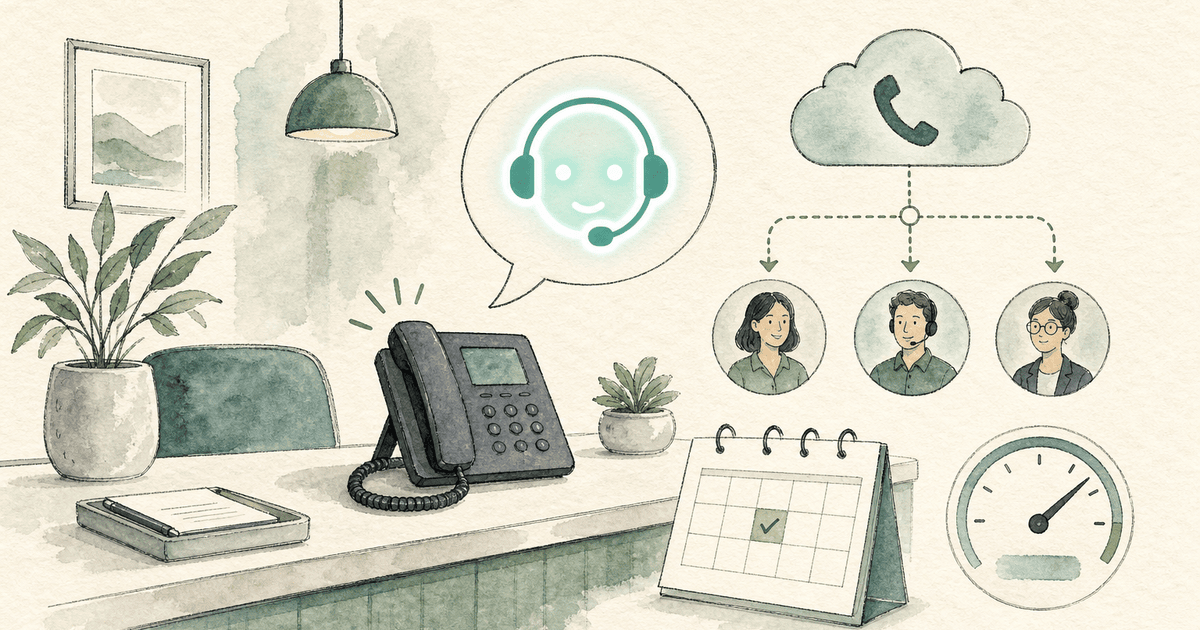
RingCentral AI Receptionist (AIR) is a voice AI agent that answers your business calls 24/7, handles FAQs, captures leads, books appointments and transfers callers to the right person. It costs $39 a month as an add-on to a RingEX phone plan or $49 a month standalone, each with 100 minutes, then $0.50 a minute (RingCentral pricing, checked October 6, 2026).
Our verdict: if you already pay for RingCentral and mainly need calls answered and routed, AIR is the simplest choice, because it lives inside the admin portal you already use. If your call volume is high, your calls run long, or you want someone to build and tune the receptionist for you, compare the per-minute math and the alternatives below first.
What it is: an AI phone agent inside RingCentral’s RingEX system, also sold standalone for any phone system as “AIR Everywhere”.
Price: $39/month add-on or $49/month standalone, 100 minutes included, $0.50/minute after, billed in 30-second increments.
Best for: existing RingCentral customers who want a self-serve AI front desk without changing vendors.
Watch for: per-minute overage, test calls that use your minutes, and admin reports of interruptions and knowledge-base answers that need tuning.
Alternatives: Smith.ai, Rosie, Upfirst, Goodcall, Nextiva XBert, Jobber Receptionist, and done-for-you options like Dooza for the trades.
RingCentral launched AIR in early 2025 and made it generally available in the US and Canada on June 30, 2025 (RingCentral release notes, June 2025). It is one of three “agentic” AI products, next to the AI Virtual Assistant (AVA) and the AI Conversation Expert (ACE) analytics tool (RingCentral press release, November 3, 2025). So when people search “RingCentral AI assistant”, they may mean AVA, which helps your staff during calls, rather than AIR, which answers callers.
Answers nights, weekends and holidays, and handles multiple calls at the same time
FAQs and knowledge
Trained from your website, FAQs or uploaded documents
Call routing
Routes by name, department, location or keywords (“transfer by name” and “transfer by context”)
Lead capture
Custom intake questions; logs caller details to Salesforce, HubSpot or Zoho
Appointments
Books and reschedules on Google or Outlook calendars
SMS
Texts links, forms and confirmations during or after the call
Languages
English, Spanish, French, Italian, German and Portuguese
Records
Call recording, transcripts and an analytics dashboard
Multi-location
Custom rules per location
RingCentral keeps shipping. The August 2026 release notes added a customizable personality (voice, response style and talking speed), a notification center, and the option to create a receptionist from an existing IVR. RingCentral also says AIR is “designed to support HIPAA compliance” (pricing FAQ); healthcare buyers should still confirm the BAA terms with sales.
How does RingCentral AIR work?
AIR sits on an extension or phone number in your RingCentral account. You decide which calls reach it through normal call-handling rules:
Front door: AIR answers every call to the main number and routes the ones it cannot resolve.
Overflow: calls ring your team or a call queue first, and the “if no answer” rule sends them to AIR. RingCentral’s community moderator walks through this in this thread.
After hours: AIR takes over on a schedule when the office is closed.
If you are not on RingCentral, the standalone version, launched as AIR Everywhere in August 2025, works with other phone systems through call forwarding or SIP (RingCentral press release).
How much does RingCentral AI Receptionist cost?
RingCentral AI Receptionist costs $39 a month as a RingEX add-on or $49 a month standalone. Both include 100 minutes. Extra usage is $0.50 a minute, rounded up and billed in 30-second increments (RingCentral pricing page, checked October 6, 2026).
Item
AIR add-on to RingEX
AIR standalone (any phone system)
Monthly price
From $39
From $49
Included minutes
100
100
Overage
$0.50/min
$0.50/min
Billing increment
30 seconds, rounded up
30 seconds, rounded up
Extra minute bundles
Stackable 100-minute bundles
Stackable 100-minute bundles
Phone plan needed
Yes, a RingEX plan (priced per user)
No; works with your current system
Free trial
14 days
14 days
Three things change the real cost:
The RingEX license. The $39 price is on top of your RingEX plan. Third-party reviews report RingEX Core at about $30 per user per month on monthly billing, or $20 billed annually (CloudTalk, reported); check your own contract.
Rounding. A 1-minute-10-second call bills as 1.5 minutes.
Test calls count. RingCentral’s setup guide notes that test calls use your monthly minute allotment.
Worked example (published rates only): a business that sends AIR 300 minutes a month pays $39 + (200 × $0.50) = $139 on the add-on, or $49 + $100 = $149 standalone, before RingEX licenses and taxes. At 600 minutes the add-on is $289 a month. Minute usage is the cost question users raise most, including in a r/RingCentral thread titled “Minutes for AI Receptionist”.
Prices have moved. When RingCentral launched AIR Everywhere in August 2025, the standalone version started at $59 a month with 100 minutes (press release). Today’s page says $49.
Add business details from your website URL, your Google Business Profile, an existing IVR, or by hand.
Name the receptionist, pick a primary (and optional secondary) language, a voice, a personality (Friendly, Neutral or Formal), a detail level and a talking speed.
Review the company description, greeting, location and business hours.
Review the auto-generated FAQs and switch each on or off.
Set the default transfer extension and turn “transfer by name” on or off.
Place a test call (it uses minutes), or test by chat in the Test panel.
Connect the receptionist to a phone number or extension. Until you do, it answers nothing.
Connect calendars and your CRM for booking and lead logging.
RingCentral markets this as “set up in minutes” with no IT support. Basic setup is fast; tuning answers, transfers and closing behavior is where most of the admin questions below come from.
RingCentral AIR pros and cons
Pros
Cons
Built into RingEX: one vendor, one admin portal, one bill
Per-minute overage ($0.50/min) makes busy or long-call months hard to predict
Published, low entry price ($39 or $49) with a 14-day trial
The add-on price sits on top of per-user RingEX licenses
Strong routing: by name, context, location and call queues
Self-serve: you write, test and tune the knowledge, transfers and edge cases
Six languages; CRM and calendar integrations
Admins report interruptions and answers that need tuning (see below)
Fast-moving roadmap with monthly releases
Not built around one trade’s workflow, such as HVAC emergency triage
What do RingCentral AIR users report?
We read the threads that rank for this query and RingCentral’s own AI Receptionist community board. These are individual reports, not measured rates, and some may be fixed by now:
Interrupting callers. An admin wrote that AIR “is interrupting callers when they are answering questions” and was “not ending calls after scheduling the appointment.” The moderator suggested a support case (RingCentral Community).
Knowledge base accuracy. Another admin said that two weeks after onboarding, AIR still could not answer correctly from a CSV they had uploaded to the knowledge hub (RingCentral Community).
Where caller details go. One user said support told them the only way to see details AIR collected was to open the call log call by call (RingCentral Community). RingCentral now advertises CRM logging to Salesforce, HubSpot and Zoho, so check what your plan connects to.
Add-on confusion. A RingEX customer could not route calls to AIR until a moderator explained it “is actually a separate paid add-on and isn’t automatically included with RingEX plans” (RingCentral Community).
Call-flow complexity. Reddit users reportedly found advanced flows, such as having AI answer only when agents are unavailable, more complicated than expected (CloudTalk summary, reported).
Trades owners asking around. In the Jobber community, a home-service owner asked whether anyone uses RingCentral’s AI receptionist to send calls to the right department without answering and forwarding them herself (Jobber Community).
RingCentral promotes AIR heavily, which is fair: it is a real product with real customers. Here is how it pitches it:
Missed calls = missed revenue.
AI Receptionist (AIR) answers calls 24/7, books appointments, and sends texts, so you never miss an opportunity.
In March 2026, CX Foundation called RingCentral’s own AIR demo line on camera for the first time. AIR answered, offered to text a sign-up link, quoted the $39 starting price, and said it sends standard SMS but not MMS. It also talked over the tester when she interrupted. Her verdict:
Obviously, there's still a few hiccups there, but on the whole, I was very impressed.
Good fit: businesses already on RingEX that want an AI front door or overflow line, have someone to own setup and tuning, and take a moderate number of short calls.
Good fit: multi-location offices that need routing by name, department or location, or callers in Spanish, French, German, Italian or Portuguese.
Weaker fit: high-volume or long-call businesses, where $0.50 a minute adds up fast.
Weaker fit: owner-operators in the trades with no time to build the knowledge base, test transfers and fix edge cases. A done-for-you service may be cheaper in hours.
The pattern: RingCentral AIR and Nextiva XBert make the most sense when you already use that phone system. Jobber Receptionist makes sense if Jobber already runs your jobs. Rosie and Upfirst are the low-cost self-serve picks. Smith.ai is the pick if you want humans behind the AI. For a deeper look at how AI agents recover missed calls, read AI voice agents for missed calls.
Where Dooza fits
Dooza is an AI-native company that builds AI products and services for small businesses, from the Dooza Workforce app to the Dooza Agents platform. Every product starts with a refundable pilot: 100% refund within 14 days.
The Dooza AI Receptionist is a done-for-you AI receptionist for contractors and trades: HVAC, plumbing, electrical, roofing, garage doors, pest control, landscaping and general contractors. The difference from AIR is who does the work. With RingCentral, you build and tune the receptionist yourself. With Dooza, we build it for you:
It answers every call in your company name, 24/7, while you are on the tools.
It asks what you would ask: the address, what is wrong, how urgent it is, owner or tenant.
It books the job on your calendar. Google Calendar and Outlook work out of the box; if you run Housecall Pro, Jobber or ServiceTitan, we connect it during the pilot where the software allows it.
It texts the caller a confirmation and hands off to you or your dispatcher by your rules.
It never quotes a price or gives advice you have not approved.
It works with the number you already have. You forward your business line or cell, and you can switch forwarding off anytime.
You book a short setup call, we collect your questions, hours and calendar, and it is set up and live on your line within 48 hours. Every Dooza product starts with a refundable pilot — 100% refund within 14 days. Pricing depends on the product; see pricing.
When to pick RingCentral instead: if you already pay for RingEX, mostly need calls answered and routed, and have someone to own the setup, AIR is the simplest choice and keeps everything with one vendor. Dooza also answers in English only today and is not offered as a HIPAA service, so medical practices and businesses that need Spanish should look at AIR or another provider.
Book a free pilot call and we will scope your call script, booking rules and emergency routing.
RingCentral AI Receptionist FAQ
What is RingCentral AI Receptionist?
RingCentral AI Receptionist (AIR) is a voice AI agent that answers business calls 24/7, answers FAQs, captures leads, books appointments on Google or Outlook calendars, sends texts and transfers callers to the right person. It runs inside RingCentral’s RingEX phone system or standalone with other phone systems.
How much does RingCentral AI Receptionist cost?
RingCentral lists AIR at $39 a month as a RingEX add-on or $49 a month standalone, each with 100 minutes included. Extra usage is $0.50 a minute, rounded up in 30-second increments, and stackable minute bundles are available (checked October 6, 2026).
Do I need a RingCentral phone plan to use AIR?
No. The $39 add-on requires a RingEX plan, but the $49 standalone version works with other phone systems through call forwarding or SIP. On RingEX, AIR is a separate paid add-on and is not included automatically.
Is there a free trial of RingCentral AI Receptionist?
Yes. RingCentral offers a 14-day free trial on both the add-on and the standalone plan. Test calls during setup count toward your monthly minutes.
What languages does RingCentral AI Receptionist support?
RingCentral lists English, Spanish, French, Italian, German and Portuguese. You set a primary language and an optional secondary language, and AIR can switch languages during a call.
What is the best RingCentral AI Receptionist alternative for contractors?
If you want the receptionist built and tuned for you, Dooza sets up an AI receptionist for contractors and trades and has it live on your existing number within 48 hours, starting with a refundable pilot. If Jobber already runs your jobs, Jobber Receptionist is a $29 a month add-on. For low-cost self-serve options, compare Rosie and Upfirst.
Frequently Asked Questions
What is RingCentral AI Receptionist?
RingCentral AI Receptionist (AIR) is a voice AI agent that answers business calls 24/7, answers FAQs, captures leads, books appointments on Google or Outlook calendars, sends texts and transfers callers to the right person. It runs inside RingCentral’s RingEX phone system or standalone with other phone systems.
How much does RingCentral AI Receptionist cost?
RingCentral lists AIR at $39 a month as a RingEX add-on or $49 a month standalone, each with 100 minutes included. Extra usage is $0.50 a minute, rounded up in 30-second increments, and stackable minute bundles are available (checked October 6, 2026).
Do I need a RingCentral phone plan to use AIR?
No. The $39 add-on requires a RingEX plan, but the $49 standalone version works with other phone systems through call forwarding or SIP. On RingEX, AIR is a separate paid add-on and is not included automatically.
Is there a free trial of RingCentral AI Receptionist?
Yes. RingCentral offers a 14-day free trial on both the add-on and the standalone plan. Test calls during setup count toward your monthly minutes.
What languages does RingCentral AI Receptionist support?
RingCentral lists English, Spanish, French, Italian, German and Portuguese. You set a primary language and an optional secondary language, and AIR can switch languages during a call.
What is the best RingCentral AI Receptionist alternative for contractors?
If you want the receptionist built and tuned for you, Dooza sets up an AI receptionist for contractors and trades and has it live on your existing number within 48 hours, starting with a refundable pilot. If Jobber already runs your jobs, Jobber Receptionist is a $29 a month add-on. For low-cost self-serve options, compare Rosie and Upfirst.
Ready to Start Your Pilot?
Automate your business with AI employees that work 24/7. Start with a refundable pilot: 100% refund within 14 days.
Best OpenClaw Alternatives in 2026: Self-Hosted, Lightweight, and Managed Options Compared
OpenClaw is free, MIT-licensed, and the most-starred personal agent on GitHub, but you run it, pay the model bill, and own the security. Here are the alternatives worth a look in 2026, with sourced facts, a comparison table, and an honest note on when to stay with OpenClaw.
Hermes Agent vs OpenClaw (2026): Which Open-Source AI Agent Should You Run?
Hermes Agent (Nous Research) and OpenClaw are the two most popular open-source personal AI agents. Hermes is built around a learning loop that writes its own skills; OpenClaw is built around a gateway that puts one assistant in 30+ chat apps and on your devices. Here is a sourced, side-by-side comparison and a simple way to pick.
Start with a refundable pilot — 100% refund within 14 days. A Dooza engineer scopes it with you on a free 30-minute call. Pricing depends on the product; see pricing.