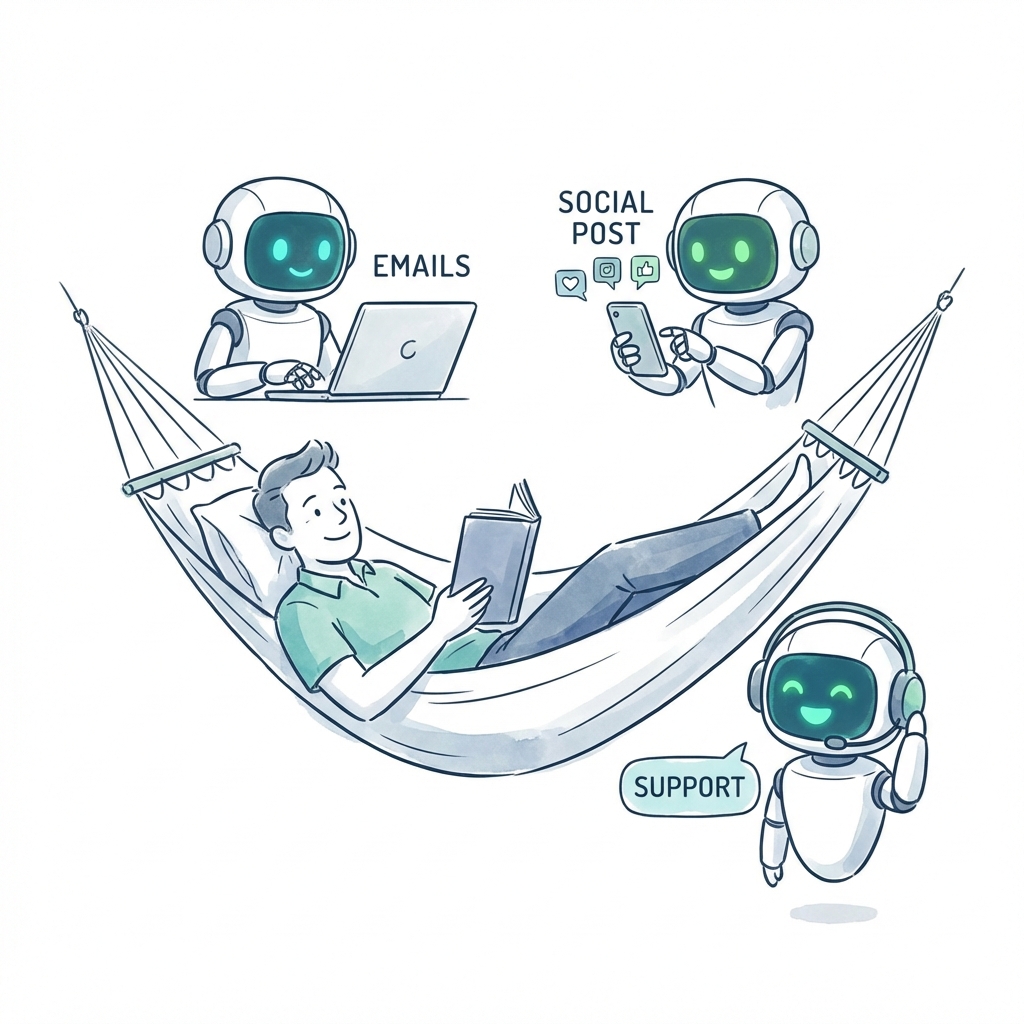
AI Automation
5 Proven Ways AI Employees Save Small Businesses 20+ Hours/Week
Discover how AI-powered employees are helping small businesses automate their daily operations, from email management to social media posting.
7 min read
Readwhat is cognitive automation? Learn how AI uses cognitive automation to tackle complex tasks and free your team to grow.
Cognitive automation is what happens when you give traditional automation a brain. Imagine freeing your team from the repetitive, soul-crushing tasks that drain their energy and creativity. This powerful blend of artificial intelligence and process automation is designed to take on complex work that requires human-like thinking, learning, and decision-making, turning that dream into a daily reality.
Unlike the rigid, rule-based systems of the past, cognitive automation can make sense of messy, unstructured data—think a flood of emails, diverse customer support tickets, or a stream of social media comments—and actually get smarter with every task it completes.
Is your team constantly bogged down by overflowing inboxes, mind-numbing data entry, or the tedious grind of pulling manual reports? These aren’t just minor annoyances; they are genuine productivity killers that steal focus from the strategic work that actually grows your business.
Now, imagine you could hire a new kind of employee. One who works 24/7, never makes a careless error, and learns from every single interaction to become more valuable every day. That’s the core promise of cognitive automation. It’s not just another software tool; it's a digital workforce you can hire to think, execute, and free your human team to do their best work.
Think of it this way: traditional automation is like a factory robot on an assembly line, performing one specific action over and over. Cognitive automation is like hiring a brilliant executive assistant who doesn't just manage your calendar but understands the context of each meeting, proactively reschedules conflicts, and even suggests a more efficient schedule for your week—all without being asked.
So, what does this liberated future look like in the real world? It’s about having the power to delegate entire job functions, not just single tasks, to an intelligent system. For example, instead of just scheduling social media posts, you could hire an AI Marketing Assistant to analyze engagement, identify trending topics, and draft new content ideas, freeing your marketing team to focus purely on high-level strategy.
By hiring specialized AI employees for these roles, businesses reclaim hundreds of valuable hours. This isn’t just a small step forward; it’s a revolutionary leap in how businesses operate. By combining AI, machine learning, and natural language processing, this technology tackles the complex, judgment-based work that traditional automation simply can't handle.
The market is taking notice. Valued at USD 16.5 billion in 2025, the global cognitive automation market is projected to explode to USD 53.58 billion by 2035. This rapid growth is a clear indicator of the incredible freedom and efficiency this technology is already delivering.
To give you a better idea of what we're talking about, here’s a quick overview of what cognitive automation can do for your business.
| Capability | What It Means for Your Business |
|---|---|
| Natural Language Processing (NLP) | Understands and responds to human language in emails, chats, and documents. |
| Machine Learning (ML) | Learns from data to improve performance and make smarter decisions over time. |
| Computer Vision | "Sees" and interprets images and videos to extract information. |
| Intelligent Decision-Making | Analyzes situations and makes judgment-based choices without rigid rules. |
| Data Extraction | Pulls relevant information from unstructured sources like invoices or contracts. |
By bringing these capabilities together, you build a truly intelligent operation where your team is free to create, innovate, and connect.
This guide will serve as your roadmap. We’ll show you exactly how to:
To really appreciate the freedom cognitive automation offers, it helps to first look at what came before it. Traditional Robotic Process Automation (RPA) is like a very obedient but very literal assistant. It’s fantastic at following a precise, pre-programmed script—click here, copy this, paste that. But the moment something unexpected happens, like an invoice shows up in a new format or a field is missing, the whole process grinds to a halt. It can't think for itself.
Cognitive automation is a different beast entirely. Think of it less like a script-follower and more like a brilliant junior analyst you’ve just hired. This analyst can look at messy, unstructured data—like a dozen different vendor invoices—understand the context behind each one, and make smart judgments to process them correctly. They learn from experience, adapt when things change, and handle ambiguity with ease. That’s the core difference: one blindly follows rules, while the other understands intent.
So, what's under the hood? Cognitive automation isn't one single piece of tech. It’s a powerful cocktail of several AI disciplines that work together, giving your digital workforce the ability to take on complex, judgment-based work and free up your team.
This map helps visualize how these key AI components come together to form the intelligent core of cognitive automation.
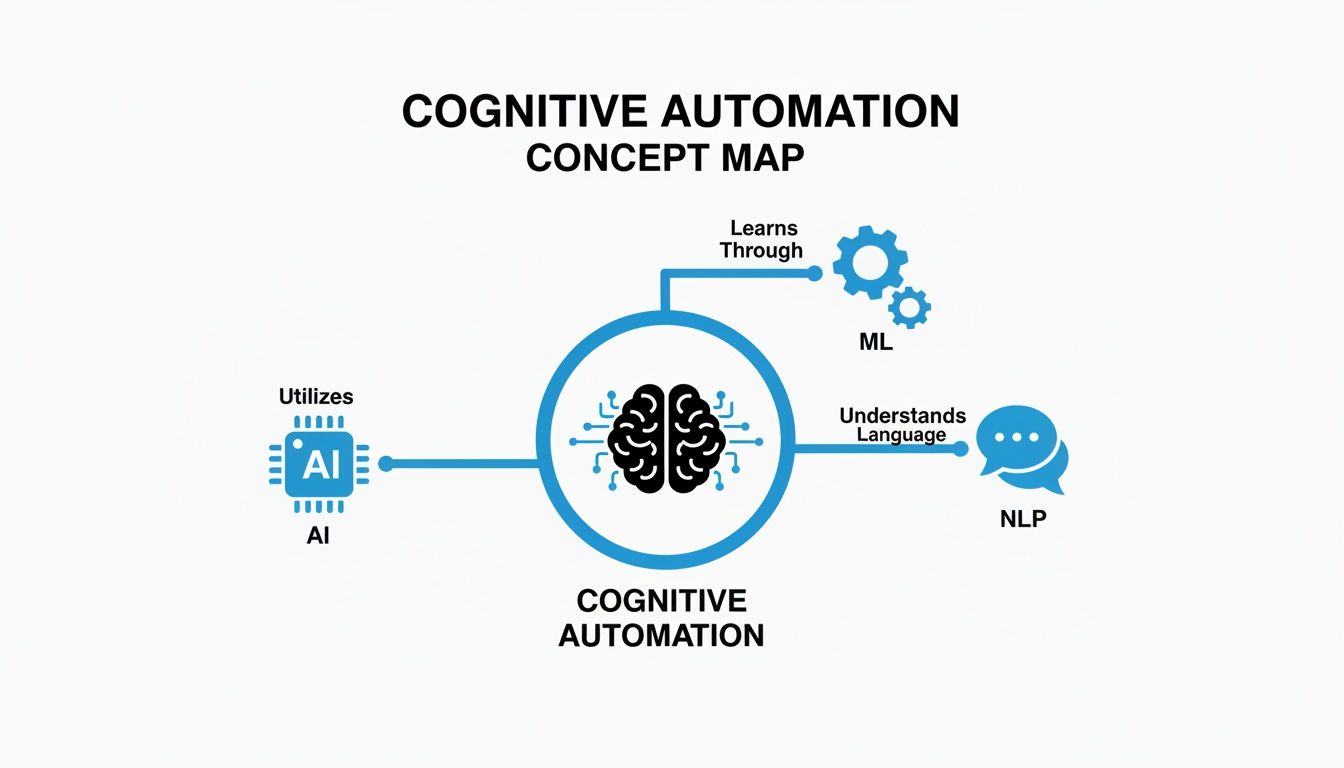
When you weave these technologies together, automation moves beyond just doing what it’s told and starts intelligently solving problems on its own, creating a future of less work and more impact.
To make the distinction crystal clear, here’s a quick breakdown of how these two types of automation stack up against each other.
| Feature | Robotic Process Automation (RPA) | Cognitive Automation |
|---|---|---|
| Data Type | Handles structured data (spreadsheets, forms) | Handles structured and unstructured data (emails, PDFs, images) |
| Process Style | Follows pre-defined, explicit rules | Interprets, analyzes, and makes judgments |
| Adaptability | Brittle; breaks with process changes | Learns and adapts to new scenarios and data |
| Decision Making | No decision-making capabilities | Makes context-aware, data-driven decisions |
| Human Role | Humans program the rules and manage exceptions | Humans supervise, train the model, and handle high-level strategy |
While RPA is great for automating repetitive, stable processes, cognitive automation tackles the dynamic, unpredictable work that has traditionally required a human touch, freeing you to focus on what matters most.
The real dream of cognitive automation is its ability to handle the messy, unpredictable tasks that bog down your team. Imagine an AI that doesn't just file reports but can actually build them from scratch by pulling unstructured data from a dozen different sources—like emails, PDFs, and web pages—and organizing it all into a clean, actionable summary. Our guide on using AI to automate tables shows how this can be applied to real-world data workflows. This isn’t a futuristic concept; it's a practical way to make your digital team truly autonomous.
By learning from every single interaction, cognitive automation creates a powerful feedback loop. The more work it does, the smarter it gets. And the smarter it gets, the more complex work it can take off your team’s plate, freeing them up to focus on growth, innovation, and strategy.
The real magic of cognitive automation isn't in some abstract, futuristic theory; it's in the real-world, day-to-day freedom it brings to your business. This is where the idea of a smarter, more efficient workflow stops being a buzzword and becomes your reality. It's time to stop thinking about automation as just another tool and start seeing it as a team of specialized digital employees you can "hire" to take on entire job functions, liberating your human talent.
Imagine handing off complex, time-consuming roles to AI teammates who work right alongside your human staff, plugged directly into the tools you already use. They don’t just mindlessly follow a script; they think, analyze, and contribute. This approach lets you multiply your team's output without adding a single person to your payroll.
This is what it looks like when AI and human teams truly collaborate—automation handles the heavy lifting with data, while people focus on the bigger picture.
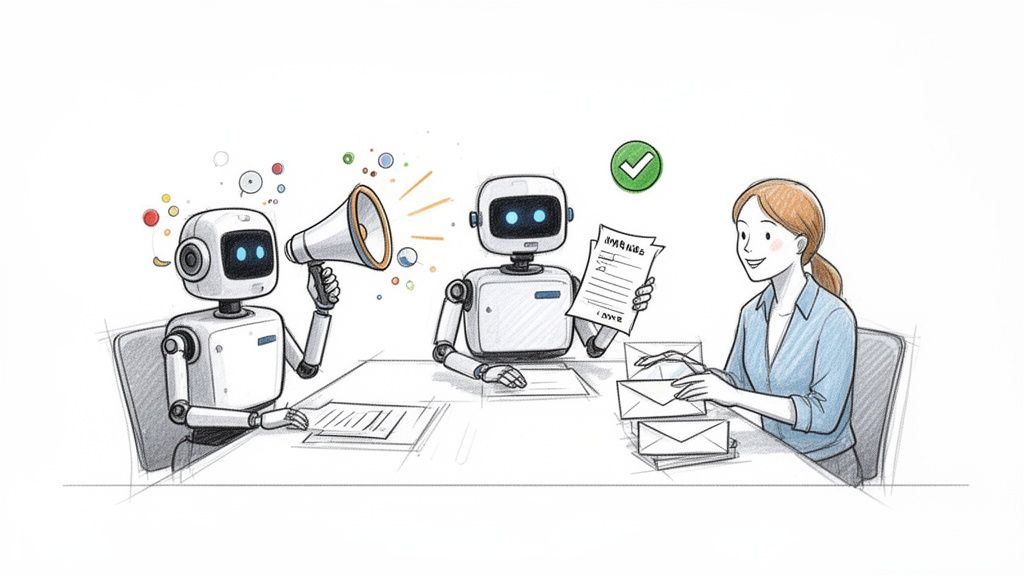
The core idea is simple: cognitive automation creates one unified, hyper-efficient team where digital employees handle the repetitive grunt work, freeing up your people to focus on strategy and growth.
Think about the daily grind your marketing team goes through: creating content, scheduling posts, and digging through analytics. Now, picture hiring an AI Marketing Assistant. This isn't just a scheduler; it's a digital teammate that actively monitors engagement, figures out which topics are connecting with your audience, and keeps an eye on competitors. Using that data, it can suggest new content ideas and even whip up first drafts. Your team is instantly freed from the guesswork and can focus on refining brilliant ideas instead of searching for them.
Managing the books often feels like drowning in a sea of unstructured paperwork—invoices in a dozen formats, blurry receipt photos, and PDF bank statements. An AI Finance Clerk transforms that chaos into a well-oiled machine. Imagine an assistant that can:
What once took your team days of painstaking work can now be done in minutes. This frees up your finance experts to do what they do best: focus on strategic financial planning instead of getting lost in paperwork.
Your customer support team is on the front lines, but they’re often swamped by the sheer volume of questions. An AI Customer Support Specialist acts as your first line of defense, intelligently handling tickets before they ever hit a human agent's queue.
For example, this AI teammate reads incoming support emails, uses natural language processing to grasp the customer's intent, urgency, and even their mood. For teams trying to scale, knowing which tools can be supercharged with this kind of AI is critical. Our guide on Gorgias alternatives explores different platforms that fit perfectly with this model.
Based on its analysis, the AI specialist can:
This doesn't replace your team; it empowers them. It filters out the noise, allowing your support pros to apply their expertise to the high-value conversations that build customer loyalty. These examples show that cognitive automation isn't about automating a few tasks—it's about delegating entire roles to a smart, adaptive, and tireless digital workforce, unlocking your team's true potential.
Getting a handle on the technology is great, but the real magic is what cognitive automation does for your bottom line and your team's sanity. This isn't just about speeding up old tasks. It’s about completely rethinking how your business works, grows, and stays ahead of the curve. This is where you turn operational costs into powerful fuel for growth.
The first and most obvious win is a massive drop in operational costs. Imagine handling a flood of customer questions, processing thousands of invoices, or managing a sprawling content schedule without hiring more people. Cognitive automation gives you a digital workforce that scales on demand, allowing a small company to operate with the power and agility of a much larger enterprise.
But the financial return is only part of the equation. The real dream is what happens when you free up your most important asset: your team's brainpower and creativity. When you hand off the repetitive, mind-numbing work to AI, your people can finally focus on the things only humans can do.
This isn't just a small change; it’s a fundamental shift. Your team stops being a group of task-doers and becomes a true engine for innovation. You’re not just saving money; you’re investing in your company's future by unlocking its most valuable resource—human potential.
This isn’t just talk; it's a measurable market phenomenon. The cognitive robotic process automation market exploded from just USD 50 million in 2017 to a projected USD 3,620.8 million by 2026. That's a mind-boggling 60.9% compound annual growth rate.
This isn't just hype. It shows a clear pattern: companies are racing to build digital workforces to get more efficient and free up their teams. Early adopters are seeing incredible results, with some reports pointing to 30% savings in operational costs and a 15% jump in productivity. You can dig deeper into the data and drivers behind this trend by reading the full industry report on cognitive RPA.
In the end, cognitive automation gives your business the ultimate competitive edge. It lets you do more with less, transforming your small but mighty team into an incredibly efficient force for innovation and growth.
So, you see the massive potential of cognitive automation. The 'why' is clear. Now, let's talk about the 'how'—without the jargon and complexity. You don't need a team of data scientists or a six-figure budget to get started. This is about a smart, practical approach to give your team back its most valuable resource: time.
We'll walk through a simple, four-step plan designed to make adoption feel low-risk, straightforward, and immediately valuable.
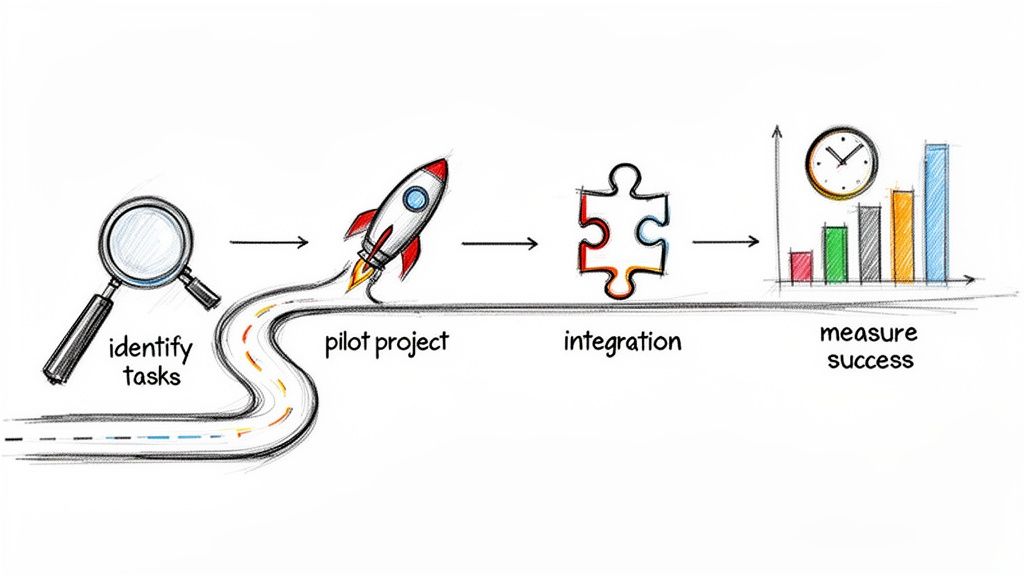
This whole process is built around quick wins. It’s about building momentum and proving the value from day one, not trying to boil the ocean.
First things first: find the friction. What are the high-volume, mind-numbing tasks that are eating up your team's day and killing their morale? Look for the administrative quicksand that prevents your most talented people from doing the creative, strategic work they were hired for.
Some classic examples are perfect candidates for your first move:
These are the ideal starting points. Why? Because automating them gives an immediate, tangible boost to your team's daily workload and happiness. It’s the fastest path to showing them the dream of a less stressful workday.
Forget about automating the entire company overnight. That’s a recipe for disaster. Instead, pick one small, manageable pilot project to prove the concept and see the benefits for yourself. Think of it as a low-risk, high-reward experiment.
For instance, you could hire a single AI employee to take over a very specific function, like managing a chaotic shared inbox or finally getting your team's Google Calendar organized. Imagine the relief of having an AI that sorts, tags, and drafts replies for 100 emails before your team even has their morning coffee. Watching that one process run flawlessly builds incredible confidence and gives you a rock-solid business case for expanding. Our flexible AI employee pricing is built for this exact approach—start small and scale when you’re ready.
The best technology feels like it's not even there. Your new AI employee should slide right into the software your team already uses every day. A smooth implementation hinges on seamless integration with the platforms you live in, whether that's Slack, Google Workspace, or your CRM.
The goal isn’t to force your team to learn yet another complicated system. It’s about introducing a digital teammate that shows up right where they work, making collaboration feel completely natural. For example, your AI can send summaries directly to a Slack channel or update records in your CRM automatically, without anyone lifting a finger.
Finally, you need to track your progress. Success isn't just a gut feeling; it’s something you can—and should—measure with clear, simple metrics. After all, the global intelligent automation market is projected to hit USD 72.25 billion by 2033 because of tangible, bottom-line results. You can dig into the data behind the growth of intelligent process automation to see how other businesses are getting it done.
Focus on metrics that tell a story:
Once you have that data, you’ll have both the proof and the confidence to pick the next process to automate. This creates a powerful cycle of continuous improvement that builds on itself, freeing up more and more of your team's time for work that truly matters.
As you start thinking about bringing this kind of technology into your business, questions are bound to come up. Cognitive automation is really about rethinking what's possible, so let's tackle some of the most common concerns and show you how this future of effortless work isn't as far off as it might seem.
Getting clear answers is the best way to feel confident about taking the next step toward a smarter, more efficient way of working.
Not anymore. It's true that this kind of tech used to be reserved for huge corporations with massive IT budgets, but that’s completely changed. Today's no-code platforms are built from the ground up for small businesses, agencies, and even one-person operations.
The dream of having an intelligent digital workforce is no longer a pipe dream. Through affordable, subscription-based "AI employees," you can get the same operational muscle as your biggest competitors without needing that enterprise-level price tag. For example, a small e-commerce store can now afford an AI support agent that handles returns and order inquiries, freeing the owner to focus on product and marketing.
This is a big one, and the answer is that cognitive automation is here to augment your team, not replace it. It’s less about replacement and more about partnership. Think of it as giving every person on your team a tireless digital assistant who loves doing the monotonous, data-heavy tasks that drain human energy.
By taking the repetitive work off their plate, you free up your team to focus on what people do best: creative problem-solving, building genuine customer relationships, and thinking strategically about the future. It’s about empowering them to be more innovative, not just busy. An analyst freed from manually building reports can now spend their time finding insights in the data that the AI gathered.
This shift allows them to drive real growth instead of getting bogged down in administrative quicksand. If you're looking for more ways to apply this thinking, you can find a ton of practical ideas on the Dooza.co business automation blog.
Honestly, getting started is surprisingly simple and you definitely don't need a technical background. The real beauty of modern no-code platforms is that you can have your first AI employee up and running in just a few clicks.
The process is designed to be straightforward:
You can start small. Just automate one workflow, see the immediate ROI in the hours you get back, and then build from there. The path to a more automated, less stressful business has never been more accessible.
Ready to stop managing tasks and start leading your industry? Hire your first AI employee with Dooza.co and experience the freedom of intelligent automation. Get started with Dooza.co today!
Automate your business with AI employees that work 24/7.
Discover how AI-powered employees are helping small businesses automate their daily operations, from email management to social media posting.
![AI Agents vs Agentic AI — What Nobody Tells You [2026]](/blog/ai-agents-vs-agentic-ai.png)
Confused by the jargon? We break down the differences between Generative AI, AI Agents, and Agentic AI in simple terms.
Join thousands of companies using Workforce to automate their work. Get started for free today.
No credit card required · 7-day money-back guarantee · Cancel anytime