AI Automation
Top AI Automation Companies to Watch in 2026
Discover the leading AI automation companies transforming business workflows in 2026. Learn how agentic AI and digital workers can boost your efficiency.
10 min read
ReadDiscover business process automation examples that streamline tasks, cut delays, and boost productivity. Start saving time today.
Imagine a workday where tedious, repetitive tasks simply vanish. Picture your team, liberated from the endless cycle of manual data entry, follow-up emails, and report generation, finally free to focus on the strategic, creative work they were hired to do. This isn't a futuristic dream; it's the immediate reality that business process automation (BPA) delivers. By deploying intelligent AI agents—your new digital workforce—you can reclaim countless hours and empower your team to focus on what truly drives growth: innovative strategy, creative problem-solving, and building genuine customer relationships.
This guide moves beyond theory to provide a concrete, actionable playbook. We will dissect 10 powerful business process automation examples, breaking down exactly how to implement them within your own operations. You'll see how modern platforms can create dedicated "AI employees" that work tirelessly alongside your human team, 24/7, to manage everything from customer support queues to sales lead qualification. Imagine an AI agent named "Alex" who handles all your invoicing, ensuring you get paid on time, every time, without a single human touchpoint.
Our goal is to show you not just what to automate, but how to build your own dream team of AI assistants. Each example includes a detailed breakdown of the automated task, the specific benefits and metrics to track, a high-level workflow, and even sample triggers you can use. Forget abstract concepts; prepare to explore tangible strategies that automate entire departmental functions, building a more efficient, scalable, and ultimately more human-centric business. The era of manual overload is over. Let's build a smarter way to work.
Imagine your support team waking up to a clean queue, with all routine questions already answered and tickets intelligently sorted. Customer support automation is a powerful business process automation example that uses AI to manage incoming customer inquiries, intelligently route tickets, and provide instant, accurate responses 24/7. This frees your human agents from answering "Where is my order?" for the hundredth time, allowing them to focus on complex, high-value customer interactions that require genuine empathy and expertise.
This process works by creating a unified front line for all customer communication channels, from email and web chat to social media. An AI system, like a virtual support agent, intercepts every query. For example, when a customer emails, "I need to return my blue sweater, order #12345," the AI instantly understands the intent. It pulls up the order, verifies the return policy, generates a shipping label, and sends a reply with instructions—all in under 10 seconds. More complex issues are automatically categorized and escalated to the right human agent with a complete conversational history.
Automating customer support isn't just about speed; it's about creating a scalable, intelligent system that frees your team to build real relationships. This is a foundational step in modernizing customer experience.
Key Insight: The goal is not to replace human agents but to augment them. Automation handles the volume and repetition, while humans handle the nuance and relationship-building, creating a powerful partnership that delights customers and empowers your team.
Getting started is more accessible than ever. Focus on high-frequency, low-complexity tasks first to see an immediate return on your investment in freedom.
Imagine an inbox that manages itself, clearing out routine clutter and drafting thoughtful replies while you sleep. Email management is a transformative business process automation example that uses AI to triage, categorize, and respond to incoming messages. This automation turns your chaotic inbox into an intelligent communication hub, freeing your team from the relentless cycle of email maintenance to focus on deep, strategic work.
This process works by integrating an AI agent directly into your email platform. The AI scans each incoming message, using Natural Language Processing (NLP) to understand its content, sentiment, and urgency. For example, a partnership inquiry is automatically flagged, a draft reply is generated based on previous successful outreach, and it’s teed up in your drafts for a quick review. A simple customer question is answered instantly using knowledge base articles. High-priority messages are automatically routed to the appropriate human team member, complete with a summary.
Automating email isn't just about achieving "inbox zero"; it's about building a responsive, efficient communication system that scales with your business and reclaims your team's most valuable asset: time.
Key Insight: The true power of email automation lies in its ability to provide context. By integrating with your CRM, the AI can draft responses that reference a customer's entire history, turning a simple reply into a personalized, high-touch interaction that feels anything but automated.
You can start small and build a sophisticated system over time. Focus on the most repetitive email tasks to gain immediate freedom and build momentum.
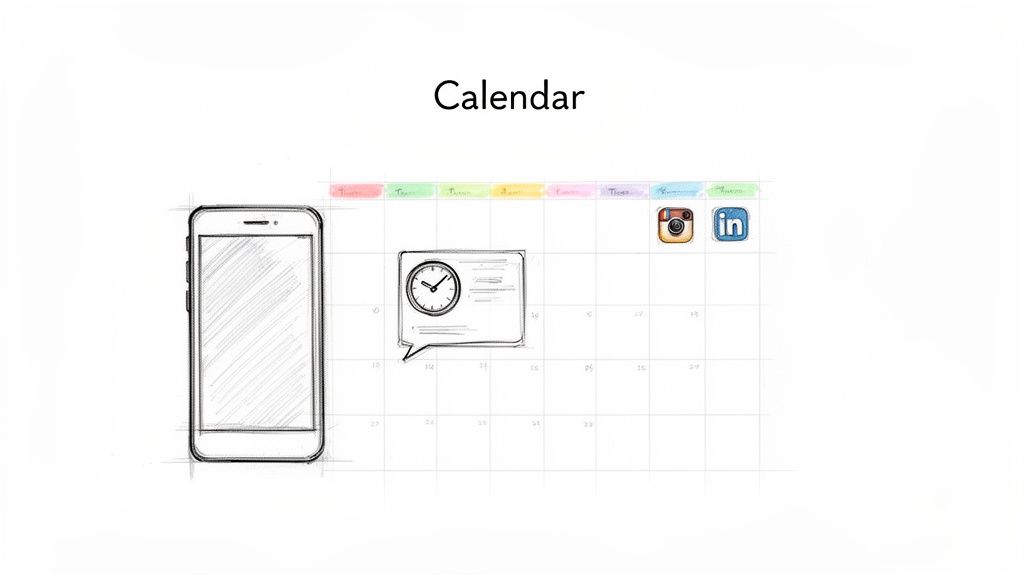
Imagine your social media presence running like a well-oiled machine, publishing engaging content perfectly on schedule, even when you're on vacation. Social media automation is a game-changing business process automation example that handles the entire content lifecycle, from scheduling to publishing across multiple platforms. It eliminates the daily scramble for content and frees you to think strategically about your brand's voice and community.
This process involves using tools to create a content calendar weeks or months in advance. An AI system, or a dedicated social media AI employee, can then draft posts based on your brand guidelines, suggest optimal posting times using engagement data, and automatically publish content to platforms like Instagram, LinkedIn, and X (formerly Twitter). For example, you can tell your AI, "Create five posts about our new product launch for next week, targeting a professional audience on LinkedIn," and it will generate the drafts, complete with relevant hashtags. This transforms social media from a reactive, time-consuming chore into a strategic, automated asset that builds your brand 24/7.
Automating your social media isn't just about posting on time; it's about building a scalable content engine that frees up immense creative and strategic capacity. This is the dream for any modern brand looking to dominate its digital space without burning out its team.
Key Insight: The true power of social media automation lies in separating content creation from content distribution. Batch your creative work in one focused session, then let the system handle the flawless execution, giving your team the freedom to think bigger and create better content.
You can start automating your social media today by focusing on consistency and planning. The goal is to create a reliable posting schedule that you can "set and forget."
Imagine a world where your most powerful marketing assets—authentic customer videos—are created, collected, and distributed for you on autopilot. This business process automation example revolutionizes how brands leverage social proof. It automates the entire lifecycle of user-generated content (UGC), from soliciting video testimonials and product unboxings to curating, editing, and publishing them across all your marketing channels. You can build an ever-growing library of trust-building content while your team focuses on strategy.
This process works by deploying an automated system, like an AI agent, to manage the campaign. The AI reaches out to customers with personalized requests for video content, provides simple submission guidelines, and collects the files. For example, two weeks after a customer receives their order, an AI can email them: "Hi Jane, we hope you love your new hiking boots! Could you share a quick 15-second video of your first adventure with them?" The AI then uses editing tools to add your branding and captions before distributing the finished content across your social media and product pages.
Automating your UGC pipeline isn't just about collecting videos; it's about building a scalable, self-sustaining engine of authentic marketing content. This is a game-changer for brands wanting to build trust and community at scale.
Key Insight: The goal is to make content submission effortless for customers and content management effortless for your team. Automation removes the friction on both sides, transforming customers into your most effective brand storytellers without adding to your workload.
Getting started is about creating an easy, rewarding experience for your community. Focus on a clear call-to-action and a simple submission process to maximize participation.
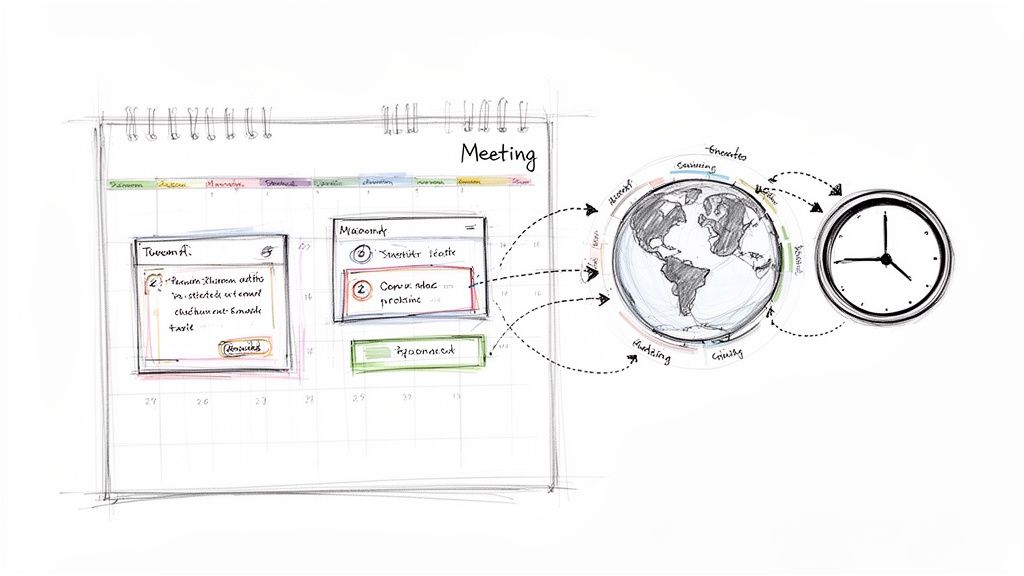
Imagine eliminating the endless back-and-forth emails just to find a 30-minute slot that works for everyone. Meeting scheduling automation is a life-changing business process automation example that delegates the entire coordination process to an intelligent system. It handles everything from finding mutual availability across different time zones to sending reminders and distributing agendas, freeing up your team from administrative headaches to focus on the actual purpose of the meeting.
This process works by giving an AI agent access to your calendar and scheduling preferences. When a meeting is needed, you can simply email your AI assistant: "Hey Alex, find a 30-minute slot for me and Sarah next week to discuss the Q3 budget." The AI cross-references both calendars, finds the best times, emails Sarah with options, and books the slot once she confirms. It's like having a personal executive assistant for everyone on your team.
Automating scheduling is about more than just convenience; it's a strategic move to reclaim countless hours lost to administrative friction. This process streamlines collaboration and removes one of the most common productivity bottlenecks in any organization.
Key Insight: The true value of scheduling automation is removing the cognitive load of coordination. It allows your team to focus on the purpose of the meeting, not the logistics of arranging it, leading to more prepared and productive discussions.
You can start small and scale your scheduling automation to create a highly efficient system. Begin with your personal calendar and expand to team-wide processes.
Imagine your sales team spending their entire day selling—building relationships and closing deals—not sifting through unqualified leads or drowning in manual CRM data entry. Sales pipeline automation is a game-changing business process automation example that uses intelligent systems to capture, qualify, score, and nurture leads. This creates a dream scenario where every time a salesperson engages, they are talking to a prospect who is informed, interested, and ready for a meaningful conversation.
This process works by connecting your lead sources, like website forms, directly to your CRM. An AI system then gets to work. For example, when a lead downloads an ebook, the AI enriches their profile with company data, scores them based on their job title and industry, and enrolls them in a tailored email nurture sequence. As the lead opens emails and visits your pricing page, their score increases. Once they hit a "sales-qualified" threshold, the AI automatically assigns them to a sales rep and books a demo in their calendar.
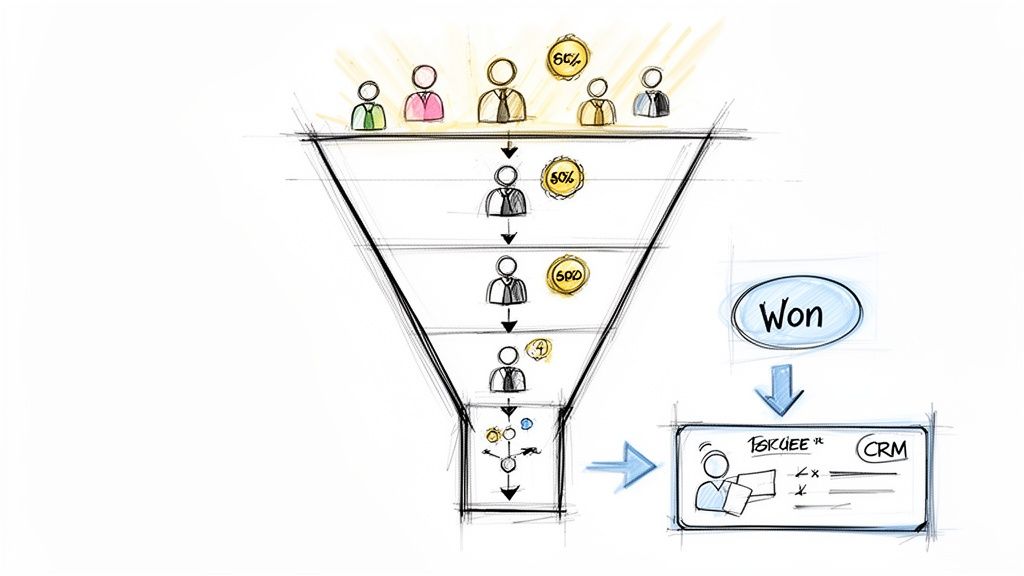
Automating the sales pipeline is about creating a predictable, efficient revenue engine. It transforms sales from a reactive activity into a proactive, data-driven strategy that consistently identifies and prioritizes the best opportunities.
Key Insight: The goal is not to remove the human element from sales but to perfect its timing. Automation ensures your highly-skilled salespeople engage at the exact moment a lead's interest and qualification peak, maximizing the chance of a successful close.
You can begin by automating the most repetitive, time-consuming parts of the sales process. Focus on creating a system that delivers perfectly qualified leads to your team.
Imagine growing a vibrant, thriving online community without your team being pulled into every minor query or moderation task. Community management automation is a game-changing business process automation example that uses AI to handle the day-to-day operations of your forums, Discord servers, and social media groups. This empowers your community managers to stop being reactive firefighters and start being proactive architects of connection and engagement.
This process works by deploying AI-powered bots and systems directly into your community platforms. For example, a new member joins your Discord server. Instantly, a bot greets them with a personalized welcome message, guides them through an automated onboarding process to select their roles and interests, and directs them to key resources. Meanwhile, another AI system scans all conversations for spam or inappropriate language, automatically removing it and alerting a human moderator only if necessary. This creates a welcoming and safe environment that scales effortlessly.
Automating community management isn't about creating a cold, robotic space; it’s about establishing a well-oiled, scalable foundation for genuine human connection. This automation frees up your team to act as true community leaders.
Key Insight: The goal is not to eliminate human interaction but to amplify its impact. Automation handles the repetitive, high-volume tasks, freeing your community managers to focus on high-touch, strategic activities like hosting events, nurturing super-users, and gathering valuable product feedback.
Start small by automating the most predictable and time-consuming aspects of community management. This approach delivers quick wins and builds a solid foundation for more advanced automation.
Imagine a world where your cash flow is predictable, invoices are never sent late, and your team isn't bogged down chasing payments. Invoice generation and payment collection automation is a critical business process automation example that streamlines your entire billing cycle. It creates a seamless, professional system that ensures your business gets paid on time, every time, freeing up your team from awkward follow-ups to focus on valuable work.
This process works by connecting your project management or sales software directly to your accounting system. For example, when a project is marked as "complete" in Asana, it automatically triggers your accounting software to generate a detailed invoice from a template. The system then emails it to the client, sends automated reminders if the due date passes, and reconciles the payment once it's received—all without any manual data entry or intervention.
Automating your billing cycle is a strategic move to stabilize your company's financial health and improve client relationships. It transforms a tedious, error-prone manual task into a seamless, reliable system.
Key Insight: Automating invoicing isn't about hounding clients for money. It's about creating a transparent, professional, and predictable financial relationship that builds trust and ensures your business's fiscal health, all while freeing your team from one of the most dreaded administrative tasks.
You can start automating your billing process with a few key steps that deliver immediate improvements to your cash flow and operational efficiency.
Imagine a hiring and onboarding process that runs itself, delighting new employees with a seamless, welcoming experience instead of burying them in paperwork. HR and onboarding process automation is a game-changing business process automation example that streamlines the entire employee lifecycle. It frees your HR team from administrative burdens to focus on what truly matters: building a strong, engaged company culture and finding the next generation of top talent.
This system works by creating an intelligent, automated workflow. For example, when a candidate applies, an AI screens their application against job criteria. The top candidates are automatically sent a link to schedule an interview with the hiring manager's AI calendar assistant. Once an offer is accepted, it automatically triggers a role-specific onboarding sequence: the new hire receives a welcome email from the CEO, all necessary documents for e-signature, and calendar invites for their first week's meetings. They feel valued and prepared from day one.
Automating HR processes isn't just about efficiency; it's about creating a scalable, consistent, and positive experience that attracts and retains top talent. This is the dream of every modern, people-first organization.
Key Insight: The goal is not to remove the human touch from HR but to eliminate the administrative friction. Automation ensures consistency and compliance, freeing your HR professionals to be strategic partners and culture champions who can focus on the human experience.
You can start small by targeting the most time-consuming administrative tasks and build from there to create a fully integrated employee lifecycle management system.
Imagine an always-on content engine that researches trending topics, drafts SEO-optimized articles, and publishes them to your blog, freeing you to focus on big-picture strategy. Content workflow automation is one of the most powerful business process automation examples for marketing teams. It leverages a suite of AI tools to handle the entire content lifecycle, from keyword discovery and competitor analysis to drafting, optimization, and even social media distribution. This is the dream of scaling your brand's voice without scaling your headcount.
This process works by connecting specialized AI agents in a production line. For example, an SEO AI identifies a high-intent keyword like "best project management software for small teams." It analyzes top-ranking competitor content and generates a detailed outline. A writing AI then uses this brief to draft a comprehensive, brand-aligned article. Finally, an optimization tool refines the draft for search performance before a publishing agent schedules it in your CMS. The result is a steady stream of high-quality content with minimal human intervention.
Automating your content pipeline is about building a scalable, data-driven content machine that consistently captures search traffic and authority. This is a game-changer for businesses wanting to win in crowded digital spaces.
Key Insight: The objective is to automate content production, not content strategy. AI handles the repetitive tasks of research and drafting, empowering human marketers to spend their time on creativity, audience connection, and strategic campaign planning—the work that truly matters.
Start by automating the most time-consuming parts of your existing workflow, like initial research and first drafts, to see an immediate boost in output and creative freedom.
| Solution | Implementation Complexity 🔄 | Resource Requirements & Cost 💡 | Speed / Time to Value ⚡ | Expected Outcomes & Impact ⭐📊 | Ideal Use Cases |
|---|---|---|---|---|---|
| Customer Support Automation & Ticket Management | 🔄 High — multi-channel integration, training models, escalation workflows | 💡 $500–$5,000/mo; significant training data and integrations | ⚡ Moderate — 2–4 weeks basic, 2–3 months to optimize | ⭐📊 Automates 40–60% inquiries; response time from hours→minutes; SLA tracking | Customer service teams, e‑commerce, high-volume support |
| Email Management & Automated Response Generation | 🔄 Medium — parsing, intent detection, approval flows | 💡 $200–$2,000/mo; privacy oversight and initial training | ⚡ Fast — 1–2 weeks | ⭐📊 Cuts handling time 50–70%; fewer missed emails; consistent tone | Sales, support, operations, CRM-driven teams |
| Social Media Posting & Content Calendar Management | 🔄 Low–Medium — platform connectors and calendar sync | 💡 $50–$500/mo; content assets and scheduling inputs | ⚡ Fast — 3–5 days | ⭐📊 Maintains cadence; ↑engagement by posting optimal times; saves 70–80% management time | Marketing teams, agencies, D2C brands, solopreneurs |
| UGC Video Production & Distribution | 🔄 Medium–High — collection, editing, rights management | 💡 $1,000–$5,000/mo; incentives, curation, editing capacity | ⚡ Moderate — 2–4 weeks | ⭐📊 Boosts social proof; conversion +15–25%; reduces production costs 60–80% | Brands seeking authentic content, e‑commerce, lifestyle, community-driven marketers |
| Meeting Scheduling & Calendar Management Automation | 🔄 Low — calendar access, timezone handling | 💡 $0–$500/mo; calendar integrations and permissions | ⚡ Very fast — immediate (1–2 days) | ⭐📊 Saves 2–3 hrs/week per person; fewer no-shows; auto notes & action items | Distributed teams, executives, ops teams |
| Sales Pipeline Automation & Lead Qualification | 🔄 Medium–High — CRM integration, scoring models, enrichment | 💡 $500–$3,000/mo; historical CRM data and model tuning | ⚡ Moderate — 2–4 weeks | ⭐📊 Increases sales velocity 20–40%; faster follow-ups; better lead prioritization | Sales teams, SaaS, agencies, high‑volume lead gen |
| Community Management & Engagement Automation | 🔄 Medium — moderation rules, sentiment tuning | 💡 $200–$1,500/mo; moderation policies and human oversight | ⚡ Fast — 1–2 weeks | ⭐📊 Enables 24/7 engagement; cuts moderation load 50–70%; flags issues early | SaaS communities, creator groups, membership businesses |
| Invoice Generation & Payment Collection Automation | 🔄 Low–Medium — billing logic, payments, reconciliation | 💡 $50–$500/mo; clean order/project data and payment connectors | ⚡ Fast — 1–2 weeks | ⭐📊 Reduces DSO 15–30%; cuts bookkeeping hours; fewer billing errors | Service businesses, agencies, SaaS, freelancers |
| HR & Onboarding Process Automation | 🔄 Medium–High — HRIS integration, compliance workflows | 💡 $500–$2,000/mo; integrations, screening tools, audits for bias | ⚡ Moderate — 2–4 weeks | ⭐📊 Cuts time‑to‑hire 40–50%; standardizes onboarding; improves retention | Growing startups, high‑volume hiring, HR departments |
| Content Research, Writing & Publishing Automation (SEO-Focused) | 🔄 Medium — SEO tooling, CMS integration, editorial review | 💡 $200–$2,000/mo; SME editing and editorial guidelines | ⚡ Moderate — 2–3 weeks | ⭐📊 5–10x content output; improves organic reach when paired with human editing | Content-driven SaaS, agencies, publishers, e‑commerce marketers |
We've explored a comprehensive catalog of business process automation examples, moving far beyond theoretical concepts to provide a strategic blueprint for implementation. From freeing your support team with automated ticket management to accelerating sales cycles through intelligent lead qualification, the message is clear: this is your opportunity to build a business that runs itself. Automation is no longer a luxury; it is the most powerful lever for growth, efficiency, and sanity for businesses of all sizes.
The examples detailed throughout this article are not just isolated efficiency gains. They represent a fundamental shift in how you work. By delegating the repetitive, rule-based tasks to sophisticated AI agents, you unlock your team's most valuable resource: their creative and strategic intelligence. This is the core promise of the automated future—a future you can start building today.
Imagine the cumulative effect of these changes. An account executive, freed from manually updating the CRM, can spend their entire day building client relationships and closing deals. A marketing manager, no longer bogged down by scheduling social media posts, can focus on dreaming up the next viral campaign. An HR specialist, with onboarding automated, can dedicate their efforts to fostering a culture where people thrive.
This isn't about replacing people; it's about unleashing their potential. The true ROI of automation isn't just measured in hours saved. It's measured in increased innovation, higher employee morale, and the incredible agility to outmaneuver competitors. It's the freedom to do your best work.
The sheer number of possibilities can feel overwhelming, but the path forward is straightforward. Your journey starts with a single, well-chosen process.
Strategic Takeaway: The most successful automation strategies are iterative. Begin with a single, well-defined problem, measure the outcome, and then expand your efforts. This incremental approach minimizes risk and maximizes learning, ensuring each new automation builds upon a foundation of proven success.
By systematically applying these strategies, you can transform your business from a collection of manual processes into a streamlined, intelligent, and scalable operation. This is your first step towards building a future where your team is free to focus on what truly matters: creating value, solving complex problems, and driving your business forward.
Ready to move from theory to action? Dooza.co provides a team of AI employees ready to execute the very tasks we've discussed. Instead of complex setups, you can simply hire and manage AI agents like "Social Media Manager" or "Sales Development Rep" to integrate directly with your tools and start automating today.
Automate your business with AI employees that work 24/7.
Discover the leading AI automation companies transforming business workflows in 2026. Learn how agentic AI and digital workers can boost your efficiency.

Discover the hidden ChatGPT features that can save you hours every day, and learn how Dooza's AI employees like Maily, Somi, Ranky, and Stan can automate your business beyond what any chatbot can do.
Join thousands of companies using Workforce to automate their work. Get started for free today.
No credit card required · 7-day money-back guarantee · Cancel anytime