How Do Businesses Use Artificial Intelligence? 7 Real-World Examples
Discover how businesses use artificial intelligence in 2026 with real-world examples. From AI agents to customer support, see practical applications that drive growth.
10 min read
July 9, 2026
What Is Artificial Intelligence for Business?
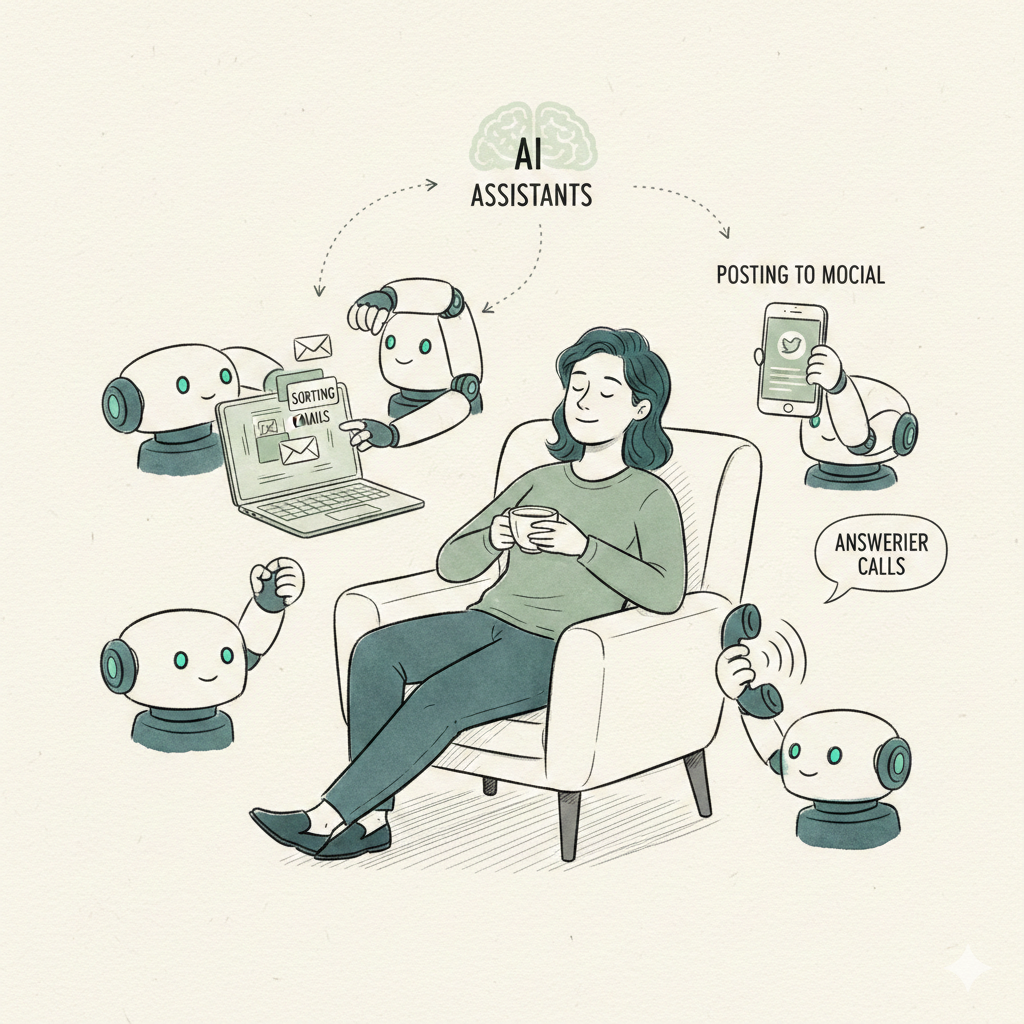
Artificial intelligence (AI) is no longer a futuristic concept — it's a practical tool that businesses of all sizes use every day. But how do businesses use artificial intelligence to actually get work done? The answer goes far beyond simple chatbots. In 2026, companies deploy AI agents that autonomously handle customer support, qualify leads, schedule appointments, create content, and even manage SEO. These AI employees work 24/7 without breaks, salaries, or vacation days.
According to a recent McKinsey report, businesses that integrate AI into their workflows see a 40% reduction in operational costs and a 30% increase in productivity. But the key is understanding which AI applications deliver real ROI. In this guide, we'll walk through seven practical ways businesses use artificial intelligence today, with real-world examples and strategies you can implement immediately.
"AI is not about replacing people — it's about empowering them to focus on what matters most." — Dooza Team
Before diving into specific use cases, let's clarify a common confusion. Many business owners think AI is just a fancy chatbot. In reality, AI agents — autonomous programs that can plan, execute, and learn — are the real game-changers. As explained in the video we'll share later, AI agents follow predefined paths but can also adapt to new situations, making them far more powerful than simple question-answer bots.
How AI Agents Work in Business
To understand how businesses use artificial intelligence effectively, you need to grasp the difference between a basic LLM (large language model) and an AI agent. A standard chatbot like ChatGPT only responds when you prompt it. It has no memory of past conversations and cannot take action on your behalf. An AI agent, on the other hand, can access your calendar, send emails, update your CRM, and even make decisions based on rules you set.
For example, imagine a customer asks, "When is my next appointment?" A basic chatbot would say, "I don't know." An AI agent, however, can query your booking system, retrieve the date, and respond with the correct information. If the customer then asks, "What's the weather like that day?" the AI agent can pull data from a weather API — because its workflow includes multiple data sources.
This is exactly what the video "AI Agents, Clearly Explained" demonstrates. The host uses a coffee chat example to show how an AI workflow can fetch calendar data, then follow up with weather information. The key insight: AI agents follow predefined control logic that you design. You don't need to be a programmer — platforms like Dooza let you configure these workflows with drag-and-drop tools.
Businesses that adopt AI agents typically start with one or two simple workflows, then expand as they see results. A common starting point is customer support, which we cover next.
Customer Support AI Agents
Customer support is the most popular entry point for AI in business. Why? Because it's high-volume, repetitive, and expensive to staff with humans. A single AI agent can handle hundreds of conversations simultaneously, answering FAQs, processing returns, and escalating complex issues to human agents.
Here's how a typical implementation works:
Knowledge base ingestion: Upload your product manuals, FAQs, and support tickets. The AI learns from this data.
Intent recognition: The AI categorizes each customer message (e.g., "order status," "refund request," "technical issue").
Action execution: For simple requests, the AI directly updates the order status or initiates a refund. For complex issues, it creates a ticket and routes it to the right human.
Handoff: When the AI can't resolve an issue, it smoothly transfers the conversation with full context — no repeating information.
One e-commerce company using Dooza's AI employees reduced their average response time from 12 hours to under 2 minutes. They also cut their support team costs by 60% while maintaining a 95% customer satisfaction score. The AI handled 70% of all inquiries autonomously.
For businesses wondering how do businesses use artificial intelligence in support, the answer is clear: to provide instant, accurate, and personalized help at scale. Check our pricing to see how affordable this can be.
Lead Generation and Sales Automation
Sales teams spend up to 40% of their time on non-selling activities like data entry, research, and follow-ups. AI agents can take over these tasks, allowing salespeople to focus on closing deals.
Here are three ways businesses use AI for lead generation:
Automated outreach: AI agents scan LinkedIn, company websites, and industry databases to find prospects that match your ideal customer profile. They then send personalized emails or LinkedIn messages at optimal times.
Lead scoring: The AI analyzes engagement data (email opens, website visits, content downloads) to rank leads by purchase intent. Salespeople only contact leads that are "hot."
Appointment scheduling: When a lead shows interest, the AI agent checks your calendar, sends available time slots, and books the meeting — no back-and-forth emails needed.
A common pattern: a B2B SaaS team lets AI employees handle most of the initial outreach, and the human sales team only steps in for live demos. This is a perfect example of how businesses use artificial intelligence to amplify human effort rather than replace it.
Content Creation and SEO
Content marketing is essential for attracting customers, but producing high-quality blog posts, social media updates, and videos takes time. AI agents can now generate drafts, optimize for SEO, and even create images — all while maintaining your brand voice.
Here's a typical workflow:
Research: The AI scans competitor content, keyword trends, and customer questions to identify topics with high search potential.
Drafting: It writes a first draft based on your guidelines (tone, length, structure). You can customize the output by providing examples — a technique called "few-shot prompting."
Optimization: The AI suggests meta descriptions, alt tags, internal links, and keyword placements to improve SEO.
Publishing: Some AI agents can even post directly to your CMS or social media scheduler.
One marketing agency using Dooza's AI content agent produces 20 blog posts per week (up from 5) while maintaining top 10 rankings for target keywords. The human team now focuses on strategy, editing, and promotion — the AI handles the heavy lifting.
If you're still asking how do businesses use artificial intelligence for marketing, the answer is: to scale content production without sacrificing quality. Read more on our blog about specific AI content strategies.
Watch: AI Agents Clearly Explained
This video is perfect for business owners who want to understand the core concepts behind AI agents without technical jargon. You'll learn how large language models work, what makes AI workflows different from simple chatbots, and how agents can access external data (like calendars and weather APIs) to complete tasks autonomously. The host uses real-life examples that directly apply to business automation.
Overcoming Common Challenges
Adopting AI isn't without hurdles. Here are the top three challenges businesses face and how to overcome them:
Data privacy concerns: Many business owners worry about sharing customer data with AI. Solution: Choose a platform like Dooza with encrypted connections and your approval on anything sensitive, and review each vendor's data policies.
Integration complexity: Connecting AI to existing tools (CRM, ERP, helpdesk) can seem daunting. Solution: Look for AI platforms with pre-built integrations. Dooza connects with over 200 apps including Salesforce, HubSpot, and Zendesk out of the box.
Employee resistance: Staff may fear AI will replace them. Solution: Frame AI as a tool that eliminates boring tasks. Show how it frees them for more interesting work. Many teams actually report higher job satisfaction after AI adoption.
Another common question: how do businesses use artificial intelligence without breaking the bank? Start small. Pick one repetitive task — like answering common support questions or sending follow-up emails — and deploy an AI agent for that specific job. Measure the time saved, then expand.
Conclusion
Artificial intelligence is transforming how businesses operate, but the key is knowing how businesses use artificial intelligence practically. From customer support and lead generation to content creation and SEO, AI agents handle the tasks that slow your team down. The result: faster response times, lower costs, and happier customers.
Ready to hire your first AI employee? Start your Dooza pilot — 100% refund within 14 days. No coding required. Your AI employee starts working immediately — never sleeps, never takes a break, and never asks for a raise.
If you want to learn more about specific use cases, visit our about page to see how companies like yours are already benefiting. The future of business is automated — and it starts now.
Frequently Asked Questions
What is the most common way businesses use artificial intelligence?
The most common use is customer support automation. AI agents handle FAQs, ticket routing, and even complex queries 24/7, reducing response times and freeing human agents for higher-value issues. Many businesses also use AI for lead qualification and content generation.
Do I need technical skills to implement AI in my business?
No. Platforms like Dooza allow you to deploy pre-built AI Employees with no coding. You simply define the tasks, upload knowledge bases, and the AI agent works autonomously. The video we reference shows that even non-technical users can set up AI workflows.
How much does it cost to use AI for a small business?
Costs vary widely. Basic AI chatbots can start at $0 for limited use, while full AI employees like Dooza start at a flat monthly fee per agent. Compared to hiring a human employee, AI agents cost a fraction — often 80-90% less — and work 24/7.
Is AI secure for handling customer data?
Reputable AI platforms use encryption, access controls, and comply with GDPR/CCPA. Dooza, for example, uses encrypted connections and your approval on anything sensitive. Always check the provider's security certifications before deployment.
Can AI replace my entire team?
AI is best used to augment your team, not replace it. It handles repetitive, high-volume tasks so your human staff can focus on strategy, creativity, and relationship building. Most businesses see a 30-50% productivity boost after integrating AI agents.
Ready to Start Your Pilot?
Automate your business with AI employees that work 24/7. Start with a refundable pilot: 100% refund within 14 days.
Best AI Agentic AI Tool for Automation in USA (2026)
Looking for the best AI agentic AI tool for automation in the USA? See why Dooza is built for American businesses that need email, SEO, social media, sales, and phone automation in one AI workforce.
Start with a refundable pilot — 100% refund within 14 days. A Dooza engineer scopes it with you on a free 30-minute call. Pricing depends on the product; see pricing.